


Seeing 12V-2×6 on a new GPU while your cable says 12VHPWR can be confusing. Do you need a new cable, or can you keep the one you already have?
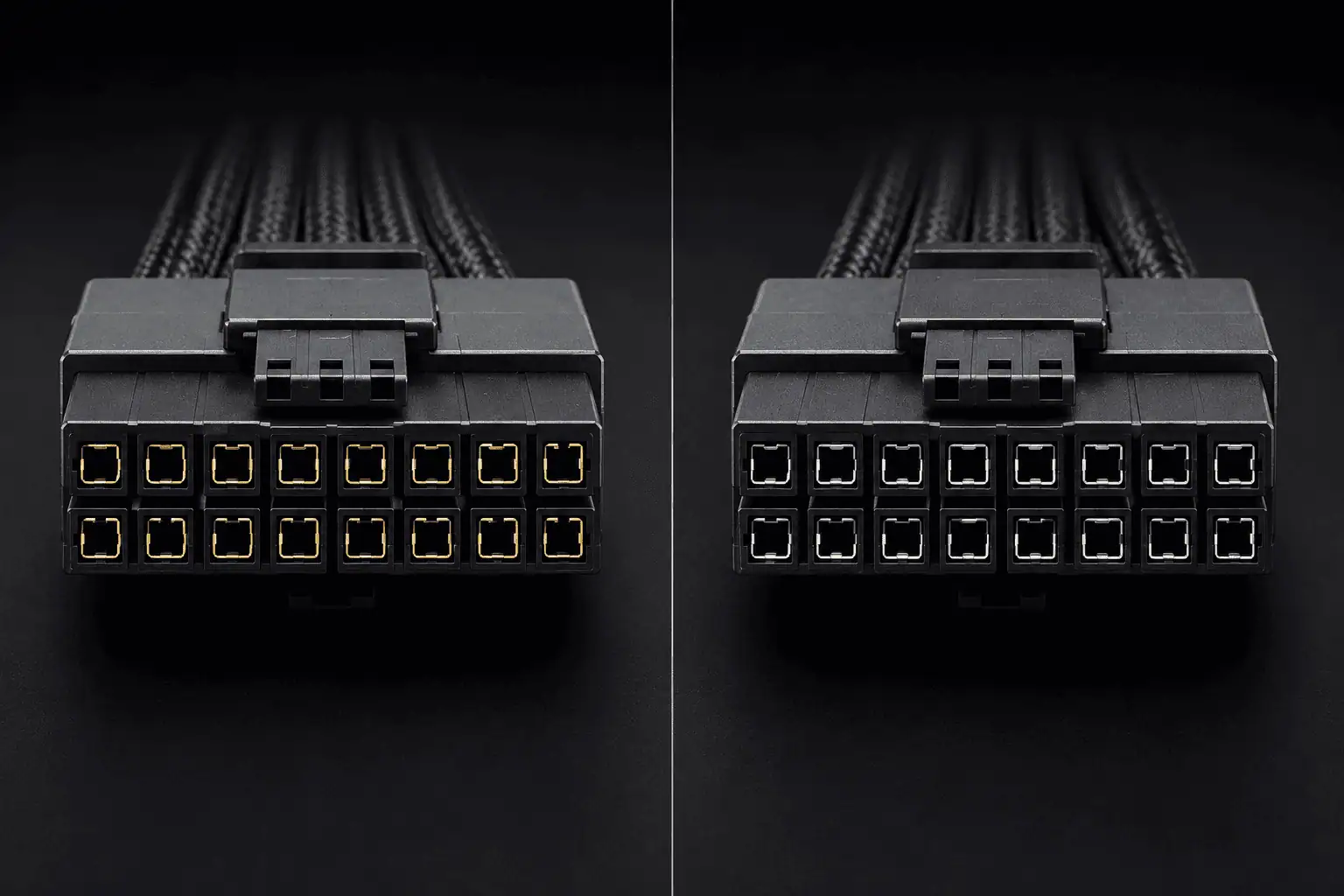
The two connectors look almost identical, but their contact design is different. 12V-2×6 is a revised version of 12VHPWR, and a supported 12VHPWR cable may still work with 12V-2×6 hardware. Check your exact GPU, PSU, and cable before making a change.
12V-2×6 vs 12VHPWR: What Changed?
12V-2×6 replaced 12VHPWR as the newer connector defined in the PCIe CEM 5.1 specification. It keeps the same basic 16-pin layout, so the two connectors can look almost identical.
The main changes are in the power contacts and sense contacts. These changes help improve contact quality and make proper connector seating easier to detect.
Both designs use:
- 12 larger power contacts
- 4 smaller sense contacts
- A 16-pin connector
- A 12V power connection for high-power GPUs
- Support for systems rated for up to 600W through the connector
The main 12V-2×6 vs 12VHPWR difference is the contact design, not the basic 16-pin shape.
Power Contact Changes
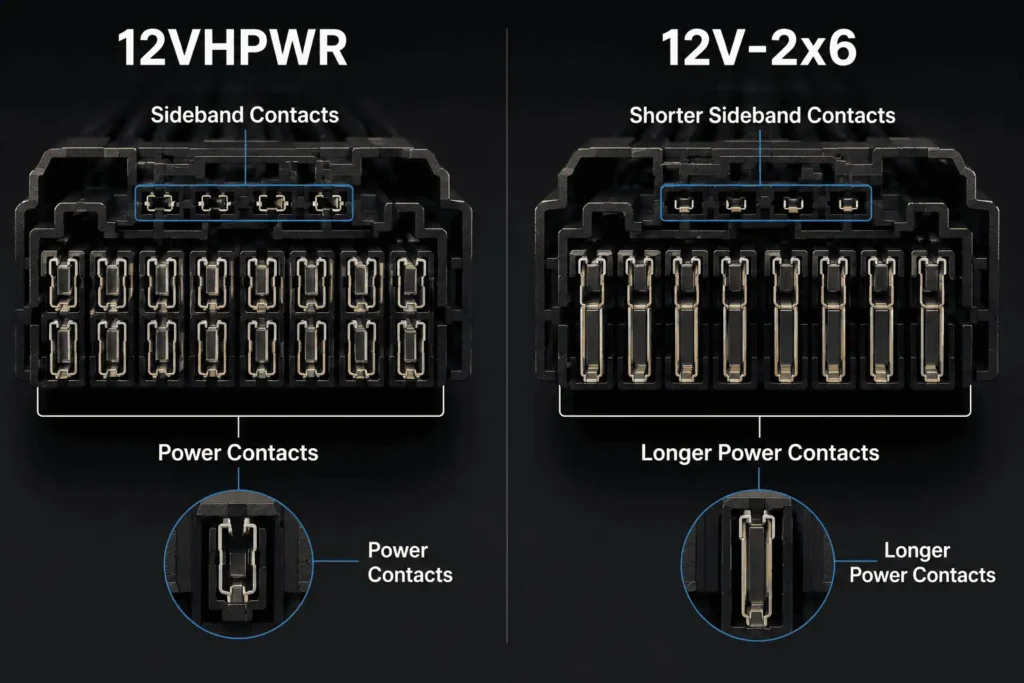
The power contacts are longer on 12V-2×6 than on the older 12VHPWR design.
The longer power contacts help the power terminals engage before the sideband contacts. This improves the mating sequence of the connector. This helps provide a more reliable connection between the GPU and power cable.
This matters because a high-power GPU can draw a large amount of current through these contacts. A poor connection can create higher resistance and more heat at the contact point.
The 12V-2×6 changes were made to improve this part of the connector design.
Sense Pin Changes
The four smaller sense contacts are another major change.
On 12V-2×6, the sense contacts are shorter and sit farther back in the connector housing. This means the main power contacts can engage before the sense contacts.
That helps prevent the system from detecting the connection before the main power contacts are properly seated.
Some hardware may also use H+ for 12VHPWR and H++ for 12V-2×6. These markings can be very small, so check the product specifications if you need to confirm the connector type.
Can You Use a 12VHPWR Cable With a 12V-2×6 GPU?
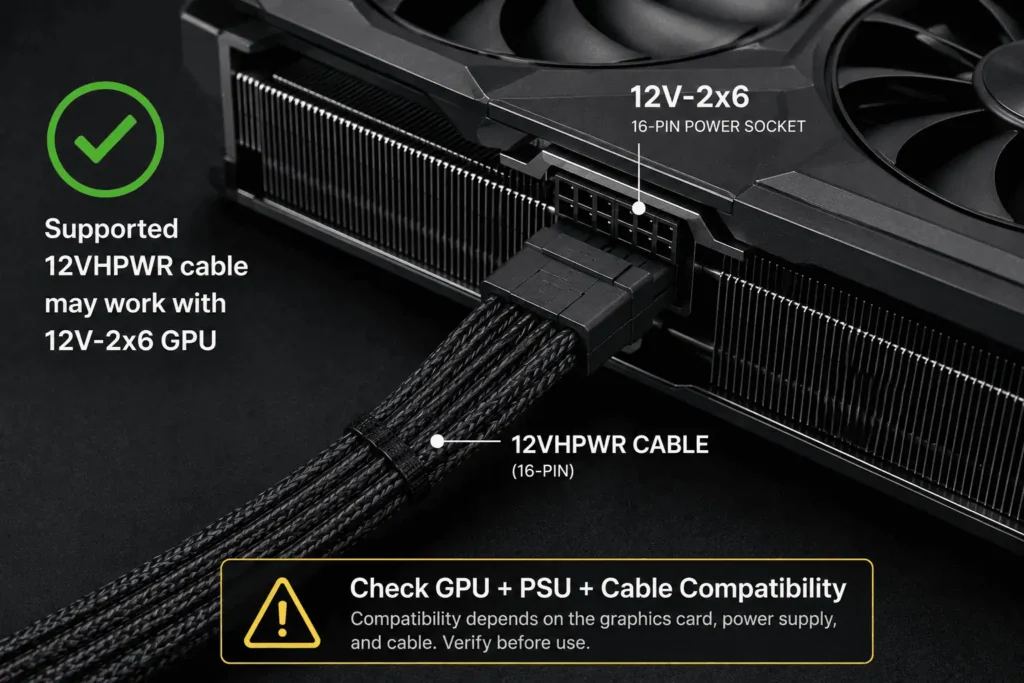
In many supported setups, yes.
A 12VHPWR cable can work with a GPU that uses 12V-2×6 because the two connector designs are closely related.
The main physical changes are in the connector contacts. The cable conductors did not need to become a completely new cable type.
This means a cable labeled 12VHPWR is not automatically wrong for a 12V-2×6 GPU.
However, do not judge compatibility by the connector shape alone. The cable must be approved for your exact PSU model and meet the GPU’s power needs.
Do You Need a New Cable for 12V-2×6?
Usually, no.
If your current 12VHPWR cable is supported by your PSU and GPU setup, you do not need to replace it simply because your new GPU uses 12V-2×6.
You may need a new cable if:
- Your current cable is damaged.
- Your PSU does not support that cable.
- The cable has the wrong PSU-side pinout.
- The cable does not meet the GPU’s power needs.
- Your PSU maker recommends a different cable.
- You want to replace an adapter with a supported native cable.
The important check is the complete GPU, PSU, and cable setup, not just the name printed on the connector.
Are 12VHPWR and 12V-2×6 Cables the Same?
They can use very similar cable construction, but the connector design is different.
The 12V-2×6 revision changed the power and sense contact design. The cable conductors themselves did not need to become a completely new cable type.
That is why some PSU makers support existing 12VHPWR cables with 12V-2×6 hardware.
So, 12VHPWR and 12V-2×6 are not two completely different cable systems. The connector revision is the main change.
Can You Use a 12V-2×6 Cable With a 12VHPWR GPU?
A compatible 12V-2×6 cable may work with 12VHPWR hardware because the two connector designs are closely related.
The same rule applies in both directions: check the complete cable and hardware setup before connecting it.
Do not assume compatibility just because the plug fits.
Are 12VHPWR and 12V-2×6 PSU Cables Universal?
No. You should not assume that every 12VHPWR or 12V-2×6 cable works with every modular PSU.
The GPU-side connector may look the same, but the PSU-side pinout can differ between PSU brands and models.
That means a cable can physically fit into a modular PSU and still have the wrong wiring.
Use the cable supplied with your PSU or a replacement cable that the PSU maker confirms as compatible with your exact model.
Can You Mix and Match Modular PSU Cables?
No. Do not mix modular PSU cables just because the connectors fit.
A cable from one PSU can have a different pinout from a cable made for another PSU. Using the wrong cable can send power through the wrong pins.
If you change your PSU, check its cable compatibility before reusing your old GPU power cable.
Does Cable Direction Matter?
Yes. Use the cable according to the PSU and GPU manufacturer’s instructions.
Do not assume that two similar-looking ends can be connected to either side. With modular PSU cables, the PSU-side wiring is especially important.
Where Does the 12V-2×6 Cable Plug In?
The 12V-2×6 connector plugs directly into the 16-pin power socket on the GPU.
With a native PSU cable, the other end connects to the compatible PSU port. With an adapter, the adapter’s 12V-2×6 end connects to the GPU, while its other end connects to the required PCIe power cables.
Do not force the connector if it does not seat correctly. Check the GPU and PSU instructions before connecting it.
Can a 12VHPWR Cable Go Into the PSU?
The answer depends on the cable.
A native PSU cable has a PSU-side connector made for that specific PSU. An adapter can use standard PCIe power cables on the PSU side.
Do not treat the 12VHPWR or 12V-2×6 label as proof that the cable can connect to any modular PSU.
Is 12V-2×6 Safer Than 12VHPWR?
12V-2×6 is a revised connector design made to improve the connection between the plug and socket.
The main changes include longer power contacts and shorter sense contacts. The shorter sideband contacts help ensure the main power contacts engage before the sideband contacts.
This can help reduce problems caused by a connector that is not fully seated.
But 12V-2×6 does not remove the need for correct installation. The connector still needs to be fully inserted, and the cable must be suitable for the GPU and PSU.
12V-2×6, 12VHPWR, PCIe CEM 5.1 and ATX 3.1
These names refer to different things.
12V-2×6 is the newer 16-pin connector design.
12VHPWR is the earlier 16-pin connector design.
PCIe CEM 5.1 defines the 12V-2×6 connector for graphics cards.
ATX 3.1 is a PSU specification. It covers PSU requirements and power delivery behavior.
So, ATX 3.1 and 12V-2×6 are related, but they are not the same thing.
Does 12V-2×6 Support 600W?
12V-2×6 can support up to 600W when the connector and complete system are rated for that level.
This does not mean every 12V-2×6 cable or every GPU can use 600W. The cable, PSU, GPU, and connector rating must all support the required power.
A 600W connector rating also does not mean your GPU will always draw 600W. The GPU draws the power required by its design and workload.
How Can You Tell 12VHPWR From 12V-2×6?
Some hardware uses markings to show the connector type.
H+ is commonly used for 12VHPWR, while H++ is used for 12V-2×6.
These markings can be very small, so do not rely on them alone. Check the GPU, PSU, or cable specifications if you need to confirm the connector type.
The connector shape alone may not tell you which version you have.
Which Is Better: 12V-2×6 or 12VHPWR?
In the 12V-2×6 vs 12VHPWR comparison, 12V-2×6 is the newer connector design. It includes changes to the power contacts and sense contacts that improve the connection.
For an existing PC, you do not need to replace a supported 12VHPWR cable just because 12V-2×6 is newer.
If you are buying a new PSU or GPU, use the cable specified for that hardware.
The best choice is the compatible cable for your exact GPU and PSU, with the correct power rating and a proper connection.
Conclusion
12V-2×6 is the newer revision of 12VHPWR, with changes to the power and sense contacts. The two connectors are closely related, so a supported 12VHPWR cable may work with 12V-2×6 hardware. You do not need a new cable just because the connector name changed. Check your exact GPU, PSU, cable rating, and PSU-side pinout before connecting anything. For a new build, use the cable recommended for your hardware. For an existing PC, keep your current cable if it is supported, undamaged, and correctly rated.
FAQs
Is 12V-2×6 backwards compatible with older GPUs?
In many cases, the closely related connector designs can work together, but always check the GPU and cable specifications before using a different cable.
Can a 12V-2×6 connector deliver 450W?
Yes. 12V-2×6 can support different power levels, including 450W, depending on the cable, GPU, PSU, and system rating.
What does 12V-2×6 mean on a GPU?
It refers to the newer 16-pin GPU power connector design that replaced 12VHPWR in the PCIe CEM specification.
Can I use a 12V-2×6 adapter with an older PSU?
It can be possible if the adapter and PSU are rated and approved for the GPU’s required power. Check the adapter and PSU specifications before use.
Can I use a 12V-2×6 cable with an ATX 3.0 PSU?
A compatible 12V-2×6 cable may work with an ATX 3.0 PSU, but check the PSU maker’s cable specifications before using it. The PSU model and cable compatibility matter more than the connector name alone.
Does a 12V-2×6 cable reduce GPU power consumption?
No. The connector does not make the GPU use less power. GPU power use depends on the graphics card, workload, settings, and power limits.