


Messy PC cables can block airflow, trap heat, collect dust, and make upgrades frustrating. Many builders also wonder whether zip ties or Velcro ties are the better choice for cable management, especially when organizing GPU, PSU, ethernet cables, and other delicate wires.
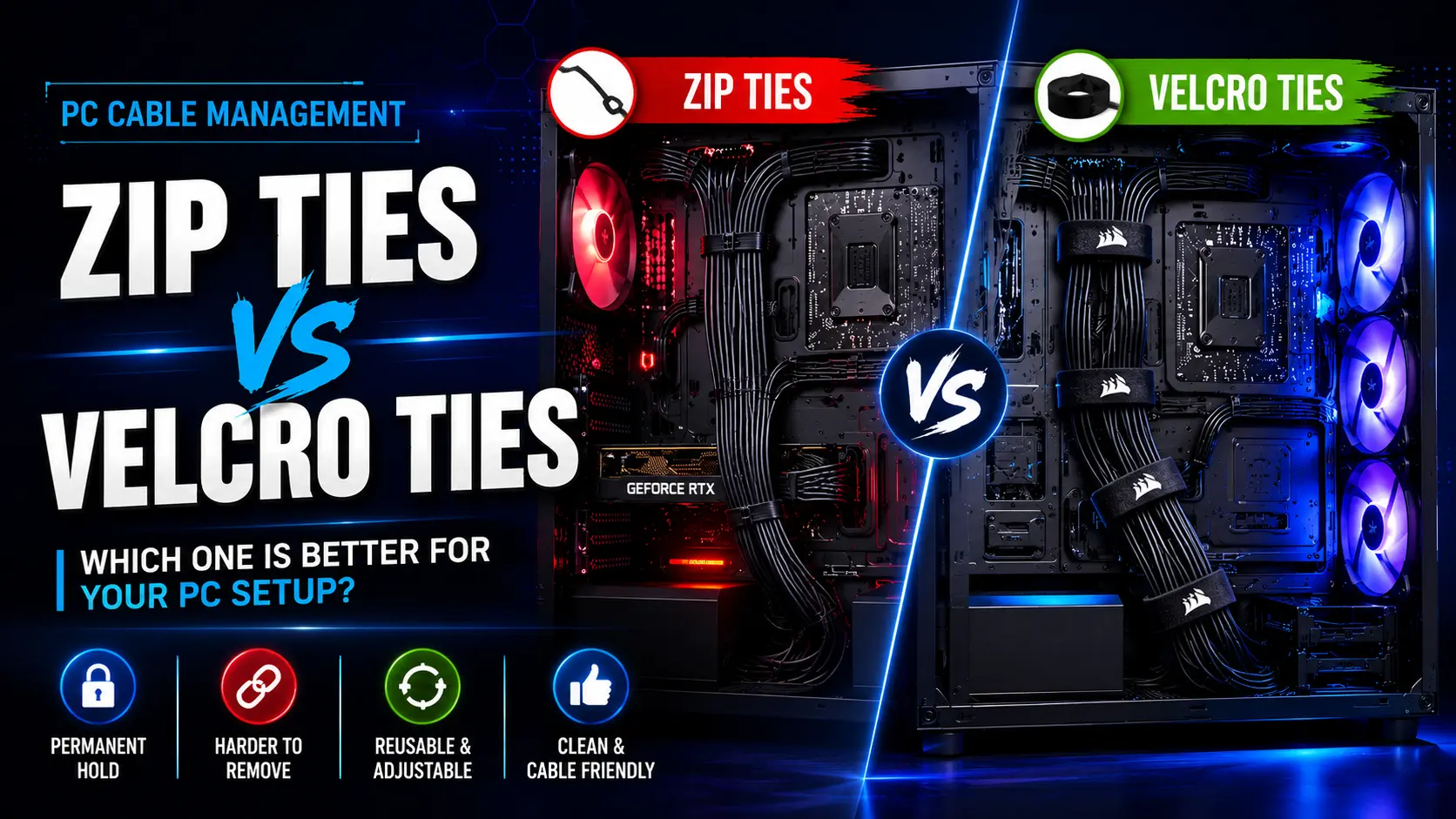
While zip ties provide strong secure bundling for permanent cable routing, Velcro (hook-and-loop) ties offer reusability, flexibility, and safer adjustments. This guide compares both options, explains where each works best, and shows why a hybrid approach is often the smartest solution for clean, organized, and easy-to-maintain PC cable management.
Quick Answer
Velcro ties are better for PC cables that you upgrade or move often because they are reusable and safer for delicate wires. Zip ties are better for permanent cable routing where you need a stronger hold. For most PC builders, the best solution is a combination of both using a hybrid cable management approach.
| Feature | Zip Ties | Velcro |
|---|---|---|
| Strength | Very Strong | Moderate |
| Reusability | No | Yes |
| Safety for Cables | Can Damage if Overtightened | Safe and Gentle |
| Ease of Use | Fast Installation | Adjustable and Reusable |
| Cost | Low Cost | Higher Upfront Cost |
| Best Use | Permanent Cable Routing | Flexible Setups & Frequent Changes |
Why Cable Management Matters
Good cable management is not just about looks. It also affects system performance and network performance.
Improve Airflow and Cooling
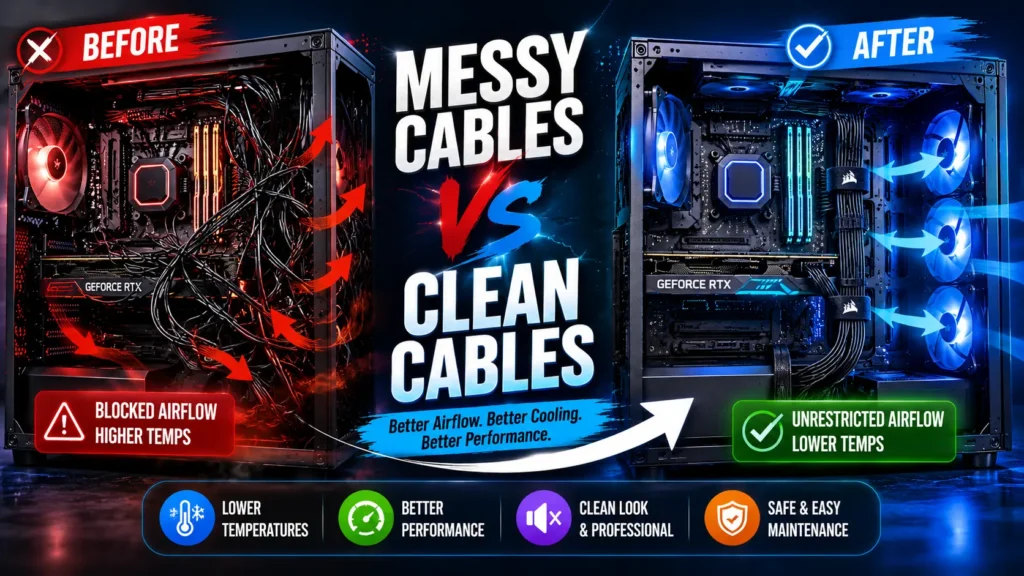
Loose cables can block airflow and cause heat buildup inside your PC.
Good cable management improves cooling efficiency by keeping airflow paths clear. This helps your CPU and GPU run cooler and improves overall system performance.
Reduce Dust Accumulation
Messy cables collect dust buildup. Dust can harm your PC parts over time.
Neat cables reduce dust and improve organized pathways.
Enhance Aesthetics
A clean PC looks better. This is very important for modern PC builds, gaming setups, and RGB builds.
For visible GPU power cables, tools like cable combs can create a straighter and more professional-looking cable layout.
Clean cables improve visual appeal and make your setup look more professional.
If your cables remain visible, braided cable sleeves can give them a cleaner, more finished appearance.
Simplify Maintenance and Upgrades
Good cable organization makes upgrades easy. You can change parts without stress.
This is very helpful if you upgrade your PC often and need better cable accessibility and troubleshooting.
Types of Cable Ties
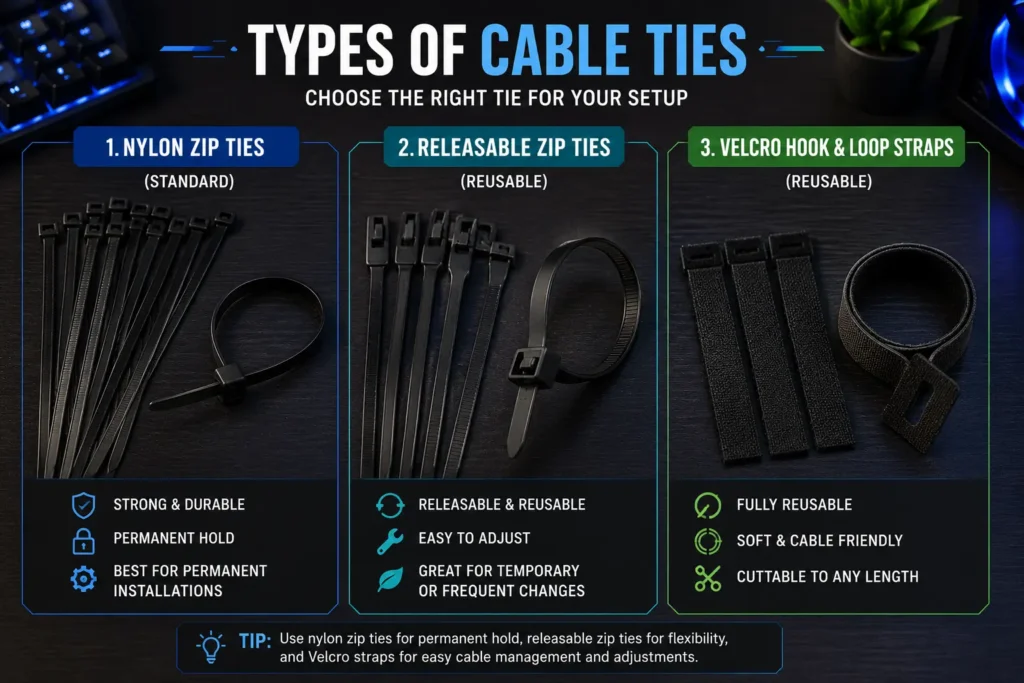
There are different types of cable ties. Each type has a different use in cable management.
Standard Nylon Cable Ties
These are the most common zip ties. They are strong, made with tensile strength, and low cost.
They are best for permanent installs and secure bundling.
Releasable Cable Ties
These are reusable cable ties. You can open and close them.
They are better for flexible setups and maintenance-heavy setups.
Velcro / Hook-and-Loop Cable Ties
Velcro, also called hook-and-loop or velcro straps, is soft and reusable.
They are best for safe and flexible cable routing without causing cable damage.
What Are Hook-and-Loop Cable Ties?
Hook-and-loop ties are also called Velcro ties. They use two surfaces: hooks and loops that stick together.
Velcro ties (hook-and-loop) are reusable cable ties that are soft, adjustable, and safe for cables. They are ideal for flexible cable management and frequent changes.
What Size Zip Ties Should You Use for a PC?
Choosing the right size is important for proper bundle size and cable protection. Small ties are easier to manage inside a PC case.
Most PC builders use:
4-inch for small cables
6-inch for general use
8-inch for larger cable bundles
Shorter ties give better control and reduce over-tightening risk.
Zip Ties: Pros and Cons
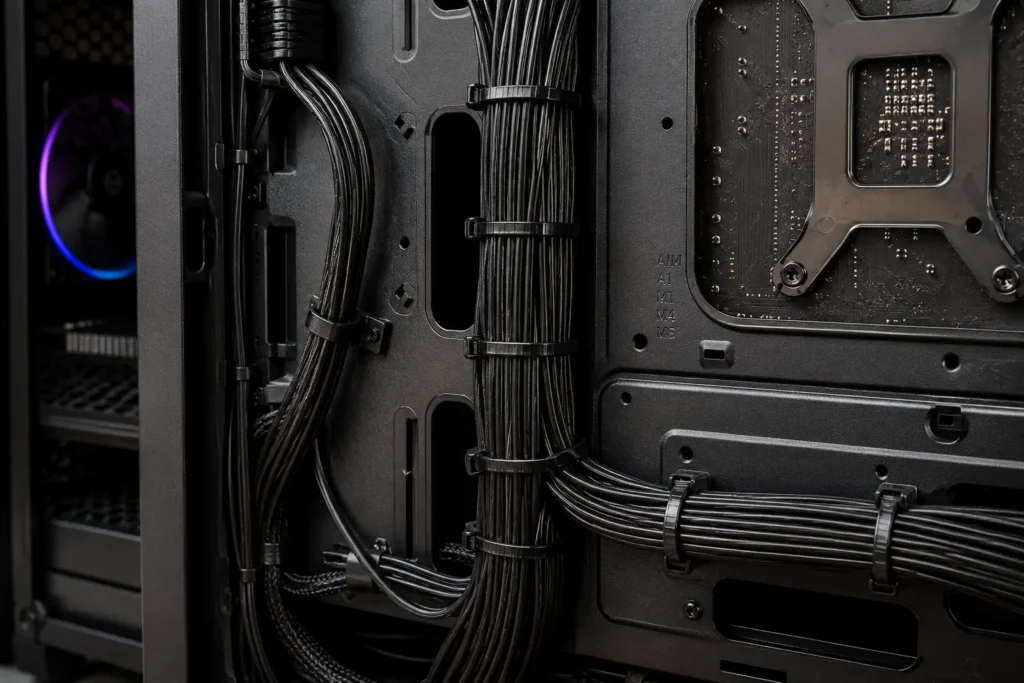
Advantages of Zip Ties
Zip ties are very strong. They offer high tensile strength and hold cables tightly in place.
Zip ties are also low cost, making them great for large builds and structured cabling.
They fit well in tight spaces and support horizontal routing and vertical routing for better PC cable routing.
Disadvantages of Zip Ties
Zip ties are single-use. Once you cut them, they are gone.
They can also cause cable damage. If you apply too much pressure, it can lead to insulation damage, signal loss, or even interference in sensitive ethernet cables.
Always avoid over-tightening.
Velcro Ties: Pros & Cons
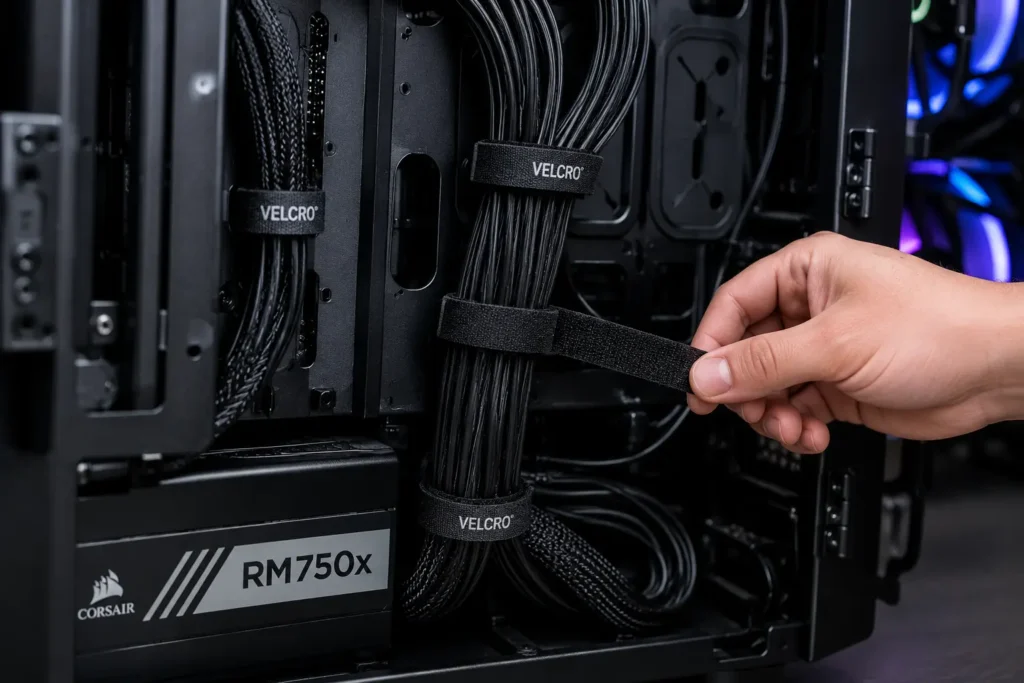
Advantages of Velcro Ties
Velcro straps offer reusability, flexibility, and are more user-friendly.
They are safe for cables and do not damage internal structure or cause compression resistance issues.
They are ideal for setups that change often and support better cable organization.
Disadvantages of Velcro Ties
Velcro is not as strong as zip ties. It has less rigidity and may loosen over time.
Low-quality Velcro can lose grip faster, but good-quality ones remain secure.
It is also a slightly higher cost option.
Cost Comparison of Zip ties vs Velcro ties
Zip ties are very cheap and great for bulk use.
Velcro ties cost more upfront but offer reusability, making them cost-effective over time.
For tight budgets, zip ties are enough, but Velcro supports long-term use.
Ease of Installation
Zip ties are fast. You pull and lock them for quick secure bundling.
However, they require a cutting tool to remove.
Velcro takes slightly more time but allows easy adjustments and better cable routing.
The Hybrid Approach: Best of Both Worlds
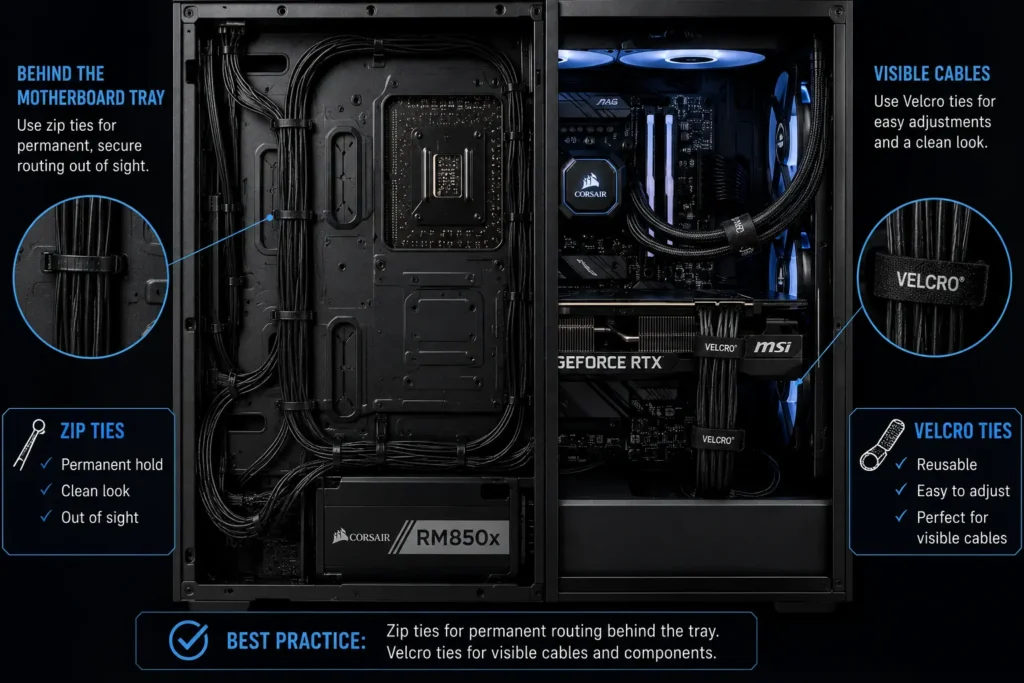
You do not need to choose only one.
Many PC builders use a hybrid approach because different cable management accessories solve different problems.
Zip ties work well for permanent cable routes, while Velcro straps are better for areas that need flexibility and frequent changes.
Use zip ties for fixed structures like behind the motherboard tray.
Use Velcro for flexible sections like GPU or PSU cables.
This creates a balanced approach between strength and flexibility and improves maintenance efficiency.
For larger cable bundles, cable management sleeves can hide several wires inside one clean bundle while zip ties or Velcro keep them securely organized.
Safety and Compliance Considerations
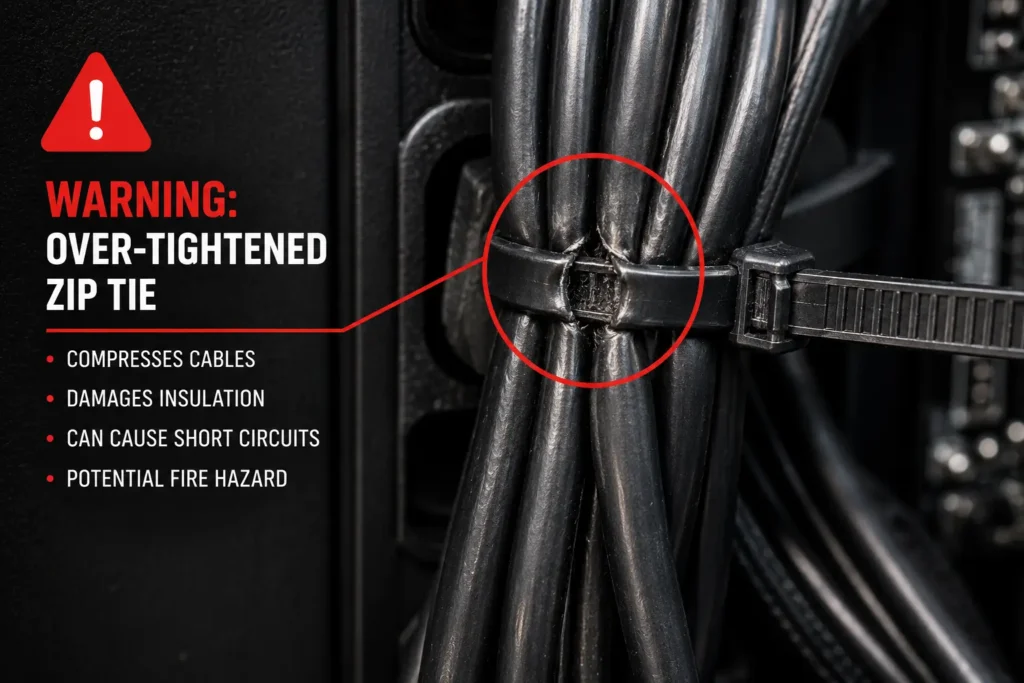
Cable safety is very important.
Do not over-tighten zip ties. This can damage cable insulation and affect data transmission.
Avoid bending cables too much. This can break bend radius rules and cause signal loss.
Always leave space for airflow and reduce heat build-up.
Best Use Cases
When to Use Zip Ties
- Behind the motherboard tray
- Tight spaces inside the case
- Permanent cable routing
- Small cable bundles
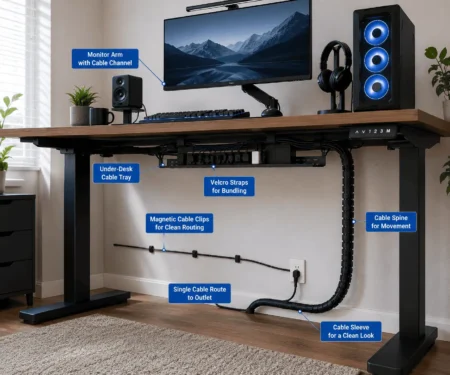
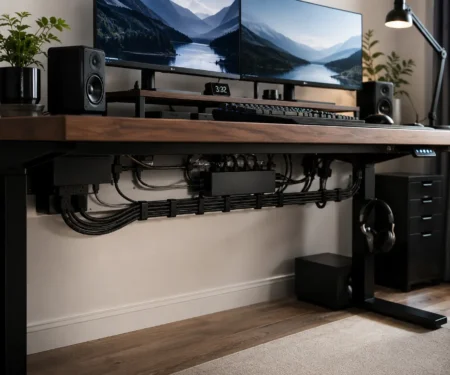
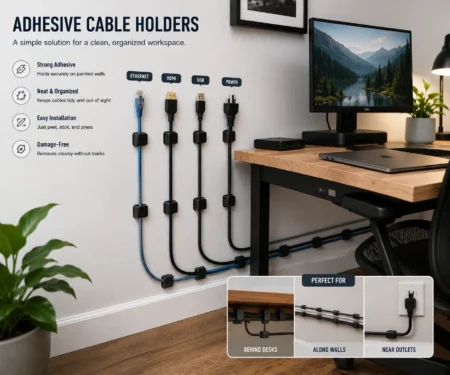
While organizing cables beneath a desk, an under desk cable management tray can hide power strips and larger cable bundles before securing them with zip ties or Velcro.
When to Use Velcro
- GPU and PSU cables
- External cables
- Test bench setups
- Frequent upgrades
Cable Routing Tips
Good routing makes a big difference.
Avoid Over-Tightening
Always leave some slack to avoid cable strain and internal structure deformation.
Route Behind the Motherboard Tray
This improves airflow and creates organized setups.
Keep Airflow Paths Clear
Do not block fans. Good airflow improves cooling efficiency.
How to Use Zip Ties to Organize Cords
Group cables into small bundles for better cable grouping.
Trim excess ends carefully for clean results.
Which Should You Choose?
Choose zip ties if you need strong, fixed, and permanent installs.
Choose Velcro for flexible and safe cable management.
For most users, a hybrid approach works best.
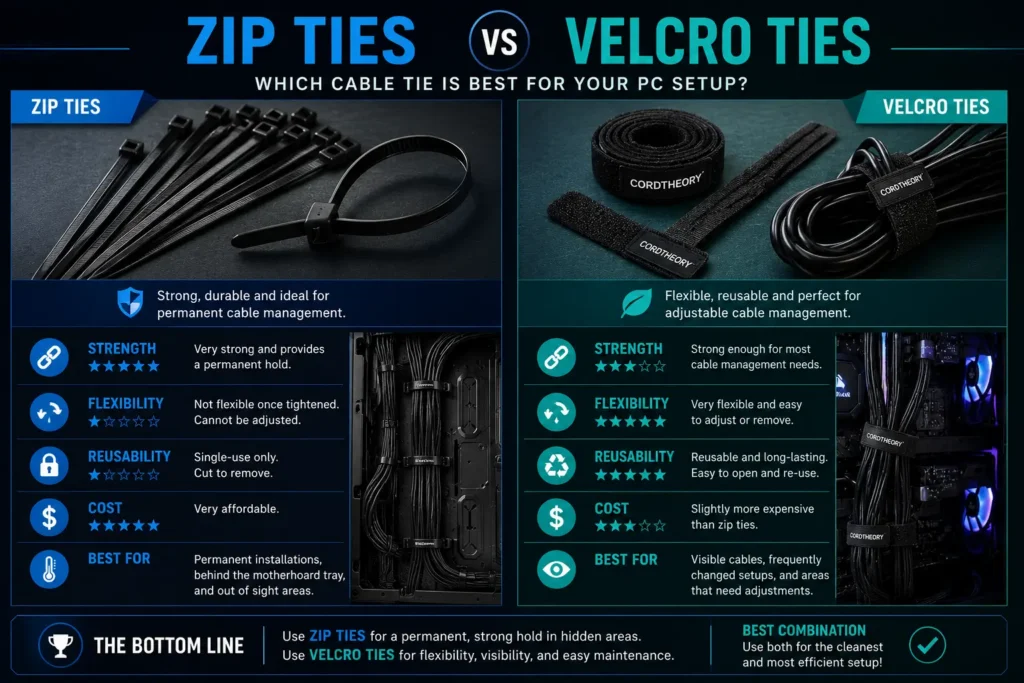
| If You Want… | Use This |
|---|---|
| Clean and Permanent Cable Setup | Zip Ties |
| Easy Upgrades and Changes | Velcro |
| Safe Option for Beginners | Velcro |
| Tight Cable Control in Small Spaces | Zip Ties |
| Best Overall Result | Use Both (Hybrid Approach) |
Zip Ties vs Velcro: Key Differences
Conclusion
There is no single winner because each option serves a different purpose. Zip ties are ideal for permanent cable routing where strength matters, while Velcro ties are better for cables that need regular changes or adjustments. Using both in the right places creates a cleaner setup, improves cable organization, and makes future maintenance much easier. Choose the option that matches your PC build, upgrade habits, and the level of flexibility you need.
FAQs
Can you mix Velcro ties and zip ties in the same PC build?
Yes. Many builders use zip ties for permanent cable routing and Velcro ties where cables may need to be moved or upgraded later.
Do cable ties affect PC temperatures directly?
Cable ties do not reduce temperatures by themselves, but proper cable routing can improve airflow, which helps cooling components work more efficiently.
Are reusable zip ties better than standard zip ties?
Reusable zip ties are a good middle ground. They provide a stronger hold than Velcro while allowing you to reopen and adjust cable bundles.
Should power cables and data cables be bundled together?
It is usually better to keep power and data cables organized separately when possible. This makes troubleshooting easier and keeps cable routing cleaner.
How often should you check your PC cable management?
Inspect your cable routing whenever you clean your PC or install new hardware. This helps you spot loose cables, dust buildup, or areas that need adjustment.

1 Comment
This is very helpful after reading this article I solved my problem. Keep posting articles like that. Good work, keep it up.