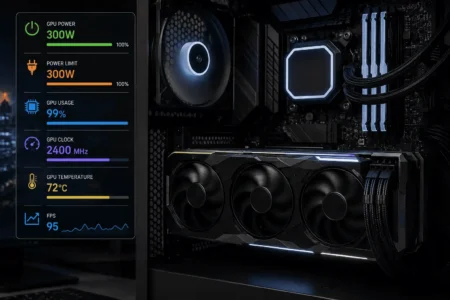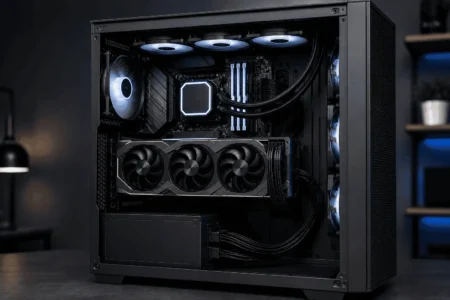



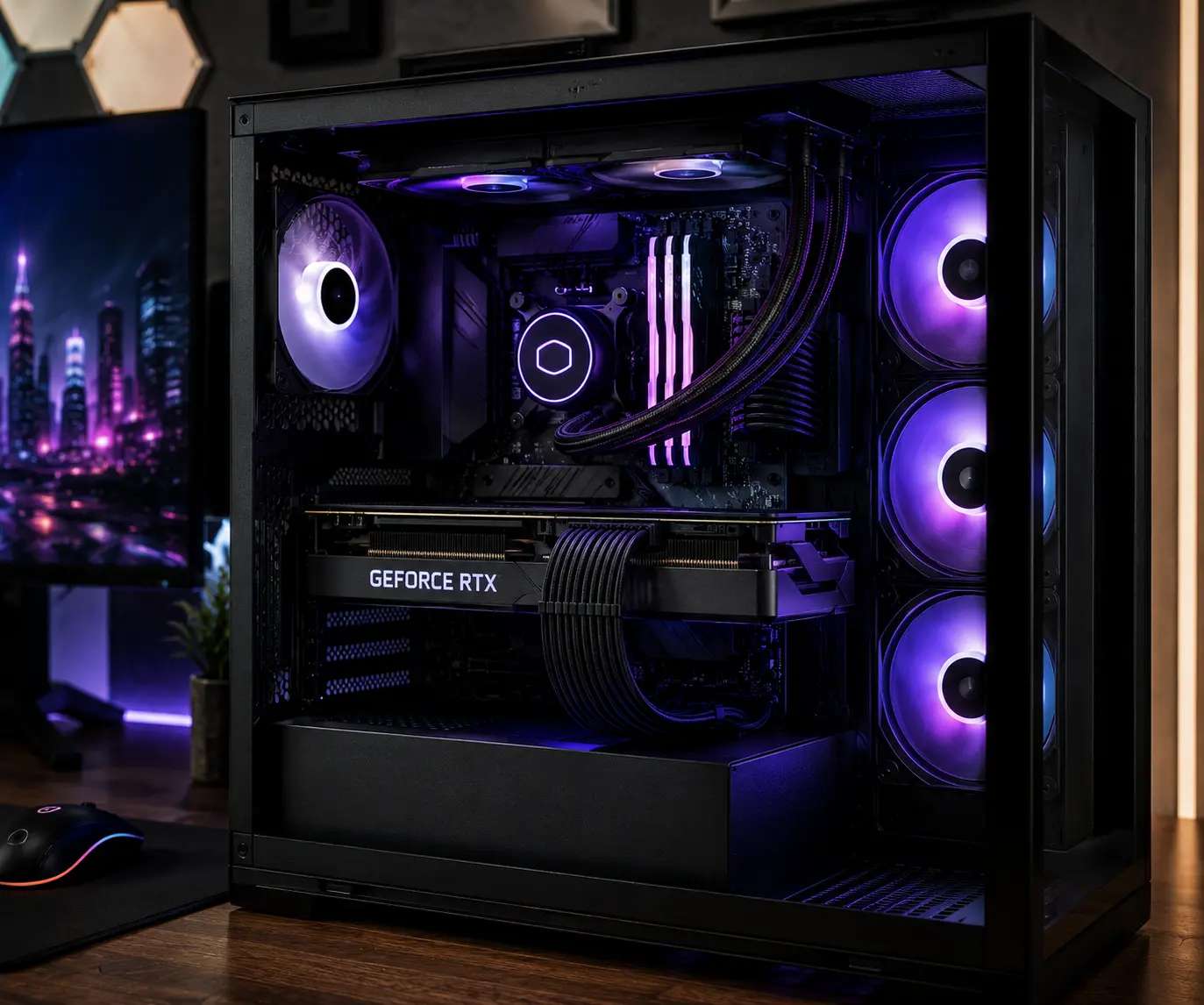
Many PC builds look impressive until you notice the GPU power cables. Twisted PCIe power cables, uneven wire spacing, and poor cable routing can make even a high-end gaming PC look untidy, especially behind a tempered glass side panel.
Cable combs are one of the most useful cable management accessories for keeping individual wires aligned, improving cable routing, and creating cleaner GPU cable runs. Whether you use sleeved cables, PSU extension cables, or a 12VHPWR connector, this guide explains how cable combs work, how to choose the right type, and how to install them for a cleaner-looking PC.
💡 Key Takeaways
- GPU power cables often look messy because of uneven wire spacing, cable twisting, and poor cable routing.
- Cable combs help align individual wires and create consistent spacing for a cleaner appearance.
- Most gaming PCs only need 3–6 cable combs to improve visible GPU cable runs.
- Cable combs work best with sleeved cables, PSU extension cables, and modular power supply cables.
- Modern RTX 4070, RTX 4080, RTX 4090, 12VHPWR, and 12V-2×6 cables can benefit from proper cable comb placement.
- Cable combs do not increase gaming performance, but they can significantly improve cable organization and PC aesthetics.
- Using multiple cable combs along the cable path helps reduce twisting and keeps wires evenly aligned.
Why GPU Power Cables Often Look Messy
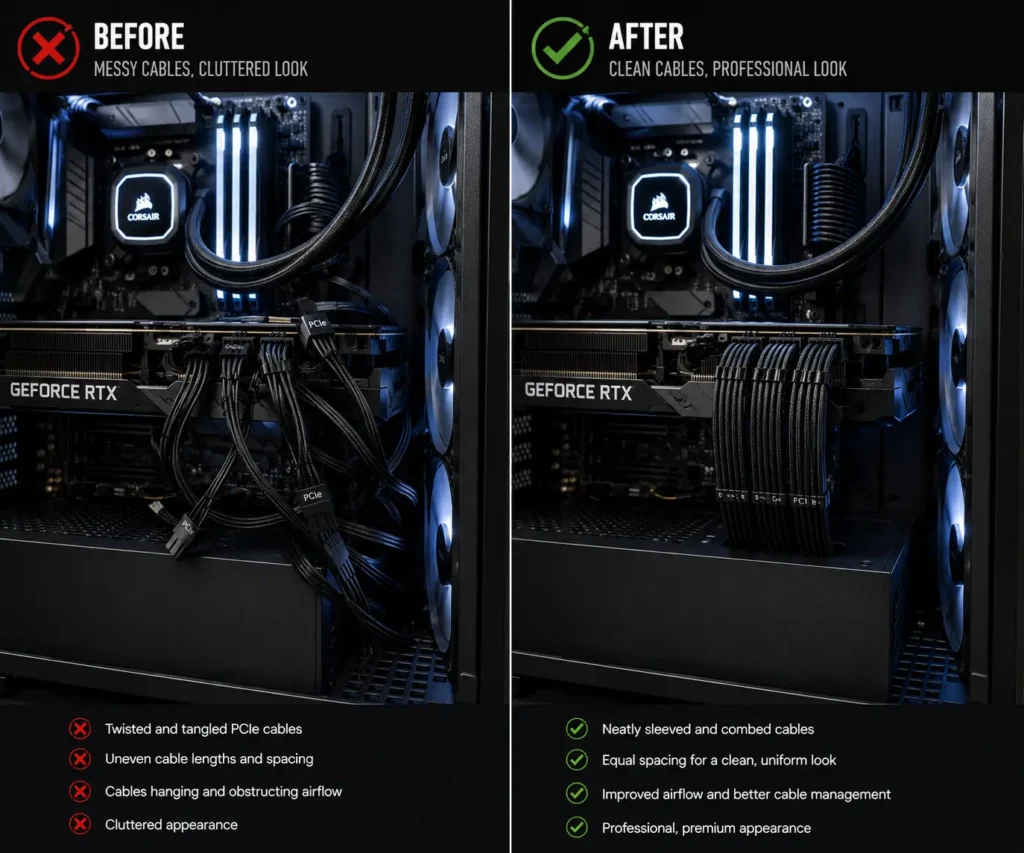
GPU power cables are among the most visible cables inside a PC case. They usually run across open areas where they are easy to see.
Without proper cable management, these cables can quickly become untidy.
Uneven Cable Spacing
Individual wires naturally move and separate from each other. Some wires may sit closer together while others spread apart.
This creates an inconsistent appearance.
Cable combs solve this issue by keeping wire spacing equal across the entire cable run.
Twisted PCIe Power Cables
PCIe power cables often twist during installation. This happens when cables are routed through tight spaces or bent around components.
Twisted wires can make even a high-end gaming PC look unfinished.
Cable combs help straighten the wires and create cleaner cable routing.
Excess Cable Slack
Many power supply cables are longer than needed.
Extra cable length can create loops and clutter inside the case. This is common with modular PSU cables and extension cables.
Good cable organization combined with cable combs helps manage excess cable slack more effectively.
Poor Cable Routing Paths
Sometimes cables are routed through visible areas instead of hidden channels.
This can draw attention away from the graphics card and other components.
Careful cable routing and strategic cable comb placement can create a cleaner overall appearance.
What Are Cable Combs?
Cable combs are small accessories that hold individual wires in place. They clip onto power supply cables and keep each wire separated at equal distances.
Most cable combs are designed for PSU cables, GPU power cables, and cable extensions. They help organize wires into straight and tidy cable runs.
Without cable combs, wires can move freely. This often creates uneven cable spacing and a cluttered appearance. With cable combs installed, cables stay aligned and maintain a consistent shape.
How Cable Combs Work
A cable comb contains several slots. Each wire passes through its own slot.
Once installed, the comb keeps every wire in a fixed position. This creates neat cable alignment from the power supply to the graphics card or motherboard.
Builders often place multiple cable combs along a cable path. This keeps the entire cable bundle straight and organized.
Why Cable Combs Are Popular in Custom PC Builds
Cable combs have become a common accessory in custom PC builds because they help create a cleaner and more professional appearance. They are widely used in gaming PCs, workstation systems, and showcase builds with tempered glass panels.
Many builders pair cable combs with custom sleeved cables and PSU extension cables to create straight cable runs that highlight the graphics card and other premium components.
Cable combs are available in different sizes and materials, making them suitable for many cable management styles. As a result, they have become a popular choice among PC enthusiasts who want a more organized system.
Benefits of Using Cable Combs for Neat GPU Wiring
Cable combs offer several practical benefits for GPU cable management.
Cleaner Cable Alignment
The main benefit is improved cable alignment.
Each wire remains in a straight position. This creates neat cable runs from the PSU to the GPU.
Straight cables often make a PC build look more organized and intentional.
Better Cable Organization
Cable combs help keep cables grouped together.
This makes the interior of the case easier to manage. It also helps builders identify individual cable paths when upgrading hardware.
Easier Cable Routing
When wires remain aligned, it becomes easier to route them through cable channels and motherboard tray openings. This helps builders create smoother cable paths between the power supply and graphics card.
Cable combs are especially useful in compact PC cases where routing space is limited. Organized wires take up less visible space and make it easier to create clean cable runs around fans, radiators, and storage devices.
Good cable routing also makes future upgrades easier because cable paths remain neat and easy to follow.
Cable Combs for Different GPU Cable Types
Different graphics cards use different power connectors. Cable comb selection should match the cable type being used.
Single 8-Pin GPU Cables
Many mid-range graphics cards use a single 8-pin PCIe power connector.
Cable combs keep all eight wires aligned and prevent the cable from appearing twisted.
Dual 8-Pin GPU Cables
Dual 8-pin configurations are common in gaming PCs.
These cables are more noticeable because of their larger size.
Cable combs help maintain equal spacing and create parallel cable runs.
Triple 8-Pin GPU Cables
High-performance graphics cards often require three 8-pin connectors.
Without cable combs, these cables can quickly become difficult to manage.
Multiple combs help organize the larger cable bundle and improve cable routing.
12VHPWR GPU Cables
The 12VHPWR connector is commonly found on modern graphics cards.
These cables contain many wires in a compact layout.
Cable combs help keep the wires aligned while maintaining a cleaner appearance.
12V-2×6 GPU Cables
Newer graphics cards may use the 12V-2×6 connector.
Cable combs designed for these cables help maintain proper spacing and support neat cable organization.
Using Cable Combs With Modern RTX Graphics Cards
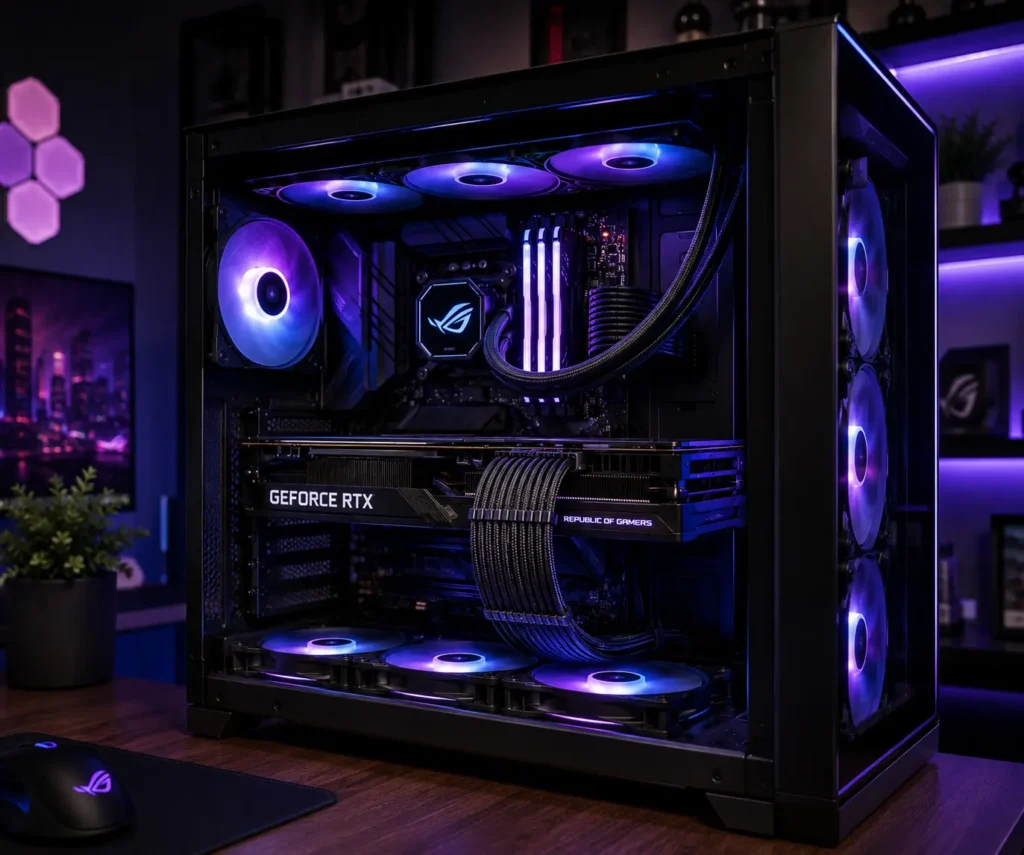
Modern graphics cards often use larger power connectors and more visible cable runs. As a result, cable combs have become a popular cable management accessory for high-performance gaming PCs.
RTX 4070 Cable Management
Many RTX 4070 models use a single 8-pin PCIe connector or a compact 12VHPWR adapter. Cable combs help maintain straight cable runs and keep the visible section of the cable organized.
RTX 4080 Cable Management
RTX 4080 systems often use larger power cables that are visible through tempered glass panels. Cable combs help maintain cable spacing and improve the appearance of sleeved PSU cables and extension cables.
RTX 4090 Cable Management
RTX 4090 graphics cards typically use thicker cable bundles and higher-power connectors. Multiple cable combs can help manage the larger cable path while reducing twisting and uneven spacing.
ATX 3.0 and PCIe 5.0 Power Supplies
Many modern systems use ATX 3.0 power supplies and PCIe 5.0 power cables. They help organize these newer cable designs while maintaining a professional appearance throughout the build.
Cable Comb Sizes and Pin Configurations
Cable combs are available in different sizes. Choosing the correct size helps maintain proper cable alignment and improves overall cable management.
Different power cables use different pin layouts. Matching the cable comb to the cable type creates a cleaner and more organized appearance.
4-Pin Cable Combs
4-pin cable combs are commonly used for smaller cable groups and certain accessory cables.
They help maintain wire spacing and prevent individual wires from shifting out of place.
6-Pin Cable Combs
6-pin cable combs are often used with older PCIe cables and peripheral power connections.
They provide better wire alignment and help create a cleaner cable path.
8-Pin Cable Combs
8-pin cable combs are among the most popular options for GPU cable management.
Many modern graphics cards use 8-pin PCIe power connectors. These cable combs help maintain equal spacing across all wires and improve cable routing.
12-Pin Cable Combs
12-pin cable combs are designed for specialized power cable layouts.
They help keep larger cable groups organized while maintaining consistent wire spacing.
16-Pin Cable Combs
16-pin cable combs are commonly used with 12VHPWR and 12V-2×6 power cables.
Because these cables contain many wires in a compact space, proper cable alignment becomes even more important.
24-Pin Cable Combs
24-pin cable combs are primarily used for motherboard power cables.
Although they are not directly related to GPU wiring, they help create a consistent cable management style throughout the system.
Cable Comb Materials
Cable combs are available in several materials. Each material offers a different appearance, weight, and finish.
Plastic Cable Combs
Plastic cable combs are lightweight and affordable.
They are often chosen by first-time PC builders because they are easy to install and widely available.
Plastic cable combs work well for both PSU cables and GPU power cables.
Acrylic Cable Combs
Acrylic cable combs are popular in custom PC builds.
Clear acrylic versions blend naturally into most systems and allow the cable sleeving to remain the main visual focus.
Many showcase builds use acrylic cable combs because of their clean appearance.
Aluminum Cable Combs
Aluminum cable combs provide a premium finish.
They are durable and often used in high-end custom PC projects where appearance is an important part of the build.
Their metallic finish can complement other aluminum components inside the case.
Open vs Closed Cable Combs
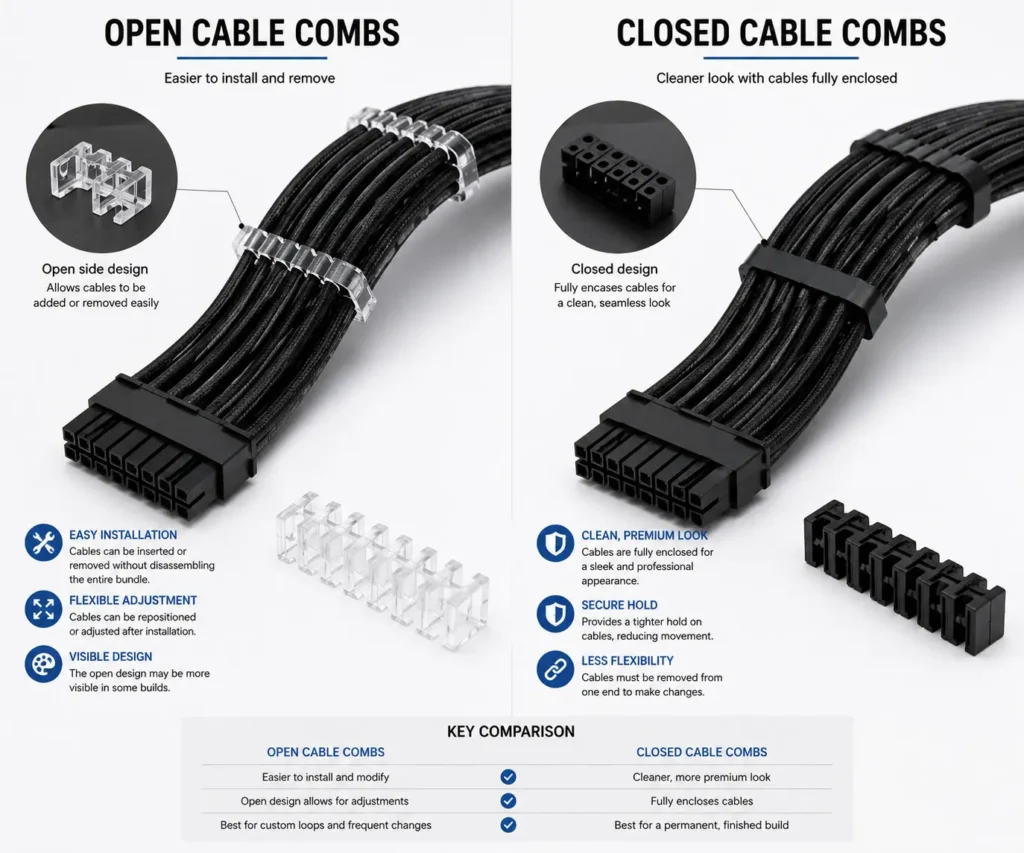
Cable combs are available in different designs. The two most common styles are open cable combs and closed cable combs.
Understanding the difference can help builders choose the right option for their cable management needs.
Open Cable Combs
Open cable combs allow builders to insert or remove wires without disconnecting the cable.
This makes them useful when adjusting cable routing or upgrading hardware.
Many builders prefer open cable combs because they are easier to work with during installation.
Closed Cable Combs
Closed cable combs completely surround each wire.
They provide a secure hold and help maintain consistent wire spacing over long periods.
Closed cable combs are often used when builders want a permanent cable management solution.
Using Cable Combs with Sleeved PSU Cables
Cable combs work especially well with sleeved cables.
While cable sleeves improve appearance and cable protection, cable combs help maintain wire alignment and consistent spacing.
The combination creates some of the cleanest cable layouts possible.
Custom Sleeved Cables
Custom sleeved cables feature individual wire sleeving.
Cable combs help display the sleeving pattern while keeping the wires straight and evenly spaced.
This combination is common in premium custom PC builds.
Braided Cable Sleeves
Braided cable sleeves add another layer of cable protection while improving the appearance of visible cable runs outside the PC case.
Cable combs help maintain the shape of the cable run and prevent wires from becoming uneven.
PSU Extension Cables
Many PC builders use extension cables to improve aesthetics.
Cable combs help extension cables maintain a neat appearance between the power supply and graphics card.
This is one of the most common uses for cable combs.
Modular PSU Cables
Modular power supplies allow builders to connect only the cables they need.
Cable combs help organize these cables and support cleaner cable routing throughout the case.
How to Install Cable Combs on GPU Cables
Installing cable combs is simple. However, careful placement creates the best results.
A few small adjustments can significantly improve the appearance of GPU power cables.
Preparing the Cable Run
Begin by routing the cable to its final position.
It is easier to install cable combs after the cable path has been planned.
Make sure the cable follows the desired route before adding any cable combs.
Positioning the Cable Combs
Place the first cable comb near the graphics card connector.
Then add additional cable combs along the visible section of the cable run.
Even spacing usually creates the cleanest appearance.
Aligning Individual Wires
Insert each wire into its own slot.
Check that every wire sits straight and follows the same path.
Proper wire alignment creates a cleaner and more professional look.
Creating Consistent Cable Spacing
Adjust the cable combs until the spacing between wires looks balanced.
Small adjustments can make a noticeable difference in the final appearance of the build.
Recommended Cable Comb Placement for GPU Cables
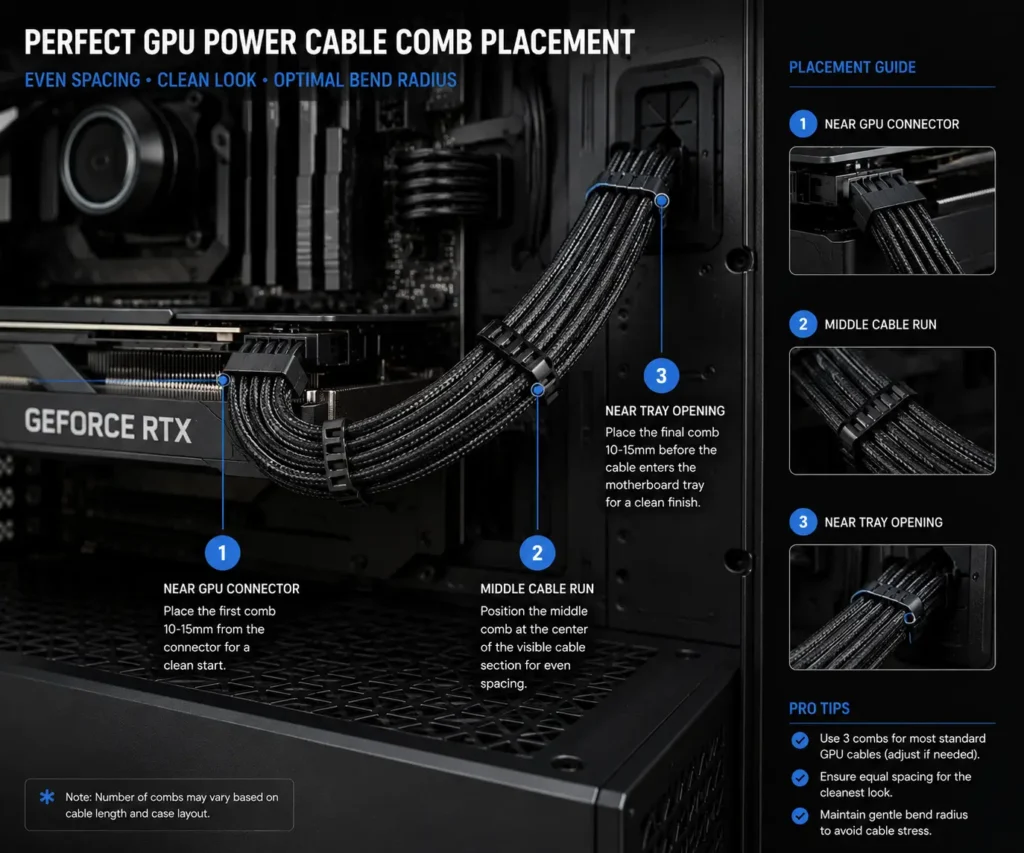
Installing cable combs is only part of the process. Proper placement is equally important for achieving clean GPU cable management.
A cable comb helps maintain cable alignment by keeping individual wires evenly spaced. However, placing cable combs too far apart may allow wires to twist or separate. Using too many cable combs can make future cable adjustments more difficult.
For most PC builds, evenly spaced cable combs provide the best results.
| GPU Cable Type | Recommended Cable Combs |
|---|---|
| Single 8-Pin GPU Cable | 3–4 |
| Dual 8-Pin GPU Cable | 4–6 |
| Triple 8-Pin GPU Cable | 6–8 |
| 12VHPWR Cable | 3–5 |
| 12V-2×6 Cable | 3–5 |
Placement Near the Graphics Card
Place one cable comb close to the GPU power connector.
This keeps the wires aligned in one of the most visible areas inside the case.
Placement Along the Cable Path
Additional cable combs should be spaced evenly along the cable route.
This helps prevent cable twisting and maintains consistent wire spacing from end to end.
Placement Near Cable Routing Openings
A cable comb placed near the motherboard tray or cable routing grommet helps maintain cable organization as wires move between hidden and visible sections of the system.
This creates a cleaner transition and improves the overall appearance of the cable run.
Best Practices for Neat GPU Wiring
A clean GPU cable setup does not happen by accident. Good cable management requires careful planning and attention to detail.
The following practices can help create a cleaner and more organized cable layout.
Keep Equal Wire Spacing
Consistent wire spacing is one of the most important parts of neat GPU wiring.
Cable combs help keep every wire separated by the same distance. This creates a balanced appearance and improves the overall look of the cable run.
Avoid Sharp Cable Bends
Sharp bends can make cables appear uneven and difficult to manage.
Instead, create gentle curves whenever possible. Smooth cable paths usually look cleaner and place less stress on the wires.
Maintain Proper Bend Radius
Modern GPU power cables, especially 12VHPWR and 12V-2×6 cables, should not be bent aggressively.
Maintaining a smooth bend radius helps preserve cable shape and supports cleaner cable routing.
Route Cables Behind the Motherboard Tray
Whenever possible, hide extra cable length behind the motherboard tray.
This reduces visible cable clutter and helps keep attention focused on important components such as the graphics card and cooling system.
When securing excess cable behind the motherboard tray, our comparison of zip ties vs Velcro ties explains which option is easier to adjust during future upgrades.
Use Multiple Cable Combs Along the Cable Path
A single cable comb may not provide enough support for longer cable runs.
Using multiple cable combs helps maintain wire alignment from the power supply to the graphics card.
Common GPU Wiring Mistakes
Even experienced PC builders can make cable management mistakes.
Avoiding these common issues can help create a cleaner and more professional-looking system.
Crossing PCIe Cables
Crossed cables can create unnecessary visual clutter.
Try to keep cable paths straight and organized whenever possible.
Overcrowding Cable Combs
Each wire should fit comfortably inside its slot.
Using the wrong cable comb size can create uneven spacing and make the cable run look untidy.
Tight Bends Near GPU Connectors
Bending cables too sharply near the graphics card connector can create an unnatural appearance.
It is better to allow the cable to curve gradually as it leaves the connector.
Improper 12VHPWR Routing
12VHPWR and 12V-2×6 cables should follow smooth cable paths.
Avoid excessive stress or tight bends close to the connector.
Proper routing helps maintain a cleaner appearance and supports long-term cable reliability.
Cable Combs vs Cable Sleeves
Both cable combs and cable sleeves are useful cable management accessories. However, they serve different purposes.
| Feature | Cable Combs | Cable Sleeves |
|---|---|---|
| Main Purpose | Align individual wires | Cover and protect cables |
| Appearance | Creates equal wire spacing | Creates a unified cable bundle |
| Best Use | Neat cable routing and showcase builds | Cable protection and organization |
| Installation | Clips directly onto wires | Wraps around cables |
| Visibility | Keeps each wire visible | Covers individual wires |
Many PC builders use both accessories together.
Cable management sleeves help bundle and protect multiple cables, while cable combs keep individual PSU wires aligned and evenly spaced.
The combination often produces the cleanest cable management results.
Do Cable Combs Improve Airflow?
Cable combs do not directly improve airflow.
Their primary purpose is cable alignment and cable organization.
However, organized cables may help reduce airflow obstruction in some PC cases. Neatly routed cables often take up less visible space and create cleaner cable paths.
The main advantage of cable combs remains appearance rather than cooling performance.
Builders should view cable combs as a cable management accessory instead of a cooling upgrade.
Cable Combs and PC Build Aesthetics
One of the biggest reasons builders use cable combs is to improve the visual appearance of a PC build.
Clean cable runs help create a more polished and professional-looking system.
Tempered Glass Cases
Tempered glass cases expose the entire interior of the computer.
As a result, cable management becomes much more important.
Cable combs help create straight cable lines that improve the overall appearance of the system.
Gaming PC Setups
Gaming systems often include RGB lighting, multiple cooling fans, and large graphics cards.
Cable combs help reduce visible cable clutter and keep attention focused on the graphics card, cooling system, and other important hardware.
If your desk cables are also visible outside the PC, an under desk cable management tray helps keep power strips and cable bundles hidden for a cleaner overall setup.
Workstation Builds
Professional workstation systems benefit from organized cable layouts as well.
Clean cable routing helps create a polished appearance that reflects attention to detail.
Showcase PC Builds
Showcase builds place a strong focus on presentation.
Cable combs help create the straight cable runs often seen in custom PC projects and display systems.
RGB-Focused Builds
Many builders invest heavily in RGB lighting.
Messy cables can distract from lighting effects and hardware presentation.
Cable combs help create cleaner cable paths that allow RGB components to stand out more clearly.
Are Cable Combs Worth Using for GPU Wiring?
For builders who care about cable management, cable combs are a useful accessory.
They improve cable alignment, support cleaner cable routing, and help create a more organized system.
Cable combs work especially well with custom sleeved cables, PSU extension cables, modular power supplies, and modern GPU power cables.
Although they do not improve gaming performance, they can significantly improve the appearance of a PC build.
A neat cable layout helps reduce visual clutter and allows important hardware components to become the main focus of the system.
For many builders, that improvement alone makes cable combs worth using.
Conclusion
Neat GPU wiring comes down to good planning and the right cable management accessories. Cable combs help organize GPU power cables, improve cable alignment, and create cleaner cable routing without changing your PC’s performance. They work well with sleeved cables, PSU extension cables, and modern connectors such as 12VHPWR and 12V-2×6. Outside the PC case, magnetic cable clips help keep monitor, USB, and charging cables organized, creating a desk setup that matches the clean look inside your build. If you want a cleaner and more organized gaming PC, adding cable combs is a simple upgrade that can make a noticeable difference.
FAQs
1. Can cable combs be reused after changing my GPU?
Yes. Most cable combs can be removed and reused if the new cable uses the same wire size and connector layout.
2. How far apart should cable combs be placed?
A gap of around 2 to 4 inches usually keeps GPU power cables straight while allowing smooth cable bends.
3. Do cable combs work with factory PSU cables?
Yes, but they work best on individually sleeved PSU cables. Some factory cables may be too tightly bundled for certain cable combs.
4. Can I paint cable combs to match my PC build?
Yes. Plastic and some acrylic cable combs can be painted with suitable plastic-safe paint after proper surface preparation.
5. Should I use cable combs on motherboard cables too?
Yes. Many builders use cable combs on the 24-pin motherboard cable to create a consistent and organized look throughout the entire PC build.