


Can my PSU handle my GPU? If you have a new GPU but want to keep your current PSU, you need to check more than the wattage listed on the PSU.
A PSU can have enough watts but still be a poor match for a graphics card. Before you install or buy the GPU, check these points to find out if your current power supply can handle it.
Your PSU can handle your GPU if its wattage meets the GPU manufacturer’s recommended system power, it has the correct GPU power connectors, and it can support your complete PC.
- Check your exact GPU model.
- Check the GPU’s recommended PSU wattage.
- Check your CPU and other PC parts.
- Check the GPU power connectors and cables.
- Check the PSU’s age and condition.
How to Check If Your PSU Can Handle Your GPU
Start with your exact GPU and current PSU. Then compare the GPU’s power needs with what your PSU can provide.
You do not need to guess. Check each part in order.
Check Your Exact GPU Model
Find the full model name of your graphics card.
For example, an NVIDIA GeForce RTX 5070 and RTX 5070 Ti do not have the same PSU requirement. Different versions of the same GPU can also have different power needs.
The exact GPU model gives you the correct starting point.
Check the GPU’s Recommended PSU Wattage
Next, check the GPU maker’s recommended PSU wattage.
Look for terms such as:
- Recommended PSU
- Required system power
- Minimum PSU
- Recommended power supply
- System power requirement
This number is a better starting point than the GPU’s own power draw.
For example, NVIDIA lists 650W required system power for the RTX 5070 and 750W for the RTX 5070 Ti. The RTX 5080 is listed at 850W. These figures are based on a specific system setup, so your actual PSU needs can vary with your CPU and other hardware.
The recommended PSU rating applies to the complete PC. It is not the amount of power the GPU itself uses.
Check Your PSU Wattage
Now check the label on your PSU.
You may see a rating such as:
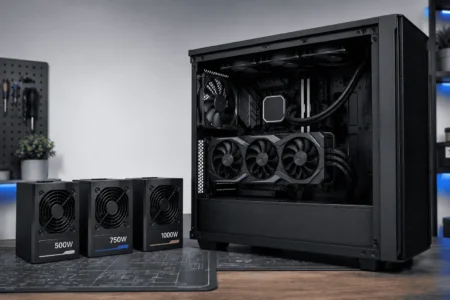
- 500W
- 550W
- 650W
- 750W
- 850W
- 1000W
Compare your PSU rating with the GPU maker’s recommended system power.
For example, if your GPU recommends a 750W PSU and your current PSU is 650W, your PSU is below that recommendation.
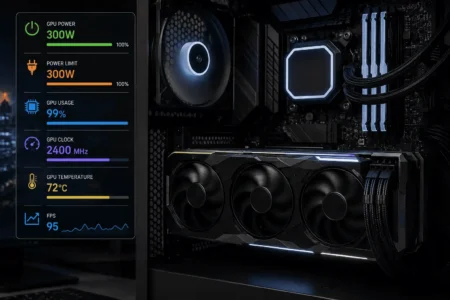
Also keep this difference in mind: GPU power draw and recommended PSU wattage are not the same thing. A GPU may use 250W while the manufacturer recommends a 650W PSU for the complete system.
Check Your CPU and Other PC Parts
Your CPU also affects the total power load of the system. A high-end CPU can use more power than a lower-power CPU, which can change the PSU capacity needed for the same GPU.
Also consider your:
- Motherboard
- RAM
- SSDs and hard drives
- Case fans
- CPU cooler
- Pump
- USB devices
You do not need to calculate every small device for a basic check. The main goal is to make sure the GPU and CPU do not push the system too close to the PSU’s limit.
Check Your PSU’s 12V Output
Your PSU’s 12V output is also worth checking, especially with a high-power GPU.
The CPU and GPU get much of their power from the 12V side of the PSU. Check the PSU label or manufacturer specifications for its 12V output.
Do not judge a PSU only by the large wattage number on the label. The exact PSU model can give you more useful information about its power delivery.
Check Your GPU Power Connectors

PSU wattage is only part of GPU compatibility.
You also need the correct GPU power connector and enough cables.
Modern graphics cards may use:
- PCIe 8-pin
- 12VHPWR
- 12V-2×6
Check how many connectors your GPU needs. Then check whether your PSU has the correct cables.
A PSU can have enough wattage but still be a poor match if it does not provide the required GPU connection.
For newer GPUs, check the PSU maker’s cable support before using an adapter. Use the cable made for your PSU and the connection required by your GPU.
Check Your PSU’s Age, Quality, and Condition
PSU age and condition also matter.
An older PSU may have worn components, outdated connectors, or cables that are not suitable for a newer GPU.
Check:
- PSU model
- PSU age
- Rated wattage
- Cable condition
- Available GPU cables
- Signs of damage
- Past stability problems
PSU quality matters too. Two 650W PSUs may not have the same build quality, protection features, or power delivery.
So check the exact PSU model, not just its wattage.
Can a 500W PSU Handle My GPU?
A 500W PSU can handle some GPUs, but it cannot handle every graphics card.
If your GPU maker recommends 500W or less, your PSU may be suitable. You still need to check your CPU, GPU connectors, cables, PSU quality, and PSU condition.
If the GPU maker recommends more than 500W, your current PSU is below the stated recommendation.
This makes the exact GPU important. A 500W PSU that works well with a lower-power GPU may not be suitable for a newer, more demanding card.
If you have a 500W PSU, check the exact GPU’s recommended system power before buying or installing the card.
Can a 650W PSU Handle My GPU?
A 650W PSU can handle some GPUs, but the exact GPU and complete PC still matter.
If your GPU recommends 650W and you have a good-quality 650W PSU, check your CPU, GPU cables, 12V output, and PSU condition before keeping it.
If the GPU recommends 750W and your PSU is 650W, your current PSU is below the manufacturer’s stated recommendation.
Can a 750W PSU Handle My GPU?
A 750W PSU can handle many GPUs, but it is not enough for every graphics card.
Your CPU still matters. A high-power CPU can increase total system demand.
If your GPU recommends 750W, your PSU meets that stated rating. You should still check your CPU, connectors, cables, PSU quality, and PSU condition.
If your GPU recommends more than 750W, your current PSU is below the manufacturer’s recommendation.
Can I Use My Old PSU With a New GPU?

Yes, you can sometimes keep your old PSU after a GPU upgrade.
Your PSU should meet the new GPU’s recommended system power and have the required GPU cables. It should also be in good condition and suitable for the complete PC.
The fact that your old GPU worked with the PSU does not guarantee that the new GPU will work with it.
A newer GPU may have higher power needs or require a different power connector.
What If My PSU Is Below the GPU’s Recommended Wattage?
If your PSU is below the GPU maker’s recommended system power, consider replacing it before installing the GPU.
For example, if your GPU recommends a 750W PSU and you have a 650W unit, your PSU is below the manufacturer’s stated recommendation.
Do not use the GPU’s own power draw to override this recommendation. The recommended system power is meant to cover the complete PC.
A PSU that cannot meet the system’s power needs may cause problems during heavy GPU use, such as:
- Sudden shutdowns
- Unexpected restarts
- Black screens
- Game crashes
- System instability
These problems can also have other causes, so they do not prove that the PSU is too weak.
If the problem started after a GPU upgrade, checking the PSU is a good part of the diagnosis.
Your PSU meets the GPU manufacturer’s recommended wattage, has the required connectors, and is in good condition.
Your PSU meets the wattage requirement, but your CPU has high power needs or the PSU is old.
Your PSU is below the recommended wattage or does not have the required GPU power connector.
What If My PSU Has Enough Watts but the Wrong GPU Connector?
Your PSU can have enough watts and still be incompatible with your GPU.
The graphics card may need one or more PCIe 8-pin connectors, a 12VHPWR connection, or a 12V-2×6 connection.
The number of connectors also matters.
For example, an 850W PSU may have enough capacity but lack the correct cable for a newer GPU. In that case, the wattage alone does not make the PSU a suitable match.
Check both the GPU specifications and your PSU’s cable support before connecting the card.
If your PSU is modular, use the correct cable for that exact PSU. Modular PSU cables are not universally interchangeable.
How Much PSU Headroom Should You Leave?
Your PSU should have some capacity above the expected system load.
This gives the PC room for changes in power demand during heavy workloads. It can also help if you plan to upgrade the CPU or GPU later.
You do not need to buy the largest PSU available.
The goal is to avoid running the PSU right at its limit while keeping enough capacity for the complete system.
Should I Keep My Current PSU?
You can usually keep your current PSU if it meets the GPU manufacturer’s recommended system power and can support the complete PC.
Keep your PSU if:
- It meets the GPU’s recommended PSU rating.
- It has the required GPU cables.
- Its 12V output is suitable.
- It is a good-quality unit.
- It is in good condition.
- Your complete system does not push it too close to its limit.
Replace your PSU if:
- It is below the GPU manufacturer’s recommendation.
- It lacks the required GPU connector.
- It is old or damaged.
- It has unsuitable or missing cables.
- Your complete system has higher power needs than the PSU can comfortably support.
This gives you a clear answer to the main question.
- Check the exact GPU model and recommended PSU wattage.
- Check your PSU wattage and exact PSU model.
- Check your CPU and total system power needs.
- Check the required GPU power connector and cables.
- Check the PSU’s age, condition, and cable compatibility.
Conclusion
If your current PSU meets the GPU manufacturer’s recommended system power, has the required GPU cable, and is in good condition, you may be able to keep it for the upgrade. If it falls below the recommendation or lacks the required connection, replace it before installing the GPU. Check the complete PC rather than judging compatibility from GPU wattage alone.
FAQs
Can a better PSU improve GPU performance?
A suitable PSU does not directly increase GPU performance. It helps provide stable power so the GPU can work as expected.
Does a higher-wattage PSU use more electricity?
No. A 1000W PSU does not constantly draw 1000W. The PC draws the power it needs.
Can a PSU cause GPU crashes?
Yes. An unsuitable or failing PSU can cause crashes, restarts, or shutdowns, especially during heavy GPU loads.
Can I use a modular PSU cable from another brand?
No. Modular PSU cables are not universally compatible. Use the cable supplied with your PSU or one confirmed compatible by the PSU maker.
Does GPU overclocking require a bigger PSU?
It can. GPU overclocking may increase power draw, so a larger PSU may be needed depending on the GPU and complete system.