

A clean PC or desk setup is about more than appearance. Unorganized cables can make a workspace harder to clean, make upgrades more difficult, and create unnecessary clutter. Since every setup contains different cables, there is no single cable management accessory that works for every situation.
The best results come from choosing the right tool for each problem. Cable ties can secure loose wires, sleeves can group multiple cables, trays can hide larger cable runs, and clips can keep everyday cables within easy reach. This guide explains the most useful cable management accessories, how they work, and where they fit into a PC, gaming, or office setup.
Why Cable Management Accessories Matter
Cable management accessories do more than improve how your desk looks. They make your cables easier to identify, clean, replace, and maintain. A well-organized cable system saves time when you upgrade your PC, add a new monitor, or connect more devices.
For PC users, organized cables make hardware upgrades easier because power cables, data cables, and peripheral connections are easier to follow. For desk setups, proper wire management reduces visible clutter and creates more usable space.
Good cable organization can also help prevent common problems. Loose cables can become tangled, fall behind furniture, collect more dust, or get pulled accidentally. Accessories such as cable ties, sleeves, clips, and trays help keep cables in a controlled position.
Another benefit is flexibility. Most setups change over time. You may add a second monitor, a new keyboard, speakers, external storage, or extra charging devices. A planned cable management system gives you room to make these changes without rebuilding everything from the beginning.
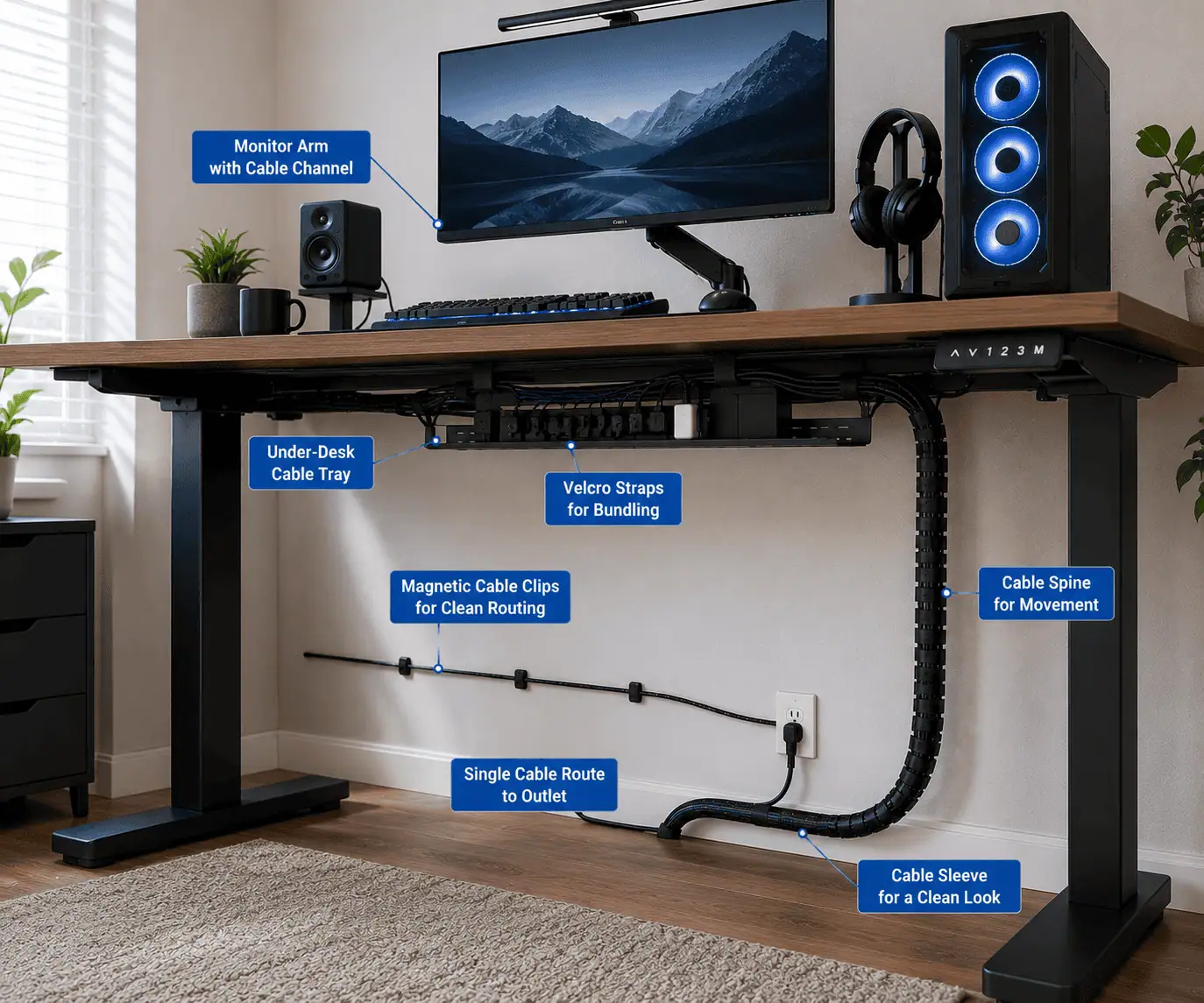
Different accessories solve different problems. A cable sleeve groups multiple wires together. A cable tray hides large cable bundles under a desk. A magnetic cable clip keeps a frequently used cable nearby. Understanding the purpose of each accessory helps you build a cleaner and more practical setup.
The following sections explain the best cable management accessories, where they work best, and how they can improve your PC and desk organization.
Cable Ties and Straps for Cable Bundling
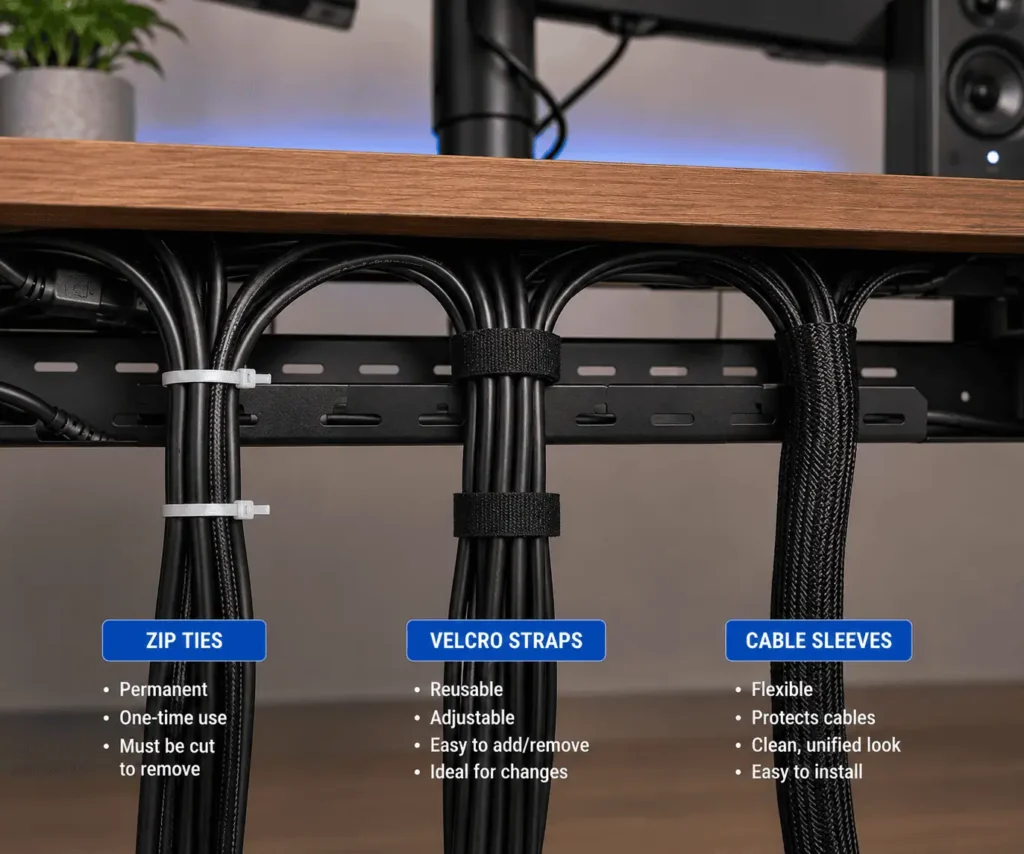
These are among the most common cable management accessories. They are simple, affordable, and useful for keeping loose cables grouped together.
They work well behind desks, inside PC cases, around monitor stands, and in areas where several wires follow the same route. Instead of allowing cables to spread in different directions, ties and straps keep them organized in a compact bundle.
Zip Ties for Fixed Cable Routes
Zip ties are small plastic fasteners that lock into place when tightened. They create a secure hold and are best suited for cable routes that do not change often.
For example, a desktop PC that stays in one position for years may benefit from zip ties behind the case or under the desk. They are also helpful for organizing cables that you rarely disconnect.
However, zip ties are usually a one-time solution because they must be cut to remove them. They should also not be pulled too tightly. Leaving a little space around the cable helps prevent unnecessary pressure on the cable jacket.
For a detailed comparison of advantages, disadvantages, and practical use cases, read our complete guide on Zip Ties vs Velcro Ties for PC Cable Management: Which Is Better?
Velcro Straps for Flexible Cable Management
Velcro straps, also called hook-and-loop straps, provide a reusable way to organize cables. They can be opened and adjusted many times without damaging the strap.
This makes them a better choice for users who often upgrade their PC, add new peripherals, change monitors, or move devices around their workspace.
Gaming setups, home offices, and workstations often benefit from Velcro straps because cables and devices can change over time.
While Velcro straps may cost slightly more than basic zip ties, the ability to reuse them makes them a cost-effective option in the long term.
Which Cable Tie Option Should You Choose?
The best choice depends on how permanent your cable setup is.
Choose zip ties when:
- The cable route rarely changes
- You need a strong, low-cost solution
- The cables are placed in hidden areas
Choose Velcro straps when:
- You upgrade hardware regularly
- You need easy access to cables
- Your desk setup changes frequently
Many users actually use both. Zip ties can secure permanent cable routes, while Velcro straps can manage cables that require regular adjustment.
Cable Management Sleeves for Grouping Multiple Cables
Cable management sleeves are designed to combine multiple wires into a single organized pathway. They are one of the easiest ways to reduce visible cable clutter on a PC desk or workstation.
A cable sleeve wraps around several cables and keeps them moving in the same direction. This creates a cleaner appearance and makes a group of cables easier to handle.
Common Cable Sleeve Materials
Different sleeve materials offer different benefits.
Neoprene sleeves are flexible and soft, making them suitable for everyday desk cable management.
PET braided sleeves are more durable and provide a cleaner visual appearance. They are often used for gaming setups and visible cable runs.
Fabric sleeves offer a balance between flexibility and appearance and are commonly used in home office environments.
Cable sleeves can also provide protection against minor scratches and reduce direct exposure to dust, but they do not make cables completely dustproof.
Where Cable Sleeves Work Best
Cable sleeves are useful anywhere multiple cables follow the same path.
Common examples include:
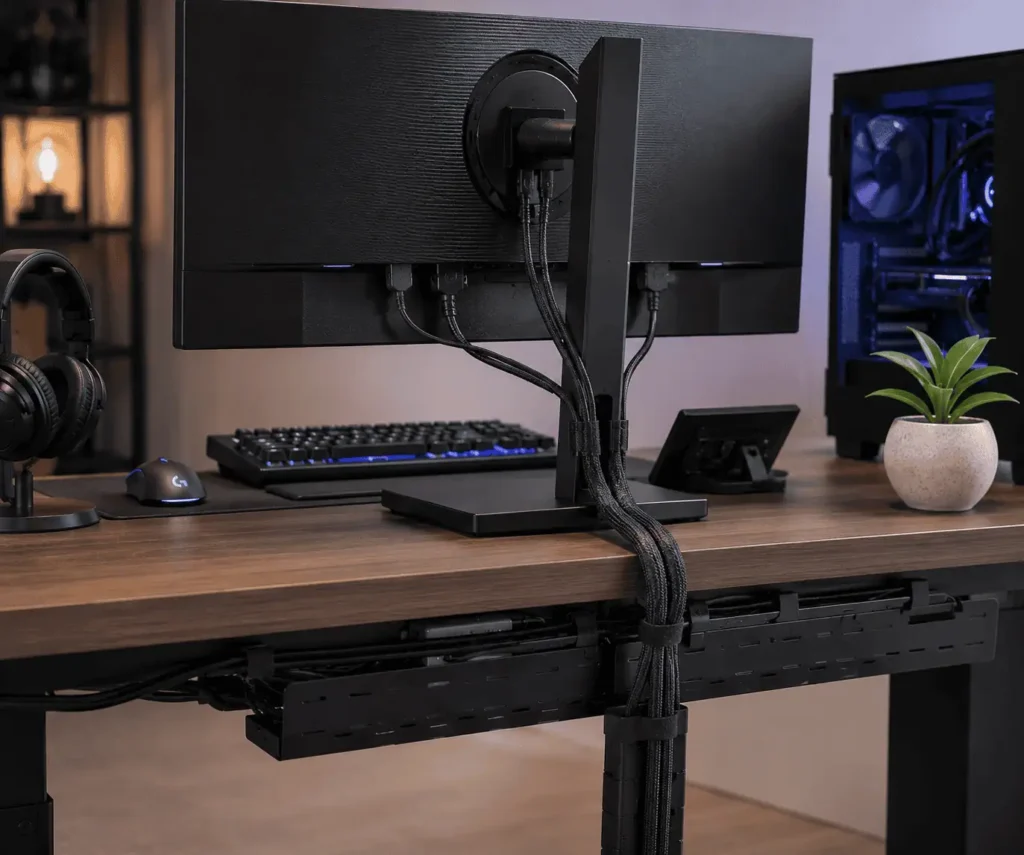
- Monitor cables running down a monitor arm
- Cables moving from a PC to a desk
- Charging cables grouped near a workstation
- Entertainment system wires behind a TV stand
However, cable sleeves are not ideal for cables that require frequent unplugging or quick access. In those situations, cable clips or holders may be a better choice.
For a complete explanation of sleeve types, installation, sizing, and common mistakes, read our guide on Cable Management Sleeves for PC Setups: Smart Ways to Organize Cables.
Under Desk Cable Trays for Hiding Large Cable Groups

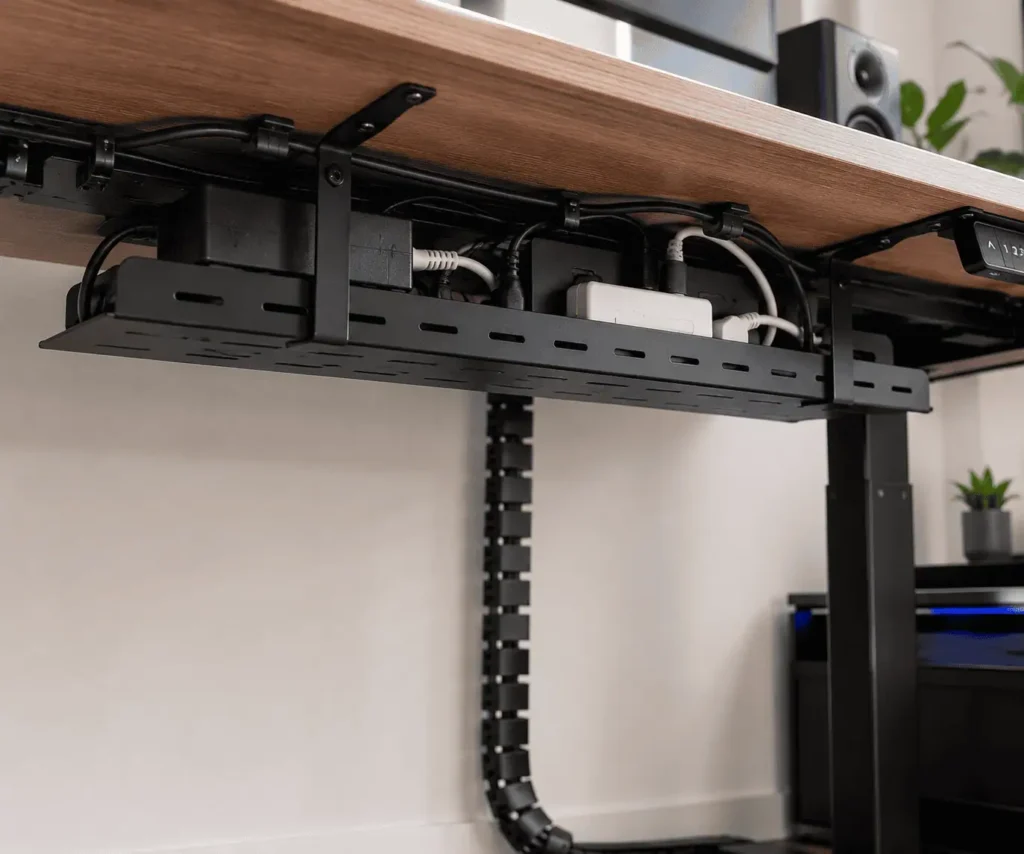
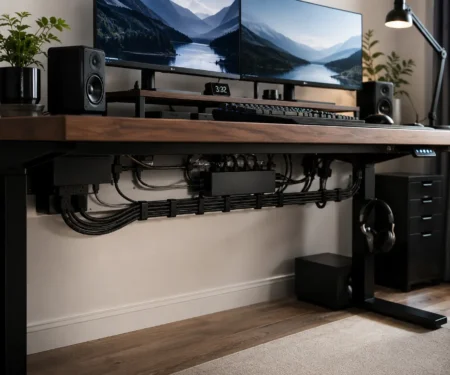
One of the biggest causes of desk clutter is the collection of cables hanging underneath the workspace. Power strips, power adapters, monitor cables, and charging wires can quickly create a messy area below the desk.
Under desk cable trays provide a dedicated space to hold these cables. They lift wires away from the floor and keep power equipment hidden under the desk.
Types of Under Desk Cable Trays
Cable trays are available in different designs.
Metal trays are strong and can support heavier cable bundles, power strips, and larger adapters.
Mesh trays allow better airflow and make it easier to see cables when making adjustments.
Plastic trays are lightweight and usually suitable for smaller cable groups.
Who Should Use a Cable Tray?
Under desk cable trays are useful for:
- Home office desks with multiple devices
- Gaming setups with many cables
- Workstations with monitors, speakers, and charging equipment
- Standing desks that require better cable organization
A cable tray works best for hiding large groups of cables. It does not replace smaller accessories like cable clips or ties. The best cable management systems often combine several accessories together.
For detailed information about tray sizes, placement, installation methods, and compatibility, read our complete guide on Under Desk Cable Management Tray: Proven Solutions for Cable Clutter.
Magnetic Cable Clips for Easy Cable Access
Some cables are used many times every day. Phone charging cables, USB cables, headphone cables, and other frequently connected wires can easily slip behind a desk or become mixed with other cables.
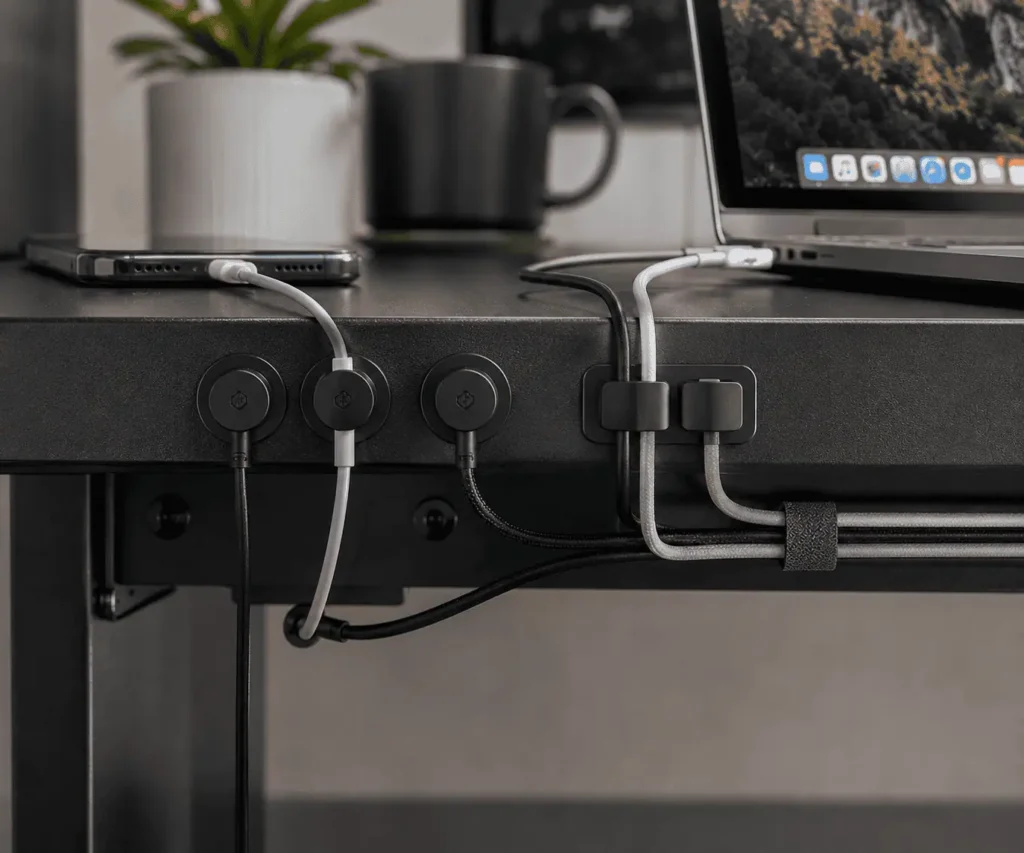
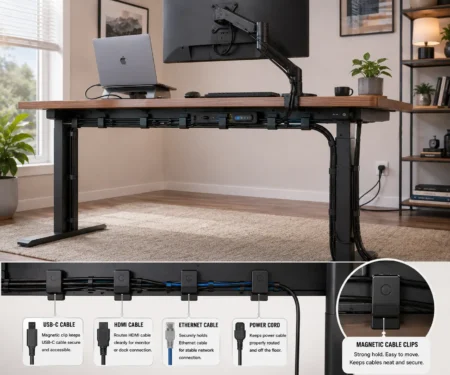
Magnetic cable clips keep these cables in a fixed and easy-to-reach position. They use magnets to attach to compatible metal surfaces, allowing users to move or adjust them without using glue, screws, or permanent mounts.
These cable management accessories work especially well with metal desks, steel desk frames, and certain standing desk structures. They can guide charging cables along desk edges, organize small peripheral cables, and prevent cables from hanging toward the floor.
A major benefit of magnetic cable clips is flexibility. If your desk layout changes, you can usually reposition the clips in seconds without leaving marks or adhesive residue.
However, magnetic clips are designed for individual cable control. They are not the best solution for thick cable bundles or heavy power cables. For those situations, cable sleeves, cable trays, or other wire management tools will usually work better.
To learn about magnetic strength, placement, cable compatibility, and installation methods, read our detailed guide on Magnetic Cable Clips for Metal Desks: The Smart Setup Guide.
Adhesive Cable Holders for Clean Surface Cable Routing

Some cables need to travel along walls, desks, shelves, or furniture before reaching a device. Leaving these wires loose can create a messy appearance and increase the chance of cables being pulled accidentally.
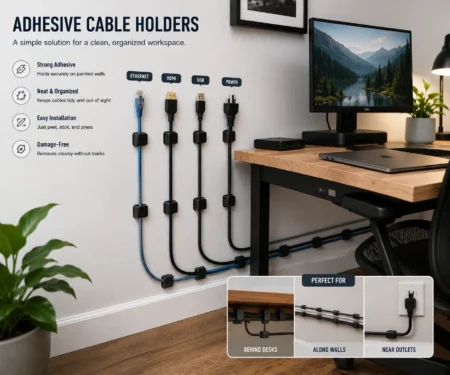
Adhesive cable holders solve this problem by securing cables along a planned path. They attach to a surface using adhesive backing, which means you can organize cables without drilling holes or changing your furniture.
These cable organizers are commonly used for monitor cables, TV wires, charging cords, LED light strips, and other lightweight cable runs.
One of the biggest benefits of adhesive cable holders is control. You can place holders around corners, along desk edges, or behind furniture to create a cleaner cable route.
Before choosing an adhesive holder, consider the cable size, weight, and surface material. A small holder may work perfectly for a charging cable but may not support larger or heavier cable bundles.
For bigger cable groups, solutions like cable raceways, cable trays, or sleeves may provide better cable management.
For more information about installation, wall compatibility, spacing, removal, and common mistakes, read our complete guide on Adhesive Cable Holders for Wall Routing: Cleaner Cable Runs.
Braided Cable Sleeves for Better Cable Appearance

Some cables cannot be hidden completely. Monitor cables, keyboard cables, mouse cables, speaker wires, and visible PC cables often remain part of the overall desk appearance.
Braided cable sleeves are designed to improve the look of these visible cables. They cover wires with a woven outer layer that creates a cleaner, more professional appearance.
These sleeves are popular among gamers, PC builders, and users who prefer a minimalist workspace. They are available in different colors, sizes, and materials, making it easier to match the cable style with the design of a desk or computer setup.
Common Materials Used in Braided Cable Sleeves
The most common materials include:
PET braided sleeves
These are durable, lightweight, and widely used for PC cable management and gaming setups.
Nylon braided sleeves
These provide a softer texture and a premium appearance. They are often chosen for visible cables where appearance is a priority.
Both materials can help protect cables from minor scratches and everyday wear. They can also reduce direct exposure to dust, but they do not make cables completely dustproof.
When Should You Use Braided Cable Sleeves?
Braided cable sleeves are a good choice when cables are visible and appearance matters.
They work well for:
- Gaming PCs with visible cables
- Monitor and keyboard cables
- Home office desk setups
- Streaming and content creation workstations
- Custom PC builds with visible wiring
Keep in mind that braided sleeves improve the appearance of cables, but they do not replace other cable management accessories. Many users combine them with cable trays, cable clips, Velcro straps, or cable combs to achieve a cleaner setup.
For a complete guide covering materials, sizing, installation, and professional finishing techniques, read our article Braided Cable Sleeves for Aesthetics: Sleek Desks Without Cable Clutter.
Cable Combs for Neat PC Cable Layouts

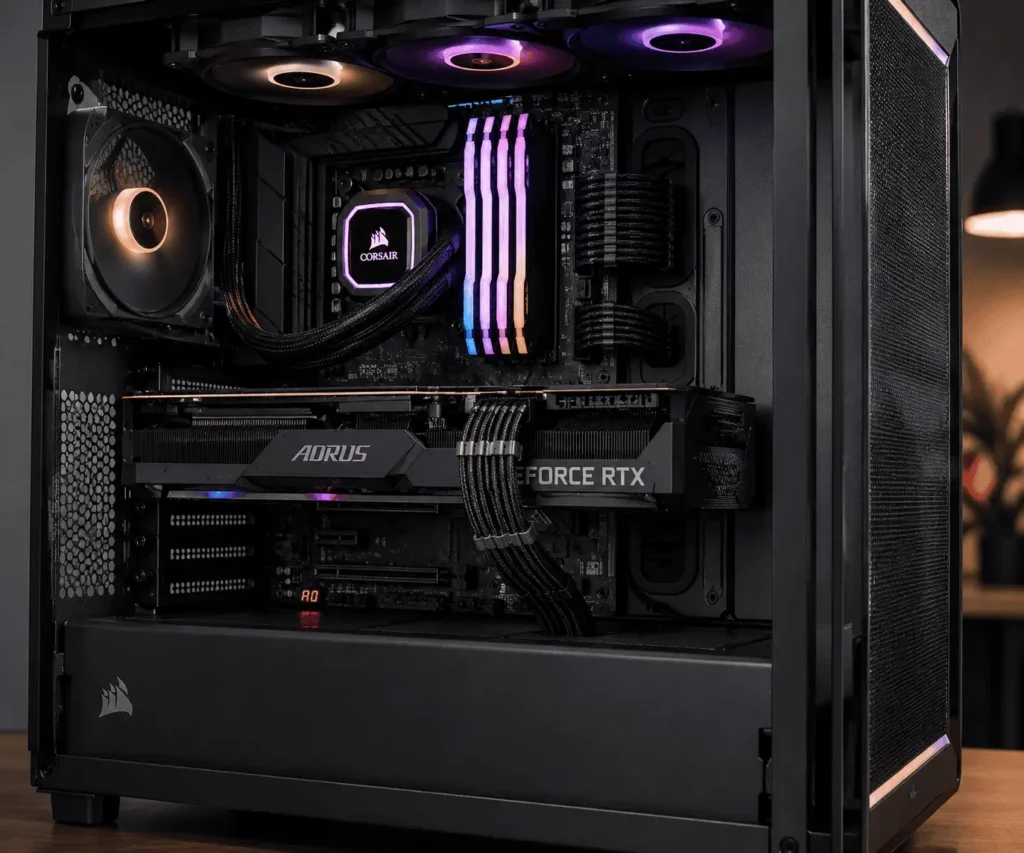
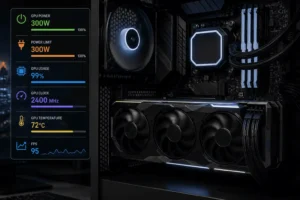
Inside a custom gaming PC, some cables remain visible through glass side panels. GPU power cables and PSU cables can sometimes look uneven, twisted, or messy, especially in showcase builds where appearance matters.
Cable combs are small cable management accessories that separate and align individual wires into straight and even lines. They help create a clean and professional-looking PC interior.
These accessories are especially popular among gamers, PC builders, and PC enthusiasts who use RGB lighting, custom sleeved cables, or transparent side panels.
Cable combs work best with individually sleeved PSU cables because each wire can be placed into a separate slot. They can also be combined with other cable management solutions such as Velcro straps, cable sleeves, and proper cable routing techniques.
However, cable combs are not designed to hide large groups of cables. Their main purpose is to improve cable alignment and visual appearance.
For detailed information about cable comb types, materials, installation, and GPU cable organization, read our complete guide: Cable Combs for Neat GPU Wiring: Builder’s Guide.
How Different Cable Management Accessories Work Together

The best cable management setup does not depend on one accessory. Clean and organized setups usually combine several tools, with each accessory solving a different problem.
Real Examples of Combining Cable Management Accessories
For example, a monitor cable may start behind a monitor arm, pass through a cable sleeve to keep several wires together, use a cable clip to control its direction, and finally enter an under desk cable tray where extra cable length and power cords are hidden.
A gaming PC may use Velcro straps to bundle cables behind the desk, braided cable sleeves to improve the appearance of visible wires, and cable combs to create clean GPU cable lines.
A home office setup may combine cable trays, adhesive cable holders, and magnetic clips to keep charging cables easy to access while hiding unnecessary cable clutter.
Choosing the Right Accessory for Each Cable Problem
The key idea is to understand what each cable needs:
- Does the cable need to stay together with other wires?
- Use cable sleeves or cable ties.
- Does the cable need to stay in a specific position?
- Use cable clips or adhesive holders.
- Does the cable need to be hidden?
- Use under desk trays, raceways, or cable boxes.
- Does the cable need to look better?
- Use braided sleeves or cable combs.
Once you look at cable management as a system instead of a single product, creating a clean setup becomes much easier.
💡 Pro Tip
Start your cable management project with the largest cable groups first. Organize power strips, monitor cables, and desk cables before focusing on small details. The biggest visual improvement usually comes from managing the largest sources of clutter.
How to Choose the Right Cable Management Accessories for Your Setup
The best cable management accessories depend on your equipment, available space, and personal preference. A gaming PC, office desk, and standing desk all have different cable management needs.
Gaming PC Setups
Gaming setups usually have multiple devices such as monitors, keyboards, mice, speakers, controllers, and RGB accessories.
A good gaming cable management combination may include:
- Velcro straps for cables that change often
- Cable sleeves for grouping monitor and peripheral wires
- Under desk cable trays for hiding power strips and adapters
- Braided cable sleeves for visible cables
- Cable combs for clean GPU and PSU cable layouts
This combination keeps the setup organized while maintaining a premium gaming appearance.
Home Office Desk Setups
Home office users usually want a clean workspace that is easy to maintain.
Useful accessories include:
- Under desk cable trays for power strips and adapters
- Cable sleeves for monitor and charging cables
- Magnetic cable clips for frequently used charging cables
- Adhesive cable holders for routing wires along desks or walls
The goal is to keep the desk neat while keeping important cables easy to reach.
Standing Desk Setups
Standing desks create a different challenge because the desk moves between sitting and standing positions.
The cable management system must allow enough movement without pulling or stretching the cables.
Good choices include:
- Flexible cable sleeves for moving cable groups
- Magnetic cable clips for accessible cables
- Under desk cable trays to keep power equipment off the floor
- Extra cable slack to support the full range of desk movement
Planning cable movement is just as important as hiding cables on an adjustable desk.
Minimalist Desk Setups
Minimalist setups focus on reducing visual distractions and creating a simple appearance.
Useful cable management accessories include:
- Braided cable sleeves that match the setup color
- Hidden under desk cable trays
- Small adhesive holders placed along hidden surfaces
- Velcro straps to control extra cable length
A minimalist setup does not always remove every visible cable. Instead, it gives every cable a clean path and a purposeful location.
Common Cable Management Mistakes to Avoid
Even the best cable management accessories can give poor results when they are used incorrectly. Avoiding common mistakes will help you create a cleaner, safer, and easier-to-maintain setup.
Using Too Many Zip Ties
Zip ties are strong and affordable, but using too many can make future changes difficult. Since most zip ties must be cut to remove them, they are not always the best choice for cables that you unplug or move regularly.
For cables that frequently change, reusable Velcro straps provide more flexibility and make upgrades much easier.
Pulling Cables Too Tight
A clean cable route should not place stress on the cable or connector. Pulling cables too tightly can create unnecessary tension and reduce the flexibility needed when moving devices or making adjustments.
Always leave a small amount of slack, especially for monitor cables, charging wires, and adjustable standing desk setups. A little extra length helps cables move naturally without becoming strained.
Choosing the Wrong Cable Management Accessory
Every cable management accessory has a specific purpose. A cable sleeve works well for grouping multiple wires, but it will not hold a single charging cable in place like a cable clip.
In the same way, an under desk cable tray can hide large cable bundles, but it is not designed to organize individual PC wires or improve the appearance of visible GPU cables.
Understanding what each accessory does helps you choose the correct tool and achieve better cable organization.
Ignoring Future Changes to Your Setup
Many people organize cables based only on their current devices. However, most PC and desk setups change over time. You may add a new monitor, external storage device, speakers, a different keyboard, or more charging accessories.
Planning a little extra space for future cables makes upgrades easier and prevents you from rebuilding your entire cable management system later.
✔ Before Buying Cable Management Accessories, Ask Yourself These Questions
- Do my cables need to be hidden or simply organized?
- Do I frequently change devices or upgrade my setup?
- Are my cables visible or hidden behind furniture?
- Do I need a permanent solution or an adjustable one?
- Am I organizing a gaming PC, home office, or standing desk?
- Will my setup likely need additional cables in the future?
Building Your Ideal Cable Management Setup
The best cable management setup is not created by using every available accessory. It comes from understanding your cable layout and selecting the right tools for your needs. Simple solutions like cable ties or sleeves may be enough for some setups, while larger workstations may benefit from trays, clips, and additional cable organizers. As new cable management products and methods become available, this guide will continue to be updated to help you create a cleaner and more organized workspace.