

If your new graphics card uses a 12V-2×6 connector but your older GPU used an 8-pin PCIe cable, the change can be confusing. You may also see 6+2-pin PCIe cables, adapters, and different PSU cable options.
The right choice depends on the connector on your GPU, the cables supported by your PSU, and the GPU’s power needs. Here is how to tell which cable you should use without mixing up incompatible PSU cables.
Use the cable that matches your GPU and is supported by your PSU. A 12V-2×6 connector is made for newer high-power GPUs, while 8-pin PCIe is used on many older and current graphics cards. Do not swap modular PSU cables between different PSU models.
12V-2×6 vs 8-Pin PCIe: What Is the Difference?
The main difference is the connector design, power capacity, and how the cable connects to the PSU and GPU.
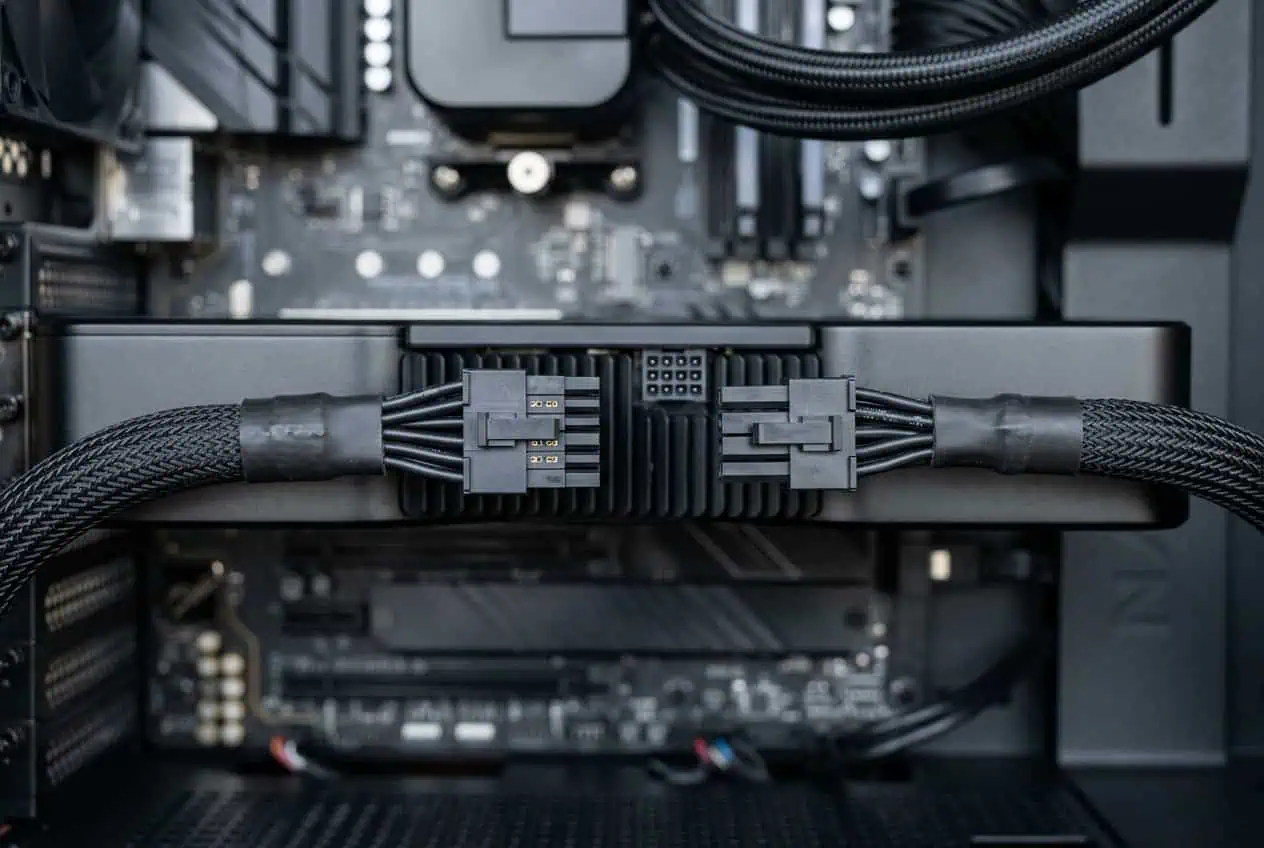
A 12V-2×6 connector has 12 power contacts and 4 smaller sense contacts. It can provide high power through one compact GPU connector.
A PCIe 8-pin GPU connector uses a 6+2-pin layout with power and ground contacts. It is commonly found on GPUs that use separate PCIe power cables.
12V-2×6 connector
12V-2×6 is a newer GPU power connector that succeeded 12VHPWR. The two connectors look very similar, but 12V-2×6 changed the contact and sense-pin design.
The main benefit is simple: one 12V-2×6 connection can carry more power than one PCIe 8-pin GPU connection.
A GPU that needs a high amount of power can therefore use one compact connector instead of several separate 8-pin PCIe connections.
8-pin PCIe connector

An 8-pin PCIe connector is a common GPU power connection found on many graphics cards.
It is also often called a PCIe 6+2-pin connector because the two extra pins can sit beside the six main pins.
The 6+2 design lets the same cable work with GPUs that need either a 6-pin or 8-pin PCIe connection.
12V-2×6 vs 8-Pin PCIe Power Delivery
This is where the two connectors differ most.
A standard PCIe 8-pin GPU connection is rated for 150W from the connector under the PCIe specification. A graphics card may use two or three 8-pin connections when it needs more power.
A 12V-2×6 connection can support up to 600W in a compatible setup.
This does not mean every 12V-2×6 setup supplies 600W. The actual limit depends on the GPU, PSU, cable, and system specification.
So the simple difference is:
- 8-pin PCIe: lower power per GPU connector
- 12V-2×6: higher power through one connector
- Multiple 8-pin PCIe connectors: can provide more total GPU power
- 12V-2×6: can reduce the number of GPU-side power connections
Do not judge a cable only by its connector shape. Always check the power rating of the cable and PSU.
Which Cable Should You Use for Your GPU?

The answer starts with the GPU power socket.
Look at the power connector on your graphics card.
If the GPU has a 12V-2×6 socket, use a PSU cable made for that connection if your PSU supports it.
If the GPU has one or more 8-pin PCIe sockets, use the PCIe cables supported by your PSU.
Your basic check is:
- Check the GPU power connector.
- Check which GPU cables your PSU supports.
- Check the GPU’s power requirement.
- Use the cable specified for that PSU and GPU.
- Make sure the connector is fully inserted.
Do not connect a cable just because the connector appears to fit.
Can You Use 8-Pin PCIe to Power a 12V-2×6 GPU?
Yes, some setups can use an adapter or cable that converts multiple PCIe connections into a 12V-2×6 connection.
But the exact cable matters.
Some PSUs include a cable made for this purpose. For example, a PSU may provide a cable that uses two PSU-side connections and ends in one 12V-2×6 GPU connector.
This is different from taking any random 8-pin cable and adding an adapter.
Check the PSU cable first
Modular PSU cables are not universal.
An 8-pin connector on the PSU side does not mean that every 8-pin modular cable has the same wiring.
Use the cable supplied with the PSU or a cable specifically confirmed as compatible with that PSU.
Never mix modular PSU cables from different PSU models unless the manufacturer confirms that they are compatible.
Can You Plug a 12V-2×6 Cable Into an 8-Pin PCIe GPU?
No. A 12V-2×6 GPU connector and an 8-pin PCIe GPU connector are different connections.
Do not force one connector into the other.
If your GPU has an 8-pin PCIe socket, use the PCIe cable or connector specified for that GPU.
If your PSU has a native 12V-2×6 connection but your GPU uses 8-pin PCIe, check whether your PSU includes a proper cable that converts the PSU output to the required PCIe connections.
The cable must be made for that specific PSU connection.
Can a 12V-2×6 GPU Use Multiple 8-Pin PCIe Cables?
Some GPUs can use an adapter that combines multiple PCIe 8-pin connections into one 12V-2×6 connector.
This does not mean you should make your own adapter setup.
Use the adapter supplied with the GPU or a cable approved for your PSU.
The number of 8-pin connections also matters. A high-power GPU may require two or more PCIe connections to provide enough power.
Do not assume that one 8-pin cable can replace a setup that requires multiple power connections.
Is 12V-2×6 Safer Than 8-Pin PCIe?
Neither connector is automatically safe or unsafe just because of its design.
A correct connection depends on the GPU, PSU, cable, connector, and installation.
For a 12V-2×6 connection, make sure the connector is fully seated in the GPU.
Do not leave the connector partly inserted.
Also avoid putting strong sideways force on the connector or making a very tight bend right beside the connector.
A poor connection can create extra resistance and heat.
The same basic rule applies to PCIe 8-pin connections: use the correct cable, insert the connector fully, and do not force it.
Is 6+2-Pin the Same as 8-Pin PCIe?
For GPU power, a 6+2-pin PCIe cable provides an 8-pin PCIe connection when the two extra pins are attached to the six-pin part.
The two pieces are joined together at the connector.
This is why you may see a GPU listed as needing an 8-pin PCIe connector while your PSU cable is labeled 6+2-pin PCIe.
They refer to the same GPU-side connection when the 6+2 parts are joined.
Do not confuse this with the 8-pin connector used on the PSU side of a modular power supply. PSU-side connectors can have different wiring and are not automatically interchangeable.
12V-2×6 vs 12VHPWR
12V-2×6 is closely related to 12VHPWR.
Both use a similar 12-power-pin and 4-sense-pin layout, but 12V-2×6 changed the connector design to improve the connection.
This is why you may still see 12VHPWR mentioned in discussions about newer GPU power cables.
For a current PC build, the important thing is to use the cable and connector specified for your GPU and PSU rather than relying on the name alone.
Does 12V-2×6 Replace 8-Pin PCIe?
12V-2×6 is becoming common on newer high-power GPUs, but 8-pin PCIe has not disappeared.
Many graphics cards still use one or more PCIe 8-pin connections.
The two connectors can therefore exist side by side in modern PC builds.
Your GPU determines which connection you need.
If your GPU has PCIe 8-pin sockets, use the correct PCIe power cable.
If it has a 12V-2×6 socket, use a compatible 12V-2×6 cable or the correct manufacturer-approved adapter.
Which Is Better: 12V-2×6 or 8-Pin PCIe?
Neither connector is simply better for every GPU.
12V-2×6 makes more sense for a GPU that needs high power through a single compact connection.
8-pin PCIe makes sense for GPUs that are built to use one or more PCIe power connections.
If you are buying a new PSU for a modern high-power GPU, native 12V-2×6 support can make cable selection simpler.
If your existing GPU uses 8-pin PCIe, there is no reason to change the connector just because 12V-2×6 is newer.
The correct cable is the one that matches your GPU, PSU, and power requirement.
- 12V-2×6 is made for higher GPU power through one compact connector.
- 8-pin PCIe remains common on many graphics cards.
- Use the cable specified for your GPU and PSU.
- Do not use random adapters or modular PSU cables from another PSU.
- Make sure the GPU power connector is fully seated before use.
CONCLUSION
12V-2×6 and 8-pin PCIe serve the same basic job, but they are different GPU power connections. 12V-2×6 supports higher power through one compact connector, while 8-pin PCIe is commonly used in single or multiple connections. Check your GPU socket, PSU cable support, and GPU power requirement before connecting anything. If an adapter is needed, use the one supplied with the GPU or a cable approved for your PSU. Never force a connector or mix modular PSU cables from different systems.
FAQs
Can a 12V-2×6 cable be used with an older PSU?
Only if the cable is specifically compatible with that PSU. Check the PSU manufacturer’s cable compatibility list before using it.
Does a 12V-2×6 cable need a special PSU?
It needs a PSU and cable that support the 12V-2×6 connection. Check the PSU specifications and use the cable supplied with the PSU or one confirmed as compatible.
Do all GPUs support 12V-2×6?
No. Some GPUs still use PCIe 6-pin or 8-pin power connectors, while newer high-power GPUs may use 12V-2×6.
Why does my GPU need a power cable from the PSU?
The PCIe slot cannot provide all the power required by many graphics cards. The extra GPU power cable supplies the additional power the card needs.
Can a GPU work without an extra power cable?
Only if the GPU gets all its required power from the PCIe slot. GPUs that have external power sockets need the correct power connection to operate properly.