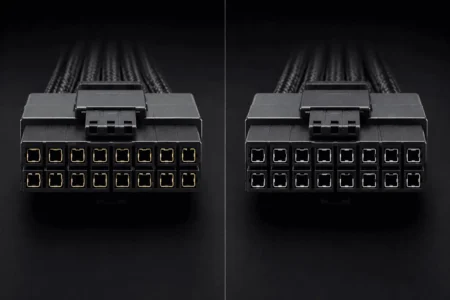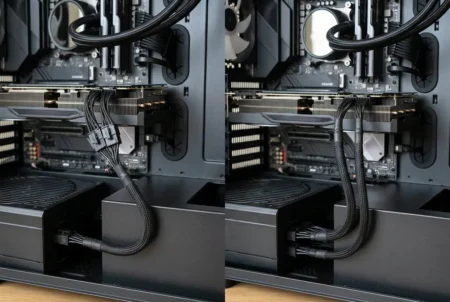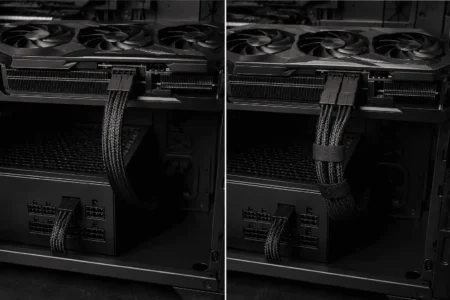



Yes, you can bend a GPU power cable, but the bend should be smooth and away from the GPU connector. The main problem is a sharp bend, tight kink, or strong side pressure near the plug.
For 12VHPWR and 12V-2×6 cables, the distance before the bend matters. Some manufacturers give a minimum straight section before the bend, so check the guidance for your specific cable.
How Much Can You Bend a GPU Power Cable?
There is no single maximum bend angle for every GPU power cable.
The safe bend depends on the cable type, connector, cable construction, and space inside the PC case. The main thing to watch is the bend radius, not just the angle.
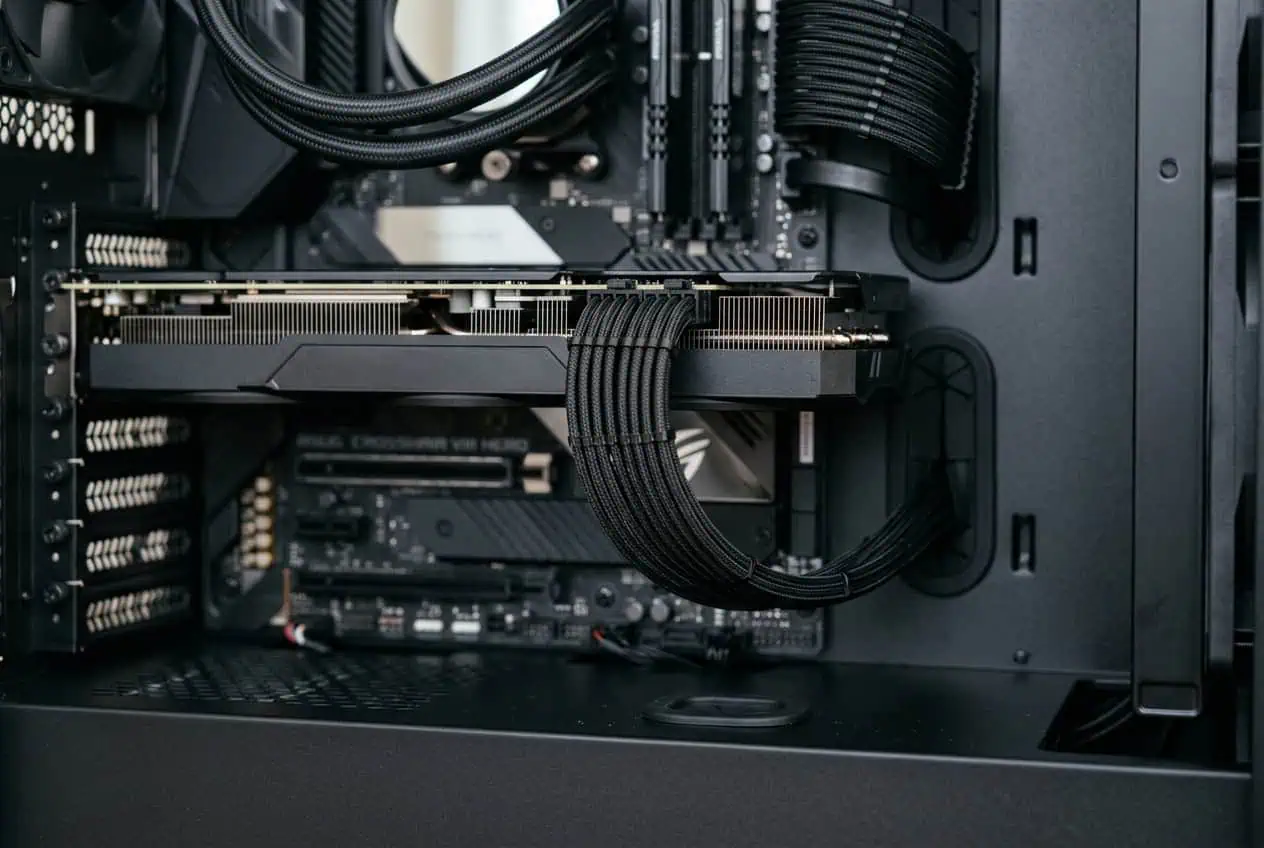
A cable can change direction by 90 degrees without having a sharp 90-degree kink. If the cable makes the turn through a wide curve, it puts less stress on the cable and connector.
The problem starts when the cable is forced into a small curve.
Avoid:
- Sharp kinks in the cable
- Bending the cable right at the GPU connector
- Pulling the cable sideways
- Crushing the cable against the side panel
- Forcing a thick cable into a narrow gap
A smooth curve gives the cable room to change direction without putting strong force on the connector.
What Is the Bend Radius of a GPU Power Cable?

Bend radius is the size of the curve made by a cable when you bend it.
A larger bend radius creates a wider curve. A smaller bend radius creates a tighter curve.
This is why the bend angle alone cannot tell you whether a GPU power cable is safe. A cable may need to make a 90-degree turn, but the turn should use a wide, smooth curve rather than a sharp kink.
The cable manufacturer’s bend guidance should take priority. In general, a wider, smoother curve puts less stress on the cable than a tight kink.
If your cable needs to make a sharp turn, give it more room instead of forcing the cable into a smaller curve.
How Far From the GPU Connector Should You Bend the Cable?
For 12V-2×6 cables, Corsair recommends keeping around 30 mm (1.18 inches) of cable straight before the bend.
This means the cable should leave the GPU connector in a fairly straight path first. The bend should start after this section.
Think of the cable path like this:
GPU connector → 30 mm straight section → smooth curve → cable route
This 30 mm figure comes from Corsair’s guidance for its 12V-2×6 cable. It should not be treated as a universal measurement for every GPU power cable.
Should You Bend the Cable Before Plugging It In?
Plan the cable route before connecting the GPU power cable. Once the connector is fully seated, avoid forcing the cable into a new position.
This is useful when there is limited space between the GPU and the side panel. Do not use the cable bend to pull the connector into position.
The connector should be fully inserted and seated before you finish routing the cable.
What Bend Angle Is Safe for a GPU Power Cable?
There is no universal maximum bend angle for every GPU power cable.
A cable may need to change direction by 90 degrees, but the route should use a wide, smooth curve rather than a sharp kink. The problem is a sharp bend or kink that puts strong force on the cable or connector.
For 12V-2×6 cables, Corsair advises avoiding harsh 90-degree bends. A wide, smooth curve is a better choice than forcing the cable into a sharp turn.
Instead of focusing on one exact angle, look at the shape of the bend:
- Wide, smooth curve: preferred
- Tight curve: avoid when possible
- Sharp kink: avoid
- Hard bend beside the connector: avoid
The goal is to change the cable direction gradually rather than folding it at one point.
Does the 30 mm Guidance Apply to Every GPU Power Cable?
No. The 30 mm (1.18-inch) figure comes from Corsair’s guidance for its 12V-2×6 cable and should not be treated as a universal measurement.
Other GPU power cables may have different requirements. Check the instructions for your specific cable, especially if it uses a different connector or cable design.
Is It Safe to Bend a 12VHPWR Cable?
Yes, a 12VHPWR cable can be bent, but avoid a sharp bend close to the GPU connector.
Give the cable enough straight length before the bend, then make a smooth curve. The connector should be fully inserted and seated before you route the cable.
Do not use the bend to pull the connector into position. If the PC case has very little space around the cable, do not force it against the side panel.
Is It Safe to Bend a 12V-2×6 Cable?
Yes, but the cable should be routed with care.
For a 12V-2×6 cable, follow the bend-distance guidance provided by its manufacturer.
Tight bending can still place mechanical stress on the cable and connector.
Keep the connector fully seated and use a smooth curve instead of a sharp bend.
Can a GPU Power Cable Touch the Side Panel?

Light contact with the side panel does not automatically mean the GPU power cable is unsafe.
The bigger concern is pressure.
If you need to push the side panel hard to close the case, the cable may be too tightly bent. Reroute the cable or create more space instead of forcing the panel closed.
For a tight case, a compatible angled GPU power cable may also help reduce the bend.
How to Bend a GPU Power Cable Safely
Follow these steps when installing the cable:
- Plan the cable route before connecting the GPU power cable.
- If needed, shape the cable before plugging it into the GPU.
- Plug the connector fully into the GPU.
- Check that the connector is properly seated.
- Leave the recommended straight section before the bend.
- Start the bend after this section.
- Make a wide, smooth curve.
- Keep the cable away from sharp case edges.
- Make sure the side panel does not crush the cable.
- Avoid pulling the cable sideways at the connector.
- Check the cable route again after closing the case.
Do not use a tight cable tie to force the GPU power cable into a sharp curve. If you need to secure the cable, use a soft hook-and-loop strap and let the cable keep a natural curve.
What Happens If You Bend a GPU Power Cable Too Tightly?
A tight bend can put mechanical stress on the cable and connector.
Look for signs that the cable is being forced into a bad position:
- A sharp kink near the connector
- A connector that looks tilted
- A cable being pulled sideways
- A flattened section of cable
- Strong pressure from the side panel
- Damage to the cable jacket
If you see these signs, change the cable route instead of forcing the bend.
What If Your PC Case Does Not Have Enough Space?
Do not force the GPU power cable into a tight gap just to close the PC case.
Try a different cable route or case opening first. For 12VHPWR or 12V-2×6 connections, a compatible angled GPU power cable can also help in a tight case.
The important part is to use a cable or connector that is compatible with your GPU and PSU. Never use a random modular PSU cable just because the connector looks the same.
Conclusion
It is safe to bend a GPU power cable when you give it enough room and avoid sharp bends near the connector. For 12VHPWR and 12V-2×6 cables, follow the guidance for your specific cable rather than treating one measurement as universal. Keep the bend smooth, give the cable enough straight length, and do not let the side panel crush or force the cable.
FAQs
Can bending a GPU power cable break the wires?
A normal smooth bend should not damage the cable. Repeated sharp bending, kinks, or crushing can put extra stress on the cable.
Can I bend a GPU power cable while it is connected?
Yes, but avoid putting force on the connector. It is better to plan the cable route first and then seat the connector fully.
Can I use a cable comb on a GPU power cable?
Yes, if the comb fits the cable correctly and does not force the wires into a tight bend. Do not use it to create a sharp curve near the connector.
Does a longer GPU power cable bend better?
A longer cable can give you more room for a gradual curve, but cable length alone does not determine the safe bend. The cable’s construction and manufacturer guidance still matter.
Can I bend GPU power cables repeatedly?
Avoid repeated bending in the same spot, especially close to the connector. Set the cable route once and keep it in a natural curve.
Can cable ties damage a GPU power cable?
They can if pulled too tightly and used to force a sharp bend. Use light tension and let the cable keep a natural curve.