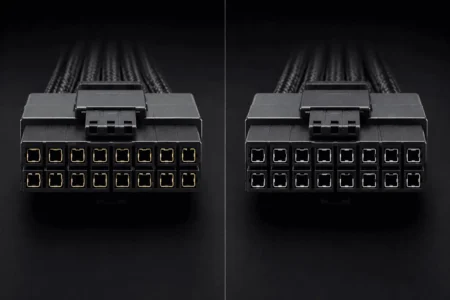



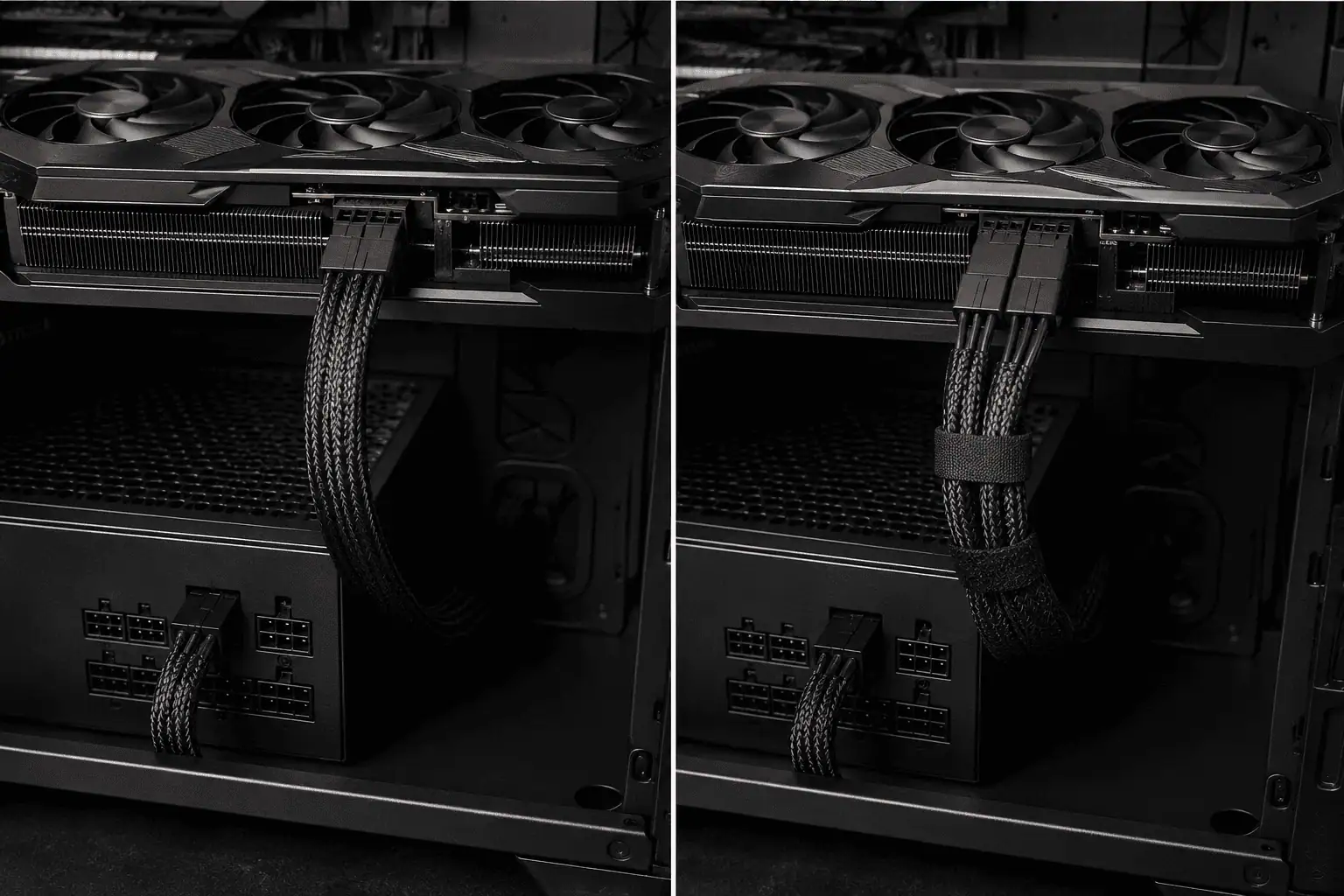
If your GPU has a 12V-2×6 power connector, you may have two ways to connect it. You can use a native 12V-2×6 cable from your PSU, or use the 8-pin-to-12V-2×6 adapter that came with the GPU.
Both options can work. The better choice depends on your PSU, GPU power needs, cable compatibility, and how you want to route the cables. A native cable is usually simpler, but an adapter does not automatically mean lower performance or less safe power delivery.
Native 12V-2×6 vs Adapter: What’s the Difference?

The main difference is how power travels from the PSU to the GPU.
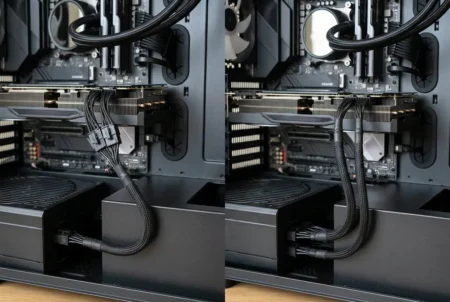
A native 12V-2×6 cable connects the PSU directly to the 12V-2×6 socket on the GPU.
An 8-pin-to-12V-2×6 adapter connects PCIe 6+2-pin cables from the PSU to the adapter, which then connects to the GPU’s 12V-2×6 socket.
Native 12V-2×6 Cable
A native cable has a simple connection:
PSU → 12V-2×6 cable → GPU
This means there are fewer cable connections between the PSU and GPU.
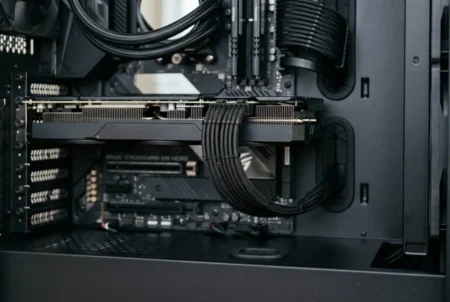
It can also make cable routing easier, especially in a clean PC build with limited space.
8-Pin-to-12V-2×6 Adapter
An adapter uses the PCIe power cables that connect to the PSU.
The setup looks like this:
PSU → PCIe cables → 12V-2×6 adapter → GPU
The exact number of PCIe connections depends on the GPU and the adapter supplied with it.
An adapter can be useful when your existing PSU does not have a compatible native 12V-2×6 cable.
Does Native 12V-2×6 Deliver More Power Than an Adapter?
No. A native 12V-2×6 cable does not automatically deliver more power than a properly supported adapter.
Both can provide the power required by the GPU when the PSU, cables, adapter, and GPU are correctly matched.
The main difference is the connection setup. A native cable gives you a direct connection, while an adapter adds PCIe cable connections between the PSU and GPU.
The power rating still depends on the exact PSU, cable, adapter, and GPU.
A 12V-2×6 connection can support high-power GPU setups, with some implementations rated for up to 600W.
Always check the power rating for your specific PSU cable and GPU.
Native 12V-2×6 vs Adapter: Which Is Better?
Neither option is automatically better for every PC.
The right choice depends on your hardware.
Power Delivery
A properly supported native cable and adapter can both supply the power your GPU needs.
Using an adapter does not by itself make the GPU slower.
The important factors are the GPU’s power requirement, the PSU’s rating, the cable setup, and the adapter’s requirements.
Cable Management

This is where the native cable has a clear practical benefit.
A native cable needs one direct cable connection between the PSU and GPU.
An adapter adds extra PCIe cables and another connection near the GPU.
That can create more cable clutter and make routing harder.
If your goal is a cleaner build, a compatible native cable is usually the simpler option.
PSU Compatibility
This is one of the most important differences.
A native 12V-2×6 cable must be made for your specific PSU or confirmed as compatible with it.
You cannot assume that a modular PSU cable will work just because its connector fits.
A cable can look correct while using different wiring inside.
An adapter avoids this specific issue because you use the PCIe cables supported by the adapter and PSU.
Installation
A native cable has fewer connections, so installation is usually simpler.
An adapter needs the required PCIe cables connected correctly before the adapter is connected to the GPU.
In both cases, make sure the GPU connector is fully inserted and the cable is not under strong strain.
Is a Native 12V-2×6 Cable Safer Than an Adapter?
No. A native 12V-2×6 cable is not automatically safer than a properly supported adapter.
Both options need the correct PSU, cables, GPU, and power rating.
The 12V-2×6 connector should be fully inserted into the GPU until it is securely seated.
Avoid forcing the connector into place or putting strong stress on the cable near the GPU socket.
The adapter supplied with a GPU is meant to work with the required PCIe power connections when used as specified.
The same rule applies to a native cable. It must be the correct cable for the PSU.
Can You Use Any Native 12V-2×6 Cable?

No.
Do not use a random modular 12V-2×6 cable just because it fits your GPU.
Modular PSU cables are not universal. Different PSU models can use different wiring even when the connectors look similar.
Before buying or installing a replacement cable, check the PSU manufacturer’s cable compatibility information.
This matters even more if you are reusing an older PSU with a new GPU.
Does a 12V-2×6 Adapter Reduce GPU Performance?
No. A properly supported adapter does not reduce GPU performance simply because it is an adapter.
If the GPU receives the power it requires and the PSU and cables meet the system requirements, the connection method itself does not make the GPU slower.
The adapter adds another connection between the PCIe cables and the GPU, but that does not mean the GPU will run at a lower speed.
The bigger concern is using the wrong cable, an unsupported adapter, or a PSU that cannot meet the GPU’s power needs.
Can You Replace the Adapter With a Native 12V-2×6 Cable?
Yes, if your PSU supports a compatible native 12V-2×6 cable.
This can be a good option if you want fewer cables between the PSU and GPU.
But do not replace the adapter with any modular cable that happens to fit.
The replacement cable must be compatible with your exact PSU.
If your PSU does not support a native 12V-2×6 cable, keep using the supported adapter instead of trying to force a different cable into the setup.
When Should You Use a Native 12V-2×6 Cable?
A native cable is a good choice when your PSU supports the correct cable and you want a simple connection.
For a New PC Build
A native cable makes sense if your PSU has a compatible 12V-2×6 output.
You get a direct connection with less cable clutter.
This can also make routing easier around the GPU and side panel.
For an Existing PC
A native cable can also be useful when upgrading an existing PSU, but only if the PSU supports the correct cable.
You do not need to replace a working PSU just to avoid an adapter.
If your existing PSU and the supplied adapter meet the GPU’s requirements, the adapter can be a suitable option.
When Should You Use a 12V-2×6 Adapter?
Use the adapter when your compatible PSU does not have a native 12V-2×6 cable and the GPU supports the adapter setup.
This is common when upgrading an older PC with a PSU that uses PCIe 6+2-pin power cables.
Check the GPU instructions for the required number of PCIe connections.
Do not use fewer connections than the GPU or adapter requires.
12V-2×6 vs 12VHPWR: Are They the Same?
12V-2×6 is a revised connector design that followed 12VHPWR, with changes to improve the connection.
You may also see older GPUs and PSUs described as using 12VHPWR while newer hardware uses 12V-2×6.
For your actual cable choice, the important part is still the compatibility between the GPU, PSU, and cable.
How Much Power Can a 12V-2×6 Cable Handle?
A 12V-2×6 connection can support up to 600W in setups that are rated for that level.
That does not mean every 12V-2×6 cable or PSU supports 600W.
Some PSU cables and systems have lower power ratings.
The GPU and PSU specifications should always be used to determine the correct power level for your setup.
Do not choose a cable based only on the fact that it has a 12V-2×6 connector.
Native 12V-2×6 vs Adapter: Which Should You Use?
If your PSU has a compatible native 12V-2×6 cable, it is usually the cleaner and simpler choice.
It gives you a direct connection and can make cable management easier.
If your PSU does not have a compatible native cable, the GPU’s supported 8-pin-to-12V-2×6 adapter can be the right choice.
The adapter does not automatically reduce GPU performance or power delivery.
The key is to use the correct PSU, the required PCIe cables, and the adapter specified for your GPU.
For either setup, make sure the connector is fully seated and avoid putting strong stress on the cable near the GPU connector.
Conclusion
A native 12V-2×6 cable is usually the cleaner choice when your PSU supports the correct cable. It gives you a direct GPU connection with less cable clutter. An 8-pin-to-12V-2×6 adapter can also work well when it is properly supported by the GPU and PSU. The adapter does not automatically reduce performance or power delivery. The best option is the one that matches your hardware and its power requirements.
FAQs
Can I use a 12V-2×6 cable with an older GPU?
It can, if the GPU supports the connector and the cable is approved for the GPU and PSU. Check the manufacturer’s specifications before using it.
Does a longer 12V-2×6 cable affect power delivery?
A properly rated cable of a suitable length should work normally. Avoid poorly made or unsupported replacement cables.
Can I use a cable extension with 12V-2×6?
It is better to avoid unnecessary extensions. Extra connections can make cable routing harder and add another point that must be properly connected.
Does a 12V-2×6 cable work with every ATX 3.1 PSU?
No. The PSU must have a compatible 12V-2×6 cable and the correct connector for that PSU model.
Can I reuse my old 12VHPWR cable with a 12V-2×6 GPU?
In supported setups, 12VHPWR cables can work with 12V-2×6 connectors. Check the GPU and PSU manufacturer’s compatibility guidance before using one.
Does the direction of a 12V-2×6 cable matter?
The cable should be connected according to the manufacturer’s instructions. Never force a connector if it does not fit correctly.