


A hot GPU power cable can make any PC owner worry. If the cable gets warm during gaming, that may be normal. But a very hot cable, hot connector, burning smell, melted plastic, or color change can point to a poor connection or damaged cable.
Start by checking the GPU connector. Make sure it is fully seated and the cable is not under a sharp bend or side pressure. Also check both ends of the cable and look for damage. These checks can help you find the cause before heat turns into a bigger hardware problem.
A GPU power cable can get warm during heavy gaming or GPU workloads because it carries more current. Warmth alone is not always a problem. A very hot connector, burning smell, discoloration, melting, or a loose connection can point to poor contact, cable damage, or excess heat. Check that the connector is fully seated, the cable is not tightly bent, and both ends of the cable are compatible and secure.
Why Does a GPU Power Cable Get Hot?
A GPU power cable can become warm because current flows through it while the graphics card is working. More current and electrical resistance can create more heat.
A high-end GPU can draw a large amount of current during gaming, rendering, or other heavy workloads. The cable and connector must carry this current safely.
The cable may feel warm without having a fault. The connector needs more attention because poor contact can increase contact resistance.
Higher contact resistance can create localized heating at the connection point. If the heat keeps building, it can damage the connector housing or cable.
Common causes include:
- High GPU power draw
- A loose connector
- An incompletely seated plug
- A sharp bend near the connector
- Side pressure on the plug
- A damaged cable
- Damaged connector terminals
- Extra adapter connections
- Poor airflow around the GPU
The first step is to find out whether the cable is simply warm or showing signs of overheating.
Is a Hot GPU Power Cable Normal?
A GPU power cable can become warm during heavy GPU use. Warmth alone does not prove there is a fault.
The important difference is between normal warmth and unusual heat. If the cable suddenly gets much hotter than before, or the connector feels very hot, inspect the connection.
A high-power GPU sends more current through the power cable during heavy loads. Some heat can result from this current flow.
However, heat that builds up at one small point is more concerning. Poor contact can increase contact resistance and create localized heat around the connector.
Check the cable and connector for:
- Unusual heat
- A hot spot near the connector
- Discoloration
- Warped plastic
- A burning smell
- Melting
- A loose connection
A warm cable during heavy use is different from a connector showing signs of thermal damage.
How Hot Is Too Hot for a GPU Power Cable?
There is no single temperature number that applies to every GPU power cable and connector.
The cable type, GPU load, PSU, connector condition, case temperature, and connection quality can all affect heat.
Instead of relying on touch alone, look for a sudden increase in heat or signs of damage. A very hot connector, burning smell, discoloration, melting, or damaged connector housing needs attention.
Common Reasons a GPU Power Cable Gets Hot
Several issues can make a GPU cable or connector run hotter than expected. The most common ones involve the connection between the cable and graphics card.
A Loose or Poorly Seated Connector
A GPU connector must be fully inserted into the graphics card socket.
If the plug is not seated correctly, some terminals may have poor contact. This can increase electrical resistance at the connection point.
Higher resistance can create more heat in that small area. The cable may still look normal while the connector becomes very hot.
This is why checking the connector is one of the first things to do if your GPU power cable gets hot.
Do not rely on a quick glance. Make sure the plug is fully inserted and there is no visible gap between the connector and socket.
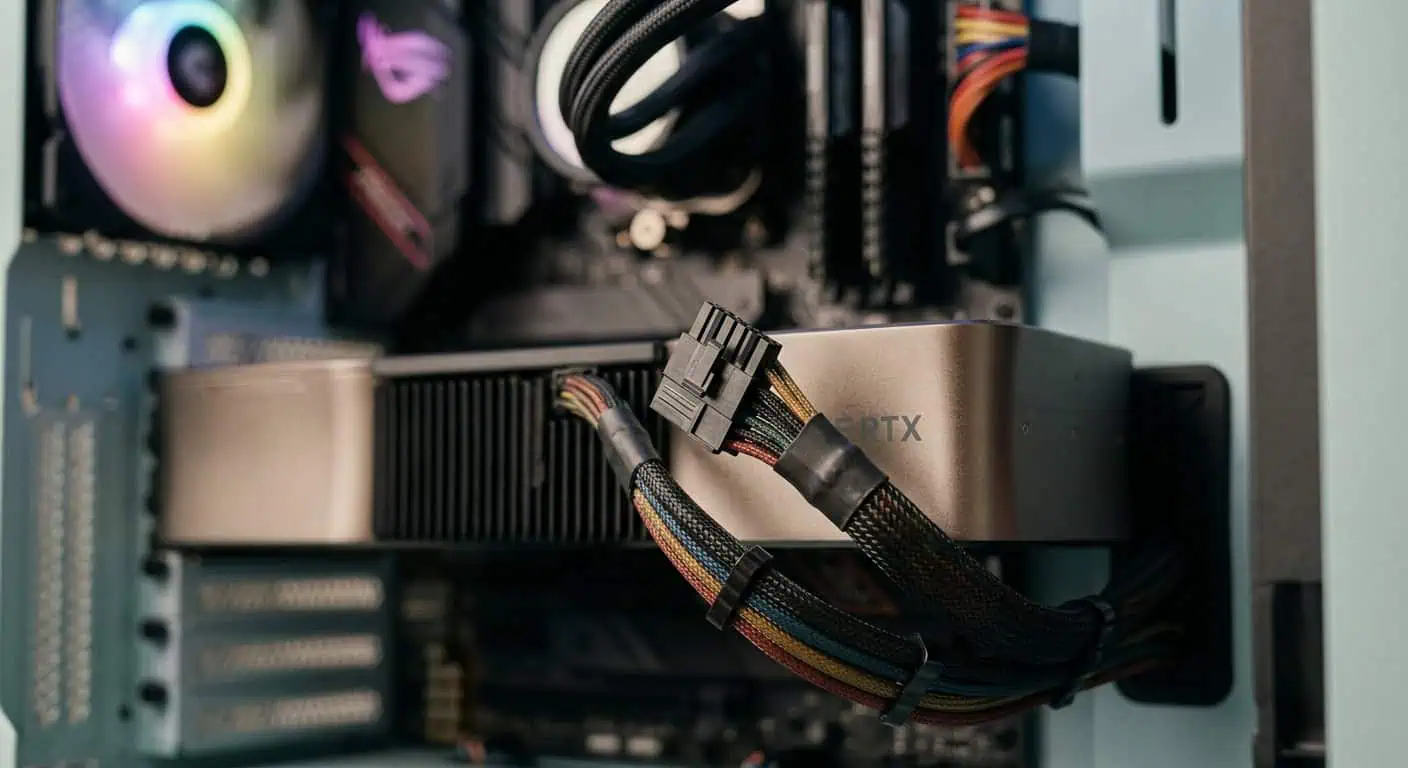
A Sharp Bend Near the Connector

A tight bend near the GPU connector can place mechanical stress on the cable and connector.
Avoid forcing the cable sideways or bending it sharply as soon as it leaves the GPU socket. Give the cable enough slack so it can leave the connector without strong pressure.
This matters with high-current connectors such as 12VHPWR and 12V-2×6. NVIDIA also provides guidance on leaving slack near these connections to reduce stress on the connector.
Do not let the case side panel push hard against the cable. If the cable must be forced into place, change the routing.
High GPU Power Draw
A graphics card can draw much more current during a heavy workload than it does at idle.
Gaming, 3D rendering, AI workloads, and other demanding tasks can increase GPU load. A high-end graphics card may place a large electrical demand on its cable and connector.
This does not mean a high GPU load should make the cable dangerously hot. A correctly installed, compatible cable and connector should be able to handle the GPU’s intended power load.
If the cable becomes unusually hot only during heavy workloads, check the connection and cable condition before assuming the GPU itself is faulty.
A Damaged Cable
A damaged GPU cable should not be treated as a normal heat source.
Look for cuts, crushed sections, exposed wire, damaged insulation, bent terminals, or signs of melting. Damage can affect the cable or its connection.
Do not keep using a cable that has visible damage.
A replacement cable must be compatible with your exact PSU. Modular PSU cables are not universal, even when the connectors look the same.
Do not use a modular PSU cable from another brand or PSU model unless its compatibility is confirmed. Different cables can use different wiring, and the wrong cable can damage PC hardware.
Adapters and Extra Connection Points
Adapters add more connection points between the PSU and GPU.
Each connection has contact points. Poor contact at any point can add resistance and create heat.
This is one reason the correct cable supplied for the PSU can be a better choice than adding several adapters.
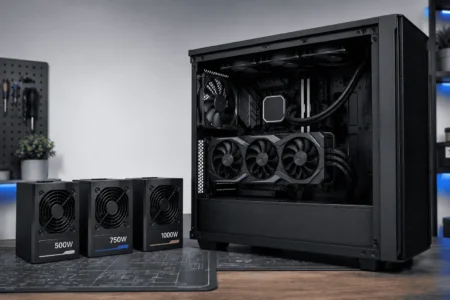
For newer graphics cards, check whether your PSU supports the required connector and GPU load. A native cable made for the PSU can reduce the number of connection points in the cable path.
Poor Airflow Around the Connector
Warm air around the GPU can add to the heat in the case.
Good case airflow helps remove that heat, but it will not fix a bad connector or damaged cable. If the connector is unusually hot, inspect the power connection first.
Where Is the GPU Power Cable Getting Hot?

The location of the heat can help you find the cause.
If most of the cable feels warm, the heat may be related to normal current flow during a heavy GPU load. If one small area is much hotter, pay closer attention to that connection.
Check these points:
- GPU-side connector
- Cable itself
- PSU-side connector
- Adapter connections, if used
A hot spot at a connector can point to poor terminal contact or increased contact resistance. Do not focus only on the GPU end of the cable if you have a modular PSU.
Is a Hot GPU Power Cable the Same as a Hot GPU?
No. GPU temperature and cable temperature are two different things.
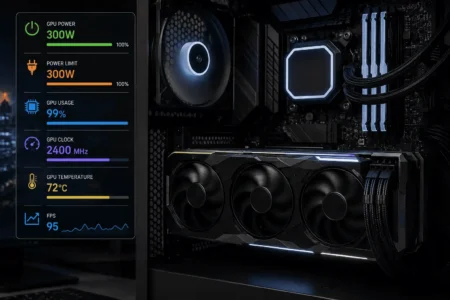
Your graphics card may report its core temperature through software such as a GPU monitoring tool. That number tells you about the GPU itself. It does not directly tell you the temperature of the cable or connector.
For example, a GPU can run at 70°C while its power connection has a separate problem.
The reverse can also happen. A GPU can run at a higher temperature because of workload or airflow while the cable and connector remain in good condition.
This is why questions such as whether 65°C, 70°C, 80°C, or 90°C is too hot for a GPU do not answer the cable question.
If you are asking why your GPU power cable gets hot while the GPU temperature looks normal, inspect the cable and connector separately.
Signs Your GPU Power Cable Is Overheating

The connector can show warning signs before serious damage occurs.
The Connector Feels Much Hotter Than the Cable
A small difference can occur, but a connector that becomes very hot compared with the rest of the cable deserves attention.
A concentrated hot spot can point to a connection problem.
The Plastic Changes Color
Yellowing, browning, dark marks, or other color changes can indicate heat damage.
Do not ignore a new color change around the connector.
The Connector Looks Warped
Heat can deform plastic. A connector that no longer keeps its normal shape should not be used.
You Notice a Burning Smell
A burning plastic or electrical smell is a strong warning sign.
Shut the PC down and inspect the cable and connector after the system has cooled.
The Cable or Connector Shows Melt Damage
Melted plastic means the connection has experienced excessive heat.
Do not reuse a visibly melted cable or connector. Replacing the damaged part is safer than continuing to run the GPU.
The Connection Feels Loose
A connector that does not stay firmly seated can create poor contact.
Do not force a damaged connector into place. Inspect the plug and GPU socket for damage.
| What You Notice | What to Do |
|---|---|
| Cable feels warm during heavy GPU use | Check the cable and connector for damage or poor seating. |
| Connector is much hotter than the cable | Inspect the connector for poor contact, damage, or an incorrect connection. |
| Cable is tightly bent near the connector | Reroute the cable and leave enough slack near the connector. |
| Burning smell or discoloration | Shut down the PC and inspect the cable and connector before using it again. |
| Melting or warped connector | Stop using the connection and replace the damaged parts. |
What Should You Do If Your GPU Power Cable Gets Very Hot?
If the cable is only warm during heavy GPU use and shows no signs of damage, start with a visual inspection.
If the connector is extremely hot, or you notice a burning smell, melting, discoloration, or smoke, shut the PC down. Let it cool before inspecting the connection.
Check the Connector Seating
Make sure the GPU connector is fully inserted into the graphics card.
The plug should sit firmly in the socket. It should not look partly pulled out or sit at an odd angle.
Check Both Ends of the Cable
If you use a modular PSU, inspect both the GPU-side and PSU-side connections.
Also check any adapter between the PSU and GPU. A problem at either end can affect the power connection.
Check the Cable Route
Look at the section close to the GPU connector.
Make sure the cable is not sharply bent, twisted, crushed, or pushed sideways by the case panel.
Leave enough cable slack so the connector is not under constant mechanical stress.
Inspect the Connector
Look for:
- Dark marks
- Yellow or brown plastic
- Warping
- Melting
- Damaged terminals
- Loose parts
If you find signs of heat damage, do not keep using the connection.
Check the PSU Cable
Use a cable made for your exact PSU.
Do not assume a modular cable is safe just because it fits the PSU socket. Check the PSU manufacturer’s compatibility information before using a replacement cable.
Replace Damaged Parts
Replace a cable that has visible damage.
If the GPU socket, PSU connector, or adapter also shows heat damage, the affected hardware should be checked before the system is used again.
Can 12VHPWR and 12V-2×6 Cables Get Hot?

Yes. These connectors are used to deliver high amounts of power to modern graphics cards.
12V-2×6 is the newer connector specification that replaced 12VHPWR in the PCIe connector specification. You may still see 12VHPWR used in discussions about earlier GPU and PSU designs.
Because these connectors carry high current through a compact connection, proper insertion and cable routing matter.
The connector should be fully seated. The cable should also have enough slack near the plug and should not be under strong side pressure.
If a 12VHPWR or 12V-2×6 connector gets unusually hot, check the connector seating, cable position, cable condition, and PSU connection.
For a newer GPU, use the native GPU power cable supplied with a compatible PSU when possible. This can reduce the number of adapter connections.
How to Prevent Your GPU Power Cable From Getting Hot
Good cable installation can reduce the chance of heat problems.
Use the Correct PSU Cable
Use the cable supplied for your PSU or a replacement that is confirmed to be compatible with that exact PSU.
Do not mix modular PSU cables from different models without checking compatibility.
Seat the Connector Fully
Push the connector into the GPU socket until it is properly seated.
A partial connection can create poor contact and local heat.
Give the Cable Enough Room
Do not make a tight bend right beside the GPU connector.
Let the cable leave the connector naturally before routing it through the case.
Keep Side Pressure Away
The case side panel should not push hard against the GPU cable.
If the cable must be forced into place, change the routing instead.
Inspect the Cable After Hardware Changes
Check the connector after installing a new GPU, changing the PSU, moving the PC, or changing cable routing.
A cable can become stressed during hardware work even if it looked fine before.
Keep the GPU Area Well Ventilated
Good case airflow helps remove warm air around the graphics card.
This does not fix a bad connector, but it can help control overall case and GPU temperatures.
Conclusion
A warm GPU power cable during heavy use can be normal, but unusual heat needs attention. Check the connector, cable route, PSU-side connection, and any adapter. If you see melting, discoloration, damaged plastic, or smell burning, stop using the connection. For a newer GPU, also make sure the cable is compatible with the PSU and properly seated at both ends.
FAQs
Can a GPU power cable get hot at idle?
It should generally stay much cooler at idle because the GPU uses less power. If the cable or connector gets noticeably hot without a heavy workload, inspect the connection and cable.
Can a longer GPU power cable cause more heat?
Cable length alone does not usually cause a serious heat problem when you use a suitable, compatible cable. The cable’s gauge, quality, connection, and power load matter more.
Does undervolting a GPU reduce power cable heat?
Yes. Undervolting can reduce GPU power consumption under load, which can also reduce the current flowing through the power cable and connector.
Can a GPU power cable heat up because of an old PSU?
It can, especially if the PSU, cable, or connector is damaged or cannot properly handle the GPU’s power demand. Check the PSU’s condition, rating, and cable compatibility.
Can dust make a GPU power cable hotter?
Dust can reduce airflow and increase heat inside the case, but it is less likely to cause a hot connector by itself. A very hot connector should still be inspected for a connection problem.
Does GPU power cable temperature affect GPU performance?
Usually, cable warmth does not directly reduce GPU performance. However, a damaged or overheating power connection can cause instability, shutdowns, or hardware damage.