


If you’re building a new PC, checking back-connect motherboard compatibility before buying parts can save you time and money. A back-connect motherboard moves most internal connectors to the back, creating a cleaner build with better cable management.
Most components, including your CPU, RAM, graphics card, storage drives, and power supply, usually remain compatible. The biggest thing to check is whether your PC case supports rear-mounted connectors.
What Is Back-Connect Motherboard Compatibility?

Back-connect motherboard compatibility means making sure your motherboard, PC case, and other hardware work together correctly.
Unlike a standard motherboard, a back-connect design places most connectors on the back of the board. This requires a compatible case with enough space for cables behind the motherboard tray.
If your case supports this layout, building your PC is usually straightforward. If it doesn’t, you may not be able to connect important cables even though the motherboard physically fits.
What Is a Back-Connect Motherboard?
A back-connect motherboard, also called a reverse connector motherboard or rear connector motherboard, moves most internal connectors behind the motherboard instead of placing them on the front.
These include the 24-pin ATX connector, 8-pin EPS CPU power connector, SATA ports, USB 3.2 Gen 1 header, USB Type-C front panel header, ARGB headers, PWM fan headers, and other Front I/O connectors.
This design keeps cables out of sight and makes hidden cable management much easier. The front of the motherboard looks cleaner because most cables are routed behind the motherboard tray.
The rest of the motherboard works the same as a traditional design. The PCIe slot stays in the same place for your graphics card, and storage devices like an M.2 NVMe SSD install normally.
Today, the three main back-connect motherboard ecosystems are:
- ASUS BTF
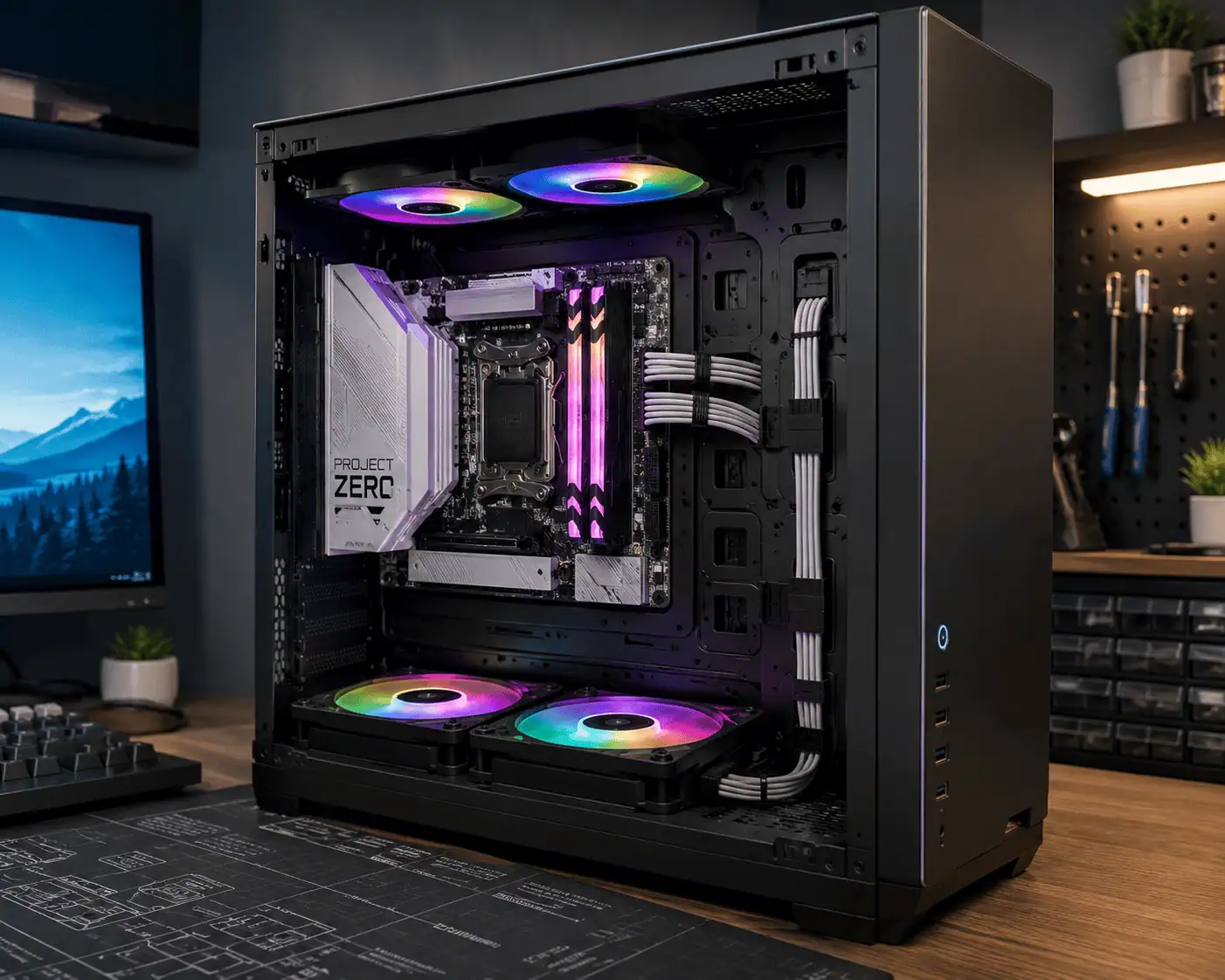
- MSI Project Zero
- Gigabyte Project Stealth
Although they follow the same idea, their rear connector layouts are slightly different. This is why checking compatibility before buying is important.
What Does Compatibility Mean?
Compatibility is about more than making sure the motherboard fits inside the case.
Your PC case must have the correct openings for the rear connectors and enough room for rear cable routing. Without this support, connecting power, storage, and front panel cables can become difficult or impossible.
The good news is that most other components usually remain compatible. Your CPU, CPU cooler, RAM, graphics card, storage drives, and power supply generally install the same way they do on a standard motherboard.
Before buying, confirm these three things:
- Your PC case supports back-connect motherboards.
- Your motherboard size matches your case.
- Your power and front panel cables can comfortably reach the rear connectors.
Why Compatibility Matters
Checking compatibility before buying can save you both time and money.
If your case is not compatible, you may need to replace it after purchasing the motherboard. That adds extra cost and delays your build.
A compatible setup also makes building easier. Since most cables are hidden behind the motherboard tray, the inside of the case looks cleaner and is easier to organize.
This is one of the main reasons many builders choose a back-connect motherboard.
Which Components Are Compatible?
One of the biggest concerns is whether a back-connect motherboard requires all new hardware.
In most cases, the answer is no. The connector locations change, but most PC components work exactly as they do with a standard motherboard.
PC Case

The PC case is the most important compatibility check.
A compatible case includes openings behind the motherboard tray for the 24-pin ATX connector, 8-pin EPS CPU power connector, USB 3.2 Gen 1 header, USB Type-C front panel header, SATA ports, and other rear-mounted connectors.
Without these cutouts, cable installation may not be possible even if the motherboard fits inside the case.
Also check that your case provides enough space for rear cable routing so the side panel can close properly.
CPU & Cooler
Your CPU remains fully compatible as long as the motherboard supports its socket and chipset.
Air coolers and AIO liquid coolers also use the same mounting system as a standard motherboard. In many builds, connecting the CPU power cable is even easier because the connector is no longer blocked by a large cooler.
Graphics Card
Most graphics cards work normally because the PCIe slot remains in the same position.
Some ASUS BTF motherboards support compatible BTF graphics cards with hidden power connections. If you use a standard graphics card, it continues to work with regular PCIe power cables.
Remember to check GPU clearance if you plan to install a large graphics card inside a compact case.
Power Supply
Most standard ATX power supplies are fully compatible.
Before building, check that the motherboard and CPU power cables are long enough to reach the rear-mounted connectors, especially in larger cases. A modular power supply can also make cable routing cleaner.
RAM & Storage
RAM compatibility does not change. If your motherboard supports your memory, it will work normally.
Storage devices are also compatible. An M.2 NVMe SSD installs directly on the motherboard, while SATA SSDs and hard drives connect through the rear-mounted SATA ports.
Fan & RGB
Case fans, RGB lighting, and front panel connections continue to work normally.
The ARGB headers, PWM fan headers, and other internal connectors are simply moved behind the motherboard, helping keep cables hidden and making RGB controller cable management much easier.
Form Factor
Back-connect motherboards are commonly available in ATX and Micro-ATX sizes.
Your case must support both the motherboard form factor and the rear connector layout. Checking both before buying is the easiest way to avoid compatibility problems later.
Do You Need a Special PC Case?
Yes, in most cases you do. A back-connect motherboard is designed for reverse connector PC cases that support rear-mounted connectors.
While some standard ATX cases have enough room for the motherboard, they often lack the cutouts needed to connect cables from the back.
Choosing a compatible case from the start makes installation easier and lets you enjoy the clean cable management that back-connect motherboards are designed to provide.
Why Some Cases Work
Compatible cases have extra openings behind the motherboard tray that line up with the rear connectors.
These cutouts allow you to connect the 24-pin ATX connector, 8-pin EPS CPU power connector, USB 3.2 Gen 1 header, USB Type-C front panel header, and SATA ports without any obstruction.
They also provide enough space behind the motherboard tray for cables, making the build cleaner and easier to manage.
Why Other Cases Don’t
Older or budget PC cases are usually built for standard motherboards.
Even if a back-connect motherboard fits inside the case, the rear connectors may be blocked because the motherboard tray has no matching cutouts.
Without these openings, connecting power cables, storage cables, or Front I/O connectors may become difficult or impossible.
Limited space behind the motherboard tray can also make cable routing harder and prevent the side panel from closing properly.
Can You Use a Regular ATX Case?
Sometimes, but only if the case is designed to support rear-connector motherboards.
Many newer ATX cases include support for both standard and back-connect motherboards. However, most older ATX cases do not.
If your case does not specifically mention ASUS BTF, MSI Project Zero, Gigabyte Project Stealth, or rear-connector support, you should confirm compatibility before buying.
How to Identify a Compatible Case
Before purchasing a PC case, check the product specifications or the manufacturer’s compatibility page.
Look for labels such as:
- Back-Connect Ready
- Rear Connector Ready
- ASUS BTF Compatible
- MSI Project Zero Compatible
- Gigabyte Project Stealth Compatible
Also make sure the case supports your motherboard size and provides enough room behind the motherboard tray for cable routing.
ASUS BTF vs MSI Project Zero vs Gigabyte Project Stealth
ASUS, MSI, and Gigabyte all use the same idea of moving motherboard connectors to the back. However, they do not use exactly the same connector layout.
This means that motherboard compatibility depends on both the motherboard model and the PC case.
ASUS BTF
ASUS introduced BTF (Back to the Future) to create cleaner PC builds with fewer visible cables.
Some BTF motherboards also support compatible ASUS BTF graphics cards that hide the GPU power cable for an even cleaner appearance.
When buying a case, check that it officially supports ASUS BTF.
MSI Project Zero
MSI’s Project Zero motherboards move nearly all internal connectors behind the motherboard tray.
The goal is to simplify cable management while keeping the front of the motherboard free from visible cables.
Many newer PC cases now include support for Project Zero, either alone or together with other rear-connector standards.
Gigabyte Project Stealth
Gigabyte offers Project Stealth motherboards with the same clean-build concept.
They improve cable management by moving connectors behind the motherboard while keeping the rest of the hardware layout familiar.
Support continues to grow, but connector positions can differ slightly from ASUS BTF and MSI Project Zero.
Can You Mix Them?
Sometimes, yes.
Many modern PC cases are designed to support ASUS BTF, MSI Project Zero, and Gigabyte Project Stealth together. However, some older cases were built around only one layout.
Since connector placement is not exactly the same across all three brands, always check the case manufacturer’s compatibility list before buying. This simple step helps you avoid installation problems later.
Common Compatibility Problems

Even when you buy compatible parts, small installation issues can still happen, especially if you don’t label your PC cables before rebuilding your system. Most are easy to avoid if you know what to check before building.
Rear Connectors Don’t Line Up
This usually happens when the case does not match the motherboard’s rear connector layout.
The motherboard may fit, but the cutouts behind the motherboard tray may not line up with the connectors.
Always check the manufacturer’s compatibility list instead of assuming every rear-connector motherboard uses the same layout.
Side Panel Won’t Close
Back-connect motherboards move most cables behind the motherboard tray. If there is not enough cable management space, thick power cables can push against the side panel.
Choosing a case with enough rear clearance and routing cables carefully usually solves this problem.
PSU Cables Too Short
Most standard ATX power supplies work without problems, but cable length can sometimes be an issue.
Before building, make sure the 24-pin ATX connector and 8-pin EPS CPU power connector can comfortably reach the motherboard. This is especially important in larger mid-tower and full-tower cases.
USB Headers Don’t Reach
The USB 3.2 Gen 1 header, USB Type-C front panel header, and Front I/O connectors are located behind the motherboard. In some older cases, the front panel cables may not be long enough to reach these connectors.
Cases built for back-connect motherboards usually include longer front panel cables, making installation much easier.
Is a Back-Connect Motherboard Right for You?
A back-connect motherboard is a great choice if you want a cleaner PC build without changing how your hardware performs.
It offers the biggest benefits when paired with a compatible PC case, allowing you to hide most cables behind the motherboard tray.
For many builders, the decision comes down to whether their current case supports rear-mounted connectors.
If you’re already planning a new build, choosing a compatible motherboard and case together is usually the easiest option.
Who Should Buy One?
A back-connect motherboard is a good choice for:
- First-time PC builders who want a clean-looking system.
- Gamers building a new desktop.
- PC enthusiasts who enjoy neat cable management.
- Content creators who frequently upgrade their hardware.
- Anyone buying a new PC case that already supports rear-connector motherboards.
If you already own a compatible case, you can usually keep most of your existing hardware, including your CPU, CPU cooler, RAM, graphics card, power supply, and storage drives.
If your current case does not support rear-mounted connectors, upgrading may also require buying a new case. Compare the total upgrade cost before making your decision.
Things to Check Before Buying
Before ordering your parts, spend a few minutes checking compatibility.
Make sure your PC case supports back-connect motherboards or your preferred ecosystem, such as ASUS BTF, MSI Project Zero, or Gigabyte Project Stealth.
Confirm that your motherboard form factor matches your case and that there is enough space behind the motherboard tray for cable routing.
Finally, check that your power supply cables can comfortably reach the 24-pin ATX connector and 8-pin EPS CPU power connector.
Taking these simple steps before buying can help you avoid installation problems and extra costs.
Conclusion
Back-connect motherboard compatibility mainly depends on choosing a PC case that supports rear-mounted connectors. Most components, including your CPU, RAM, graphics card, storage drives, CPU cooler, and power supply, usually work without changes. Before buying, confirm that your case, motherboard form factor, and cable routing are compatible. A few simple checks can help you avoid installation problems and build your PC with confidence.
FAQs
Can I use cable extensions with a back-connect motherboard?
Yes. Standard cable extensions work as long as they are compatible with your power supply and provide enough length for rear cable routing.
Do back-connect motherboards support vertical GPU mounting?
Yes. Vertical GPU support depends on your PC case, not the motherboard. Check that your case supports both vertical mounting and rear-connect motherboards.
Are back-connect motherboards more difficult to install?
Not usually. If you use a compatible case, installation is similar to a standard motherboard. Most builders find cable management easier because the connectors are hidden behind the motherboard.
Can I use custom sleeved cables with a back-connect motherboard?
Yes. Custom sleeved cables work normally as long as they are designed for your power supply and are long enough to reach the rear connectors.