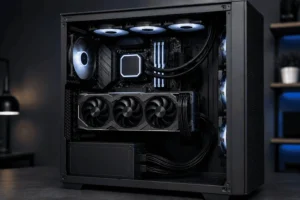
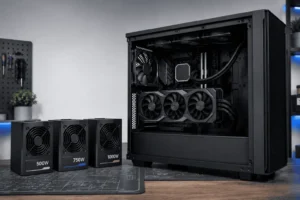



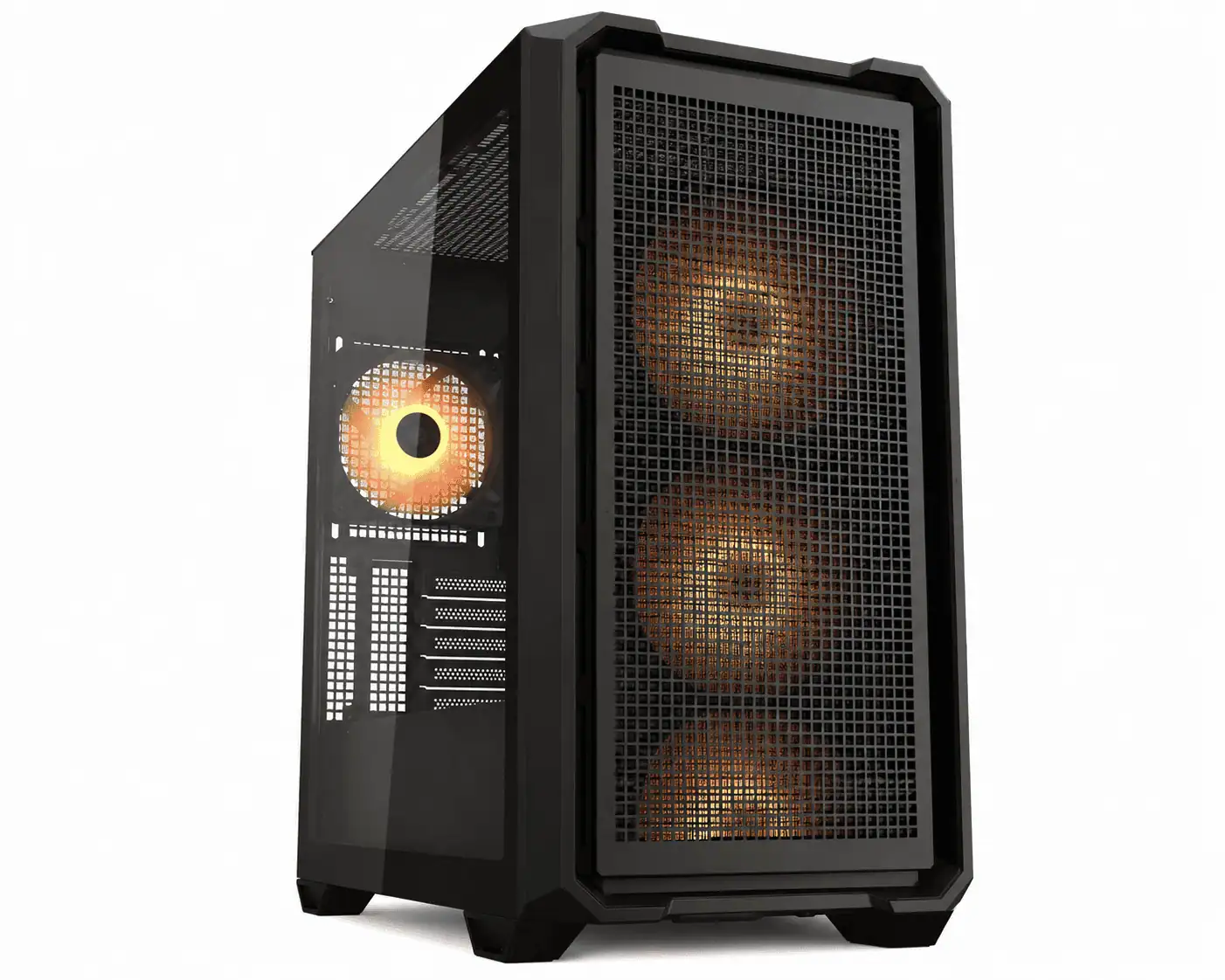
Modern PC builders are paying more attention to clean cable management, and the reverse connector PC case is helping make that possible. It is designed for motherboards with rear-facing connectors, allowing most cables to stay hidden behind the motherboard tray for a cleaner-looking build.
In this guide, you’ll learn what a reverse connector PC case is, how it works, which motherboards it supports, its benefits and drawbacks, and what to check before buying one.
What Is a Reverse Connector PC Case?
A reverse connector PC case is a computer case designed for motherboards with rear-facing connectors.
Instead of connecting most cables from the front of the motherboard, the cables are routed behind the motherboard tray.
This creates a cleaner interior with fewer visible wires.
How It Is Different
Unlike a standard PC case, a reverse connector PC case includes special motherboard tray cutouts that line up with the rear-facing connectors on a compatible motherboard.
These openings let you connect power, USB, fan, and front panel cables from behind the tray instead of the visible side.
Why Builders Choose It
Hiding cables behind the motherboard tray makes cable management easier and gives the PC a cleaner appearance.
This allows components such as the graphics card, CPU cooler, and RGB lighting to stand out, especially in cases with tempered glass side panels.
Does It Support Standard Motherboards?
Many modern reverse connector PC cases also support standard ATX motherboards. This gives builders more flexibility when upgrading or reusing existing hardware.
However, always check the manufacturer’s compatibility list before buying because support varies between models.
Compatibility lists are usually available on the official product page for the PC case.
Reverse Connector Case vs Back-Connect Case
You may see different names for the same type of PC case.
A reverse connector PC case is the most common general term. However, many manufacturers and PC builders also use names like back-connect case, rear connector case, or hidden connector case.
These names all describe the same basic idea. The goal is to move most motherboard cable connections behind the motherboard tray for a cleaner build.
You may also see brand-specific names instead of these general terms.
For example:
- ASUS uses BTF.
- MSI uses Project Zero.
- GIGABYTE uses Project Stealth.
Each brand has its own motherboard layout, but the purpose is the same. They all reduce visible cables by moving connectors to the rear of the motherboard.
How Does a Reverse Connector PC Case Work?

This type of case is designed with extra space and special motherboard tray cutouts that allow cables to connect from behind the motherboard instead of the front.
This keeps the main chamber cleaner while making cable routing more organized.
Motherboard Tray Cutouts
Unlike a standard PC case, a reverse connector PC case includes openings behind the motherboard tray that line up with rear-facing motherboard connectors.
These cutouts allow power, USB, fan, and front panel cables to connect from the back of the motherboard.
Rear Cable Routing
Most cable routing happens behind the motherboard tray instead of inside the main chamber.
This hides the 24-pin power cable, CPU power cable, SATA cables, USB headers, fan cables, and front panel connectors, creating a cleaner interior.
Building Experience
Building inside a reverse connector PC case is very similar to building in a standard PC case.
The main difference is that most cable connections are made behind the motherboard tray, leaving the front of the build cleaner and easier to organize.
Reverse Connector PC Case vs Standard PC Case

A reverse connector PC case and a standard PC case may look similar, but they are built for different motherboard layouts.
A standard PC case connects power, USB, fan, and front panel cables from the front of the motherboard, leaving some cables visible inside the case.
This type of case uses motherboard tray cutouts to route these cables behind the tray instead. This creates a cleaner interior and makes cable management easier.
The main benefit is a tidier build, not better performance.
While hidden cables may slightly improve airflow, cooling still depends more on your case design and fan placement than cable routing.
Which Motherboards Are Compatible with a Reverse Connector PC Case?
Compatibility is the most important thing to check before buying.
Although these cases are made for rear-connector motherboards, they do not all support the same layouts. Some cases work with several ecosystems, while others are built for only one.
Before buying, always read the compatibility list provided by the case manufacturer.
This simple step can help you avoid installation problems later.
ASUS BTF Motherboards
ASUS BTF motherboards place most connectors behind the motherboard to reduce visible cables.
Before buying, make sure your reverse connector PC case officially supports the BTF layout.
MSI Project Zero Motherboards
MSI Project Zero also moves motherboard connectors to the rear but uses its own connector layout. Always check that your case lists Project Zero compatibility.
GIGABYTE Project Stealth Motherboards
GIGABYTE Project Stealth follows the same rear-connector concept with a slightly different layout. Confirm compatibility before purchasing your case.
Why Compatibility Matters
Although ASUS BTF, MSI Project Zero, and GIGABYTE Project Stealth all use rear-facing connectors, their layouts are slightly different.
As a result, a reverse connector PC case may support one motherboard but not another.
Before buying, always check the manufacturer’s compatibility list to make sure your motherboard and case work together.
Can You Use a Standard Motherboard in a Reverse Connector PC Case?
Yes. Many reverse connector PC cases also support standard ATX motherboards. This gives you more flexibility when upgrading or reusing existing hardware.
Always check the product specifications to confirm compatibility.
Benefits of a Reverse Connector PC Case

A reverse connector PC case offers several practical advantages beyond a cleaner appearance.
Cleaner Cable Management
Most power, fan, USB, and front panel cables stay behind the motherboard tray instead of crossing the front of the motherboard.
This reduces cable clutter and creates a tidier interior with less effort.
Better Looking PC Builds
With fewer visible cables, your graphics card, CPU cooler, memory, and RGB lighting become the center of attention, while good RGB controller cable management keeps the rest of the wiring organized behind the motherboard tray.
This creates a cleaner-looking PC, especially in systems with tempered glass side panels.
Easier Cable Routing
Rear-facing connectors place cables closer to the routing openings behind the motherboard tray. This makes cable management simpler and helps create a neater build.
More Flexible for Future Upgrades
Many reverse connector PC cases support both standard ATX and reverse connector motherboards. This allows you to upgrade your motherboard later without replacing the case.
Drawbacks to Consider
Although a reverse connector PC case has many advantages, it also has a few limitations.
Understanding these before buying will help you choose the right case for your build.
Not Every Case Supports Every Motherboard
This is the biggest limitation.
Even if a case supports reverse connector motherboards, it may not support every brand.
Connector layouts can vary between ASUS BTF, MSI Project Zero, and GIGABYTE Project Stealth.
Always check the official compatibility list instead of assuming every rear-connector motherboard will fit.
Fewer Choices Than Standard Cases
Reverse connector PC cases are becoming more popular, but they are still less common than traditional ATX cases.
That means you may have fewer choices for size, design, colors, or price.
The number of compatible models continues to grow each year, but standard cases still offer the widest selection.
The Cost Can Be Higher
If you already own a standard PC case, moving to a reverse connector setup may require buying a new case.
That extra cost can make the upgrade less attractive for some builders.
However, if you are building a new PC from scratch, choosing a reverse connector PC case from the beginning is usually much easier than upgrading later.
Who Should Consider a Reverse Connector PC Case?
A reverse connector PC case is not the right choice for every builder. It works best for people who want cleaner cable management and are planning a compatible PC build.
Here are the users who benefit the most.
New PC Builders
If you are building your first PC, a reverse connector PC case can make cable routing easier to manage.
Since most cables stay behind the motherboard tray, the inside of the case looks cleaner with less effort.
Just make sure you choose a compatible motherboard and case before buying your parts.
Gamers and Showcase Builds
A reverse connector PC case is an excellent choice for gaming PCs with a tempered glass side panel.
This helps create a cleaner and more professional-looking build.
PC Enthusiasts and Content Creators
PC enthusiasts and content creators often upgrade or maintain their systems more frequently.
A cleaner interior with fewer cables around the motherboard can make it easier to access components during upgrades, cleaning, or routine maintenance, especially if you label your PC cables.
RGB and Minimalist PC Builders
If your goal is to build a neat and organized PC, a reverse connector PC case is worth considering.
By hiding most cables behind the motherboard tray, it creates a modern appearance while making cable routing easier than many traditional PC cases.
When a Standard PC Case May Be a Better Choice
If you recently upgraded your PC and are satisfied with your current cable management, replacing your case only for rear cable routing may not provide enough value.
A standard PC case may be the better choice if your current case already meets your needs or you’re building on a tight budget.
It also offers a wider selection of models and prices.
If upgrading to a reverse connector motherboard would also require replacing your case, keeping your existing setup may be the more practical option.
What to Check Before Buying a Reverse Connector PC Case
Buying the right case is easier when you check a few important details before placing your order.
Motherboard Compatibility
Choosing a compatible motherboard is the most important step when buying.
Although these cases are designed for rear-facing connectors, not every motherboard follows the same layout.
Motherboard Size
Make sure the case supports your motherboard form factor.
Most cases are available for ATX motherboards, while some also support Micro-ATX models.
Choosing the correct size helps prevent installation problems.
Space Behind the Motherboard Tray
A case should provide enough space behind the motherboard tray for cable routing.
More clearance makes it easier to organize cables and close the rear side panel without putting pressure on the wiring.
This space also makes future upgrades much easier.
Graphics Card Clearance
Although rear connectors do not affect graphics card installation, you should still check GPU clearance.
Large graphics cards continue to grow in size, so make sure the case has enough room for your chosen model.
Cooling Support
A good case should support your preferred cooling setup.
Check the specifications for:
- Air cooler height
- Radiator support
- Fan mounting locations
Good cooling still depends on proper airflow and fan placement.
Common Compatibility Mistakes
Many builders run into problems because they skip a few simple checks.
Avoiding these common mistakes can save both time and money.
1. Buying the Case Before Checking the Motherboard
Some people buy a reverse connector PC case first and later discover that it does not support their motherboard.
Always confirm back-connect motherboard compatibility before purchasing either component.
2. Assuming Every Rear-Connector Layout Is the Same
This is one of the most common mistakes.
ASUS BTF, MSI Project Zero, and GIGABYTE Project Stealth all use the same idea, but their connector positions can differ.
A case that supports one layout may not always support another.
Checking the official compatibility information is always the safest approach.
3. Ignoring Rear Cable Clearance
Hidden cables still need space.
If there is not enough room behind the motherboard tray, cable bundles can make it difficult to close the rear side panel.
Good cable management behind the tray is just as important as keeping the front of the PC clean.
Are Reverse Connector PC Cases Worth It?
For many builders, the answer is yes.
A reverse connector PC case makes cable management easier and creates a cleaner-looking PC by hiding most cables behind the motherboard tray.
While it does not improve gaming performance, it can make your build easier to organize and upgrade.
If you are building a new PC with a compatible motherboard, a reverse connector PC case is a worthwhile choice.
However, if your current case already meets your needs, upgrading only for hidden cables may not be worth the extra cost.
The Future of Reverse Connector PC Cases
These cases are becoming more common each year.
More manufacturers are adding support for rear-connector motherboards, and more builders are choosing cleaner PC layouts.
Many of the newest cases now support both standard and reverse connector motherboards. This gives users more flexibility without limiting future upgrades.
As the reverse connector ecosystem continues to grow, builders will likely have more choices in different sizes, styles, and price ranges.
While traditional PC cases will remain popular for many years, reverse connector designs are becoming an important option for anyone who values clean cable management.
Conclusion
A reverse connector PC case is a practical option for builders who want cleaner cable management and a more organized PC interior. Before buying, make sure the case is compatible with your motherboard and has enough space for your components. Choosing the right case can help you build a cleaner and more organized system with less visible cable clutter, especially when you follow a regular PC wiring maintenance checklist.
FAQs
Can I use any graphics card in a reverse connector PC case?
Yes. A reverse connector PC case does not limit graphics card compatibility. Just make sure the case has enough GPU clearance for your chosen graphics card.
Do these cases require special cables?
No. Most reverse connector PC cases use the same standard power and data cables as traditional PC cases. The difference is how the cables are routed.
Are reverse connector PC cases harder to build in?
Not usually. The building process is similar to a standard PC case, although you’ll spend more time routing cables behind the motherboard tray.
Do they support custom water cooling?
Many models do. Check the case specifications to confirm radiator support, pump clearance, and space for your planned water-cooling setup.
Are reverse connector PC cases only for gaming PCs?
No. They can be used for gaming, content creation, office work, or any PC build. The main advantage is cleaner cable management rather than improved performance.