


Your wired VR headset should make gameplay more immersive, not leave you fighting with cable drag, tangled cords, or constant cable pulling. During room-scale VR, one loose cable can interrupt movement, break immersion, and even become a trip hazard.
The good news is that you don’t need to switch to wireless VR. A ceiling pulley system, cable clips, cable sleeves, or better cable routing can solve most problems. This guide shows the best VR headset cable management solutions based on your gaming setup, play area, and budget.
Common VR Headset Cable Problems
A wired VR headset delivers excellent performance, but the cable moves every time you do. As you turn, crouch, or walk around, it can drag across the floor, wrap around your legs, or pull against the headset.
Left unchecked, these problems can interrupt gameplay, reduce immersion, and shorten the life of your headset cable.
The most common problems include:
- Cable tangles after turning several times.
- Cable twisting during room-scale VR.
- Stepping on the cable while moving.
- Cable pulling on the headset.
- Cable clutter around your gaming desk.
- Faster cable wear from constant bending.
The right cable management method solves these problems by keeping the cable under control without limiting your movement.
Why Good VR Headset Cable Management Matters
Good cable management is about more than keeping your gaming room tidy. It makes every VR session safer, more comfortable, and helps protect your equipment over time.
Move More Freely
Nothing breaks immersion faster than feeling the cable pull on your headset.
A well-planned cable routing system lets the cable move with you instead of against you.
Whether you’re exploring open worlds, playing rhythm games, or enjoying a room-scale VR adventure, reducing cable drag makes movement feel much more natural.
Stay Safe While Playing
A loose cable can easily become a trip hazard.
When wearing a VR headset, you cannot always see where the cable is. Stepping on it may interrupt your game or even pull the headset off your head.
Keeping the cable above your head, close to the wall, or secured along the floor creates a much safer play area. This is especially helpful if children or pets also use the room.
Protect Your Headset Cable
VR headset cables are built to flex, but repeated twisting, stretching, and sharp bends can shorten their lifespan.
Good cable management reduces stress on connectors and helps protect expensive USB-C and DisplayPort cables from unnecessary wear.
A few simple accessories today can help you avoid replacing a damaged cable later.
Build a Cleaner Gaming Setup
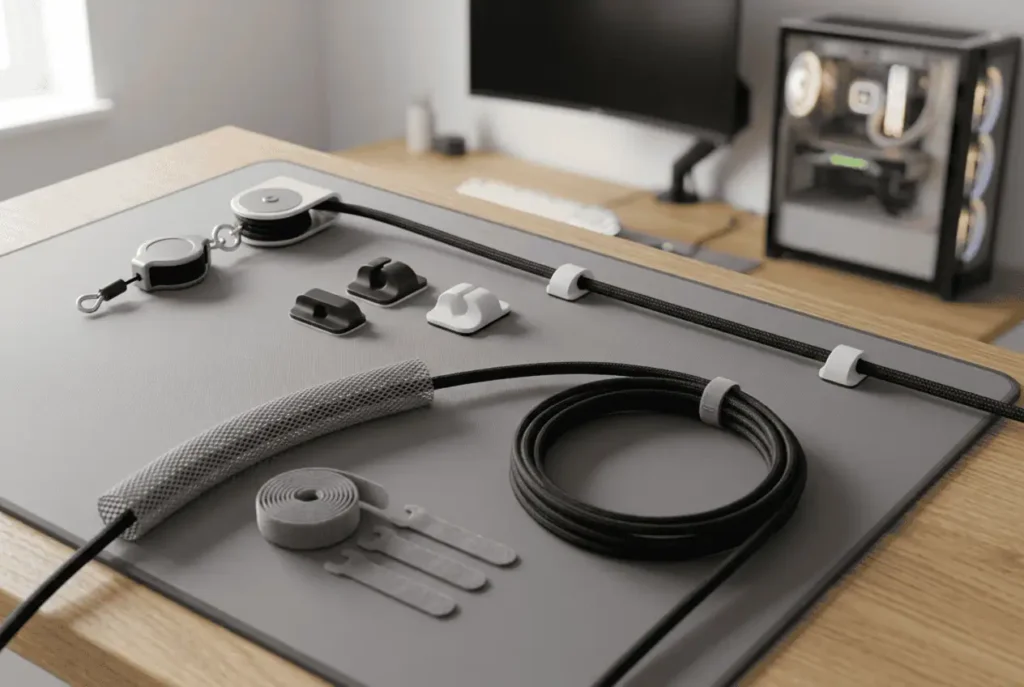
VR cable management also improves your overall gaming setup.
Instead of one cable running across the floor, it follows a planned route alongside your monitor cables, USB hubs, charging docks, and power cables. The result is a cleaner gaming space that is easier to use and maintain.
The good news is that you don’t need to redesign your entire gaming setup to solve these problems. In most cases, a few cable management accessories and better cable routing are all it takes.
The best solution depends on your room, play style, and how much you move during a VR session.
Best Ways to Manage VR Headset Cables
There is no single solution that works for every player. The best option depends on your room, the games you play, and how much you move during a VR session.
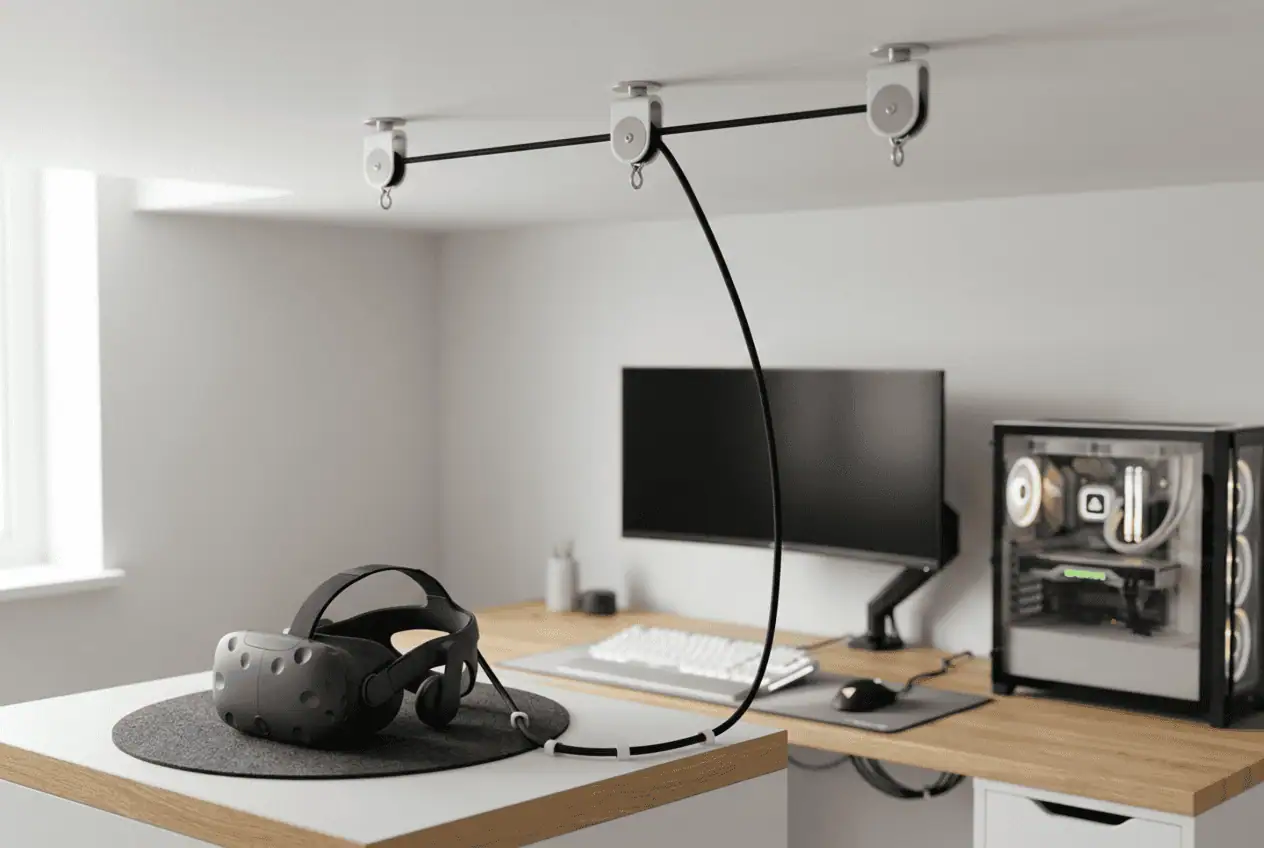
Use a Ceiling Pulley System for Room-Scale VR
If you move around a lot while playing, a ceiling pulley system is usually the best solution.
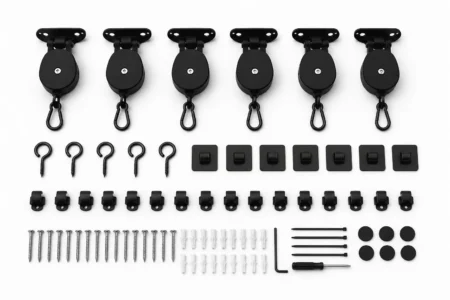
Retractable pulleys hold the headset cable above your head instead of letting it drag across the floor. As you move, the cable extends and retracts with you, making a wired headset feel much closer to wireless.
A ceiling pulley system works best if you:
- Play room-scale VR games.
- Turn around frequently.
- Have a dedicated VR play area.
- Want maximum freedom of movement.
Players who enjoy active games like Beat Saber or Superhot VR often notice the biggest improvement because the cable stays away from their feet.
Keep in mind that ceiling systems usually require adhesive hooks or screw-mounted hooks, so they may not be the best choice for every home.
Choose Cable Sleeves for Simple Desk Setups
Not every VR player needs a ceiling pulley system.
If your headset cable mostly runs behind a desk, cable sleeves are often enough.
They keep the headset cable together with monitor, USB, and power cables, creating a cleaner setup while protecting the cable from rubbing against sharp desk edges.
Cable sleeves work well for:
- Seated VR.
- Home office gaming setups.
- Small gaming rooms.
- Players who mainly use a Meta Quest Link cable.
They improve cable organization but do not prevent cable twisting during active room-scale VR.
Guide the Cable with Cable Clips
Cable clips are one of the easiest ways to organize a VR headset cable.
Instead of letting the cable hang freely, clips guide it along the edge of your desk or wall. This keeps the cable away from your feet and reduces accidental pulling while you play.
Cable clips are ideal if you:
- Have limited space.
- Want a quick installation.
- Rent your home.
- Prefer a simple cable routing solution.
Avoid securing the cable too tightly. It should move freely as you play.
Protect Floor Cables with Cable Covers
If your cable must cross the floor, a cable cover is a simple way to reduce trip hazards.
A low-profile floor cable cover protects the cable while making it safer to walk across. This is a practical option for shared rooms, rental apartments, or seated VR setups where overhead cable routing is unnecessary.
It also helps protect the cable from damage caused by chairs, shoes, or everyday foot traffic.
Keep Cables Neat with Wall Routing and Velcro Straps
Sometimes the simplest solution works best.
Wall-mounted cable raceways keep the headset cable close to the wall instead of stretching across the room. Velcro cable ties help organize extra cable length without squeezing the cable like plastic zip ties.
These accessories are affordable, easy to install, and work well alongside other cable management methods.
If your goal is a cleaner gaming room, combining cable clips, Velcro straps, and wall routing often provides excellent results without making major changes to your space.
How to Set Up a VR Cable Management System
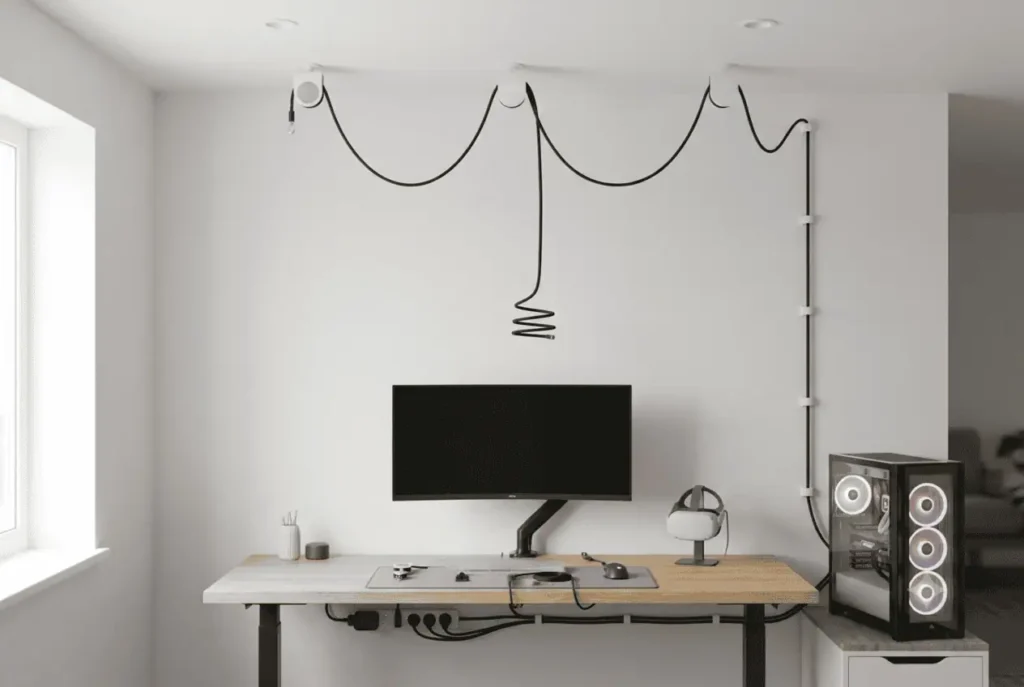
Choosing the right cable management accessories is only part of the solution. A proper setup helps reduce cable drag, prevents unnecessary cable strain, and gives you a smoother VR experience.
You do not need special tools or a complicated installation. A few simple steps can make a big difference.
Position Your PC Close to the Play Area
Start by placing your gaming PC as close to your VR play space as possible.
A shorter cable route means less cable drag and more usable cable while you move. It also reduces the chance of the cable catching on furniture or stretching across the room.
If possible:
- Place the PC against a wall.
- Keep the cable away from doors and walkways.
- Avoid routing the cable behind chairs or furniture.
A good cable route starts with good PC placement.
Install Cable Management Accessories
Now choose the accessories that fit your setup.
If you are using a ceiling pulley system, install the hooks in a straight line between your PC and your normal standing position.
Most systems include adhesive hooks, while others offer screw-mounted hooks for a more permanent installation.
If you are using cable clips or wall-mounted cable raceways, install them before routing the cable. This helps you create a cleaner cable path from the beginning.
Take your time during installation. A few extra minutes now can save you from adjusting everything later.
Leave Enough Cable Slack
One of the biggest setup mistakes is making the cable too tight.
Your headset cable should move with you, not pull against you.
Leave a small amount of slack between the headset and the final cable support point. This allows you to:
- Turn freely.
- Crouch comfortably.
- Reach overhead.
- Move without feeling cable tension.
Too much slack can also become a problem because the cable may hang lower and get in your way. Aim for a balance between support and freedom of movement.
💡 Pro Tip
If you play games that involve frequent turning, try rotating in the same direction whenever possible. This simple habit helps reduce cable twisting, prevents tangles, and keeps your headset cable easier to manage during longer VR sessions.
Test Your Setup Before Playing
Before starting a game, walk around your play area and test your cable routing.
Try different movements such as:
- Turning 360 degrees.
- Reaching above your head.
- Squatting.
- Walking in every direction.
If the cable catches on furniture or feels tight, make small adjustments until movement feels smooth.
Testing your setup now helps prevent interruptions during gameplay.
If your headset uses a Guardian Boundary or similar play area feature, check that it still matches your available movement space after routing the cable.
Plan Your VR Play Area Before Managing Cables
Good cable management starts before you install your first accessory.
Take a few minutes to look at your room and decide where the cable should go. A simple plan often solves problems before they happen.
Match the Solution to Your Room
Different rooms need different cable management methods.
A dedicated VR room has enough space for a ceiling pulley system, while a small bedroom may only need cable clips or cable sleeves.
If you rent your home, removable adhesive hooks and wall clips are often better than permanent ceiling hardware.
Choose a solution that fits your room instead of forcing your room to fit the accessories.
Check Your Cable Length
Most VR headset cables are long enough for normal room-scale gaming.
If your PC is farther away, you may need an extension cable.
Choose a high-quality extension cable that supports your headset’s required data speed and video bandwidth. Poor-quality extension cables can reduce signal quality or cause connection problems.
Remove Obstacles Before You Play
A clean play area is just as important as good cable routing.
Before every VR session, remove anything that could get in your way, including:
- Chairs
- Small tables
- Floor lamps
- Loose boxes
- Pet toys
This gives you more space to move and reduces the chance of accidents.
Plan the Cable Route First
Do not install accessories until you know where the cable should travel.
The shortest route is usually the best one.
Try to keep the cable:
- Away from walking paths.
- Away from sharp furniture edges.
- Close to walls whenever possible.
- Easy to inspect and adjust later.
Planning the cable route first creates a cleaner gaming environment and makes future upgrades much easier.
Mistakes to Avoid
Even high-quality cable management accessories cannot fix a poor installation.
Avoid these common mistakes to keep your headset cable in good condition.
Pulling the Cable Too Tight
A tight cable may look neat, but it limits movement and puts extra stress on the headset connector. Adjust your cable routing so it moves smoothly during every VR session.
Buying Accessories You Don’t Need
Many players assume they need a ceiling pulley system.
That is not always true.
If you mainly play seated VR, cable clips, cable sleeves, or Velcro straps may solve the problem with less cost and less installation.
Buy accessories based on your setup, not on what works for someone else.
Ignoring Cable Wear
Check your headset cable every few weeks.
Look for:
- Twisting
- Sharp bends
- Loose connectors
- Worn cable insulation
Finding small problems early can help you avoid replacing an expensive cable later.
Skipping a Test Run
Many players install their cable management system and start playing immediately.
Instead, spend a few minutes testing every movement before your first game.
Small adjustments to cable routing or pulley placement can make a noticeable difference during longer VR sessions.
How to Choose the Right VR Cable Management Solution
The best VR headset cable management solution depends on your room, your play style, and how often you use your headset. You do not need every accessory on the market.
You only need the one that solves your biggest problem.
For Active Room-Scale VR
If you play games that involve constant movement and turning, a ceiling pulley system is usually the best option.
It keeps the cable above your head, reduces cable drag, and lowers the chance of stepping on the cable.
This setup is ideal for players who spend most of their time standing and moving around.
For Seated VR
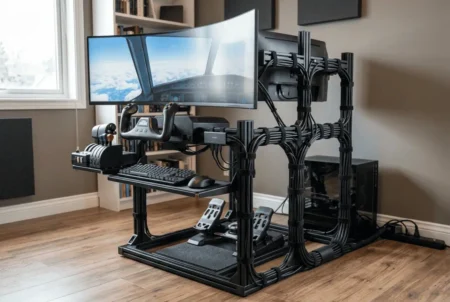
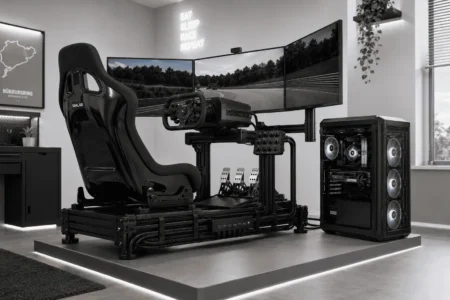
If you mostly play flight simulators, racing simulators, or other seated games, overhead cable management is usually unnecessary.
A combination of cable clips, cable sleeves, and Velcro straps is often enough to keep the cable organized without adding extra hardware.
For Small Rooms
Limited space does not always require a complex setup.
Simple cable routing along the wall, combined with cable clips or sleeves, can keep the cable out of the way while making the room feel less cluttered.
If you rent your home, removable adhesive hooks are a practical alternative to permanent ceiling hardware.
For a Cleaner Gaming Setup
If your goal is to organize your entire gaming space, think beyond the VR headset cable.
Route it alongside:
- Monitor cables
- USB cables
- Ethernet cables
- Speaker wires
- Power cables
Keeping all your cables together creates a cleaner setup and makes future upgrades much easier.
Before You Buy Accessories
Ask yourself a few simple questions.
- Do I play seated or room-scale VR?
- Is the cable actually getting in my way?
- Can simple cable clips solve the problem?
- Do I have space for a ceiling pulley system?
- Am I looking for a temporary or permanent solution?
Answering these questions helps you choose the right accessory instead of buying one you may never use.
If you use a Meta Quest Link, Valve Index, HTC Vive, PICO 4, or PlayStation VR2, make sure the cable management accessories are compatible with your cable size and connector type.
Remember that wireless options such as Meta Air Link remove the cable completely, but many PC VR players still prefer a wired connection because it provides stable performance and consistent image quality.
Conclusion
A messy VR cable can quickly turn an enjoyable gaming session into a frustrating one. The right cable management solution keeps the cable out of your way, protects your equipment, and helps you move more naturally. Whether you choose a ceiling pulley system, cable clips, cable sleeves, or wall routing, the best setup is the one that fits your room and the way you play. Start with the solution that fits your setup, test it during gameplay, and make small adjustments until movement feels natural. A few simple changes can make wired VR much more enjoyable.
FAQs
Is a VR cable pulley system worth it?
If you play room-scale VR games regularly, a cable pulley system is worth it because it reduces cable drag, lowers trip hazards, and makes movement feel more natural.
Can I manage my VR headset cable without drilling into the ceiling?
Yes. You can use adhesive hooks, cable clips, wall-mounted cable raceways, or floor cable covers to organize your headset cable without drilling holes.
How often should I check my VR headset cable for damage?
Inspect your VR headset cable every few weeks if you play regularly. Look for sharp bends, cable twisting, loose connectors, or worn insulation to catch problems early.
Will a longer VR cable affect performance?
A high-quality extension cable usually works well when it supports your headset’s required data speed and bandwidth. Low-quality cables may cause signal loss or connection issues.
Can I use the same cable management accessories for other gaming cables?
Yes. Accessories such as cable clips, Velcro straps, cable sleeves, and cable raceways also work well for monitor cables, USB cables, power cords, and other gaming setup cables.
Does cable management improve VR performance?
Cable management does not increase frame rates or graphics quality, but it improves comfort, reduces cable drag, and helps you move more freely during VR sessions.