


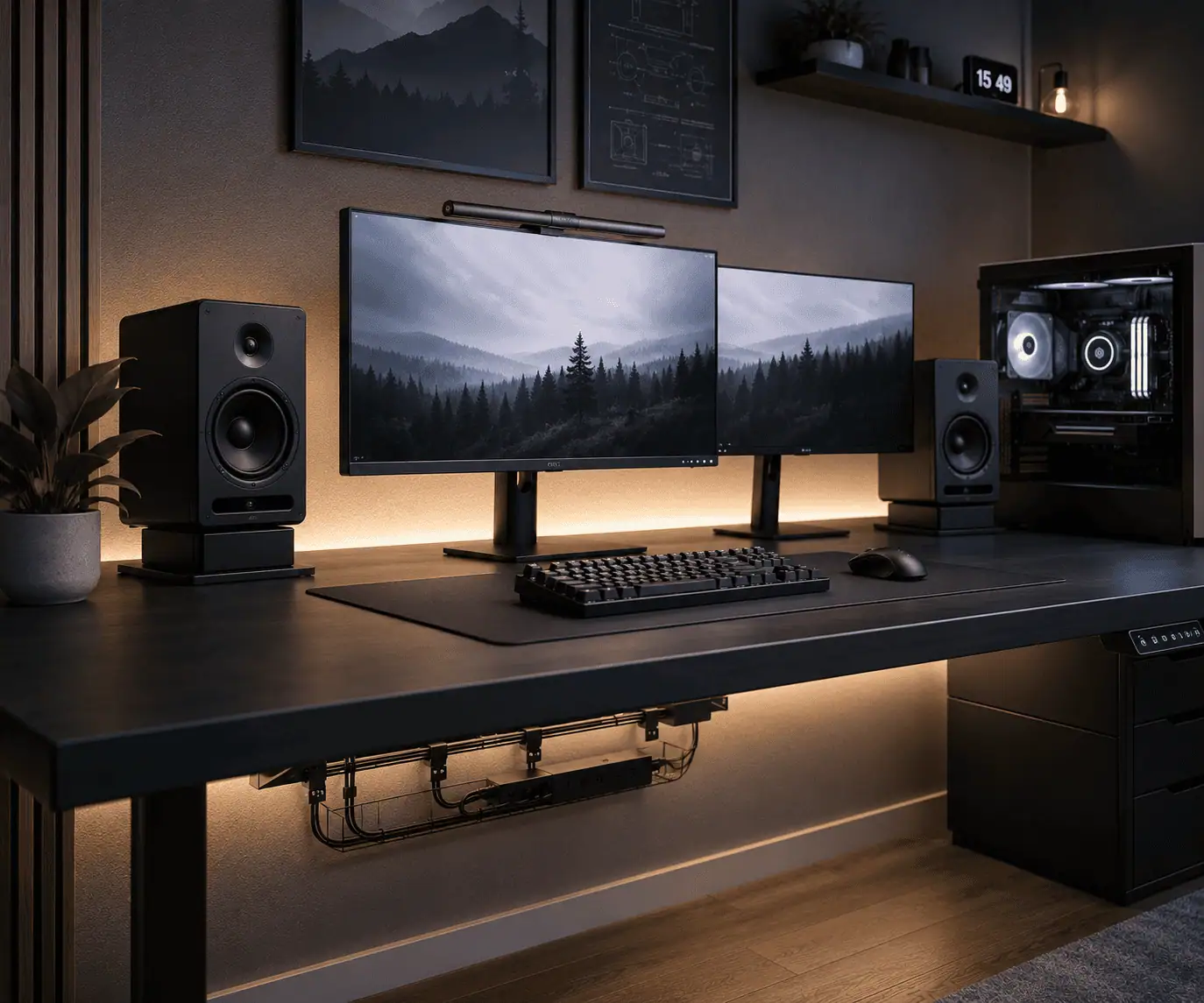
Speaker wires can quickly turn a clean PC desk into a cluttered workspace. Whether you use computer speakers, bookshelf speakers, studio monitors, or a soundbar, long cable runs can make your desk look untidy and harder to clean. Many people struggle to keep speaker wires hidden without affecting speaker placement or cable accessibility.
The good news is that you do not need expensive accessories or major desk modifications to solve the problem. With the right cable management methods, such as cable clips, sleeves, raceways, and under-desk cable trays, you can create a cleaner, more organized setup while keeping your speaker wires neatly out of sight.
Why Speaker Wires Are Harder to Hide Than Other Desk Cables
Speaker wires often travel farther than other cables. Most desks place speakers on opposite sides of the monitor, which creates longer cable runs.
Unlike a mouse or keyboard cable, speaker wires may need to reach an amplifier, audio interface, subwoofer, or PC. This makes cable management more challenging.
The goal is to keep wires hidden without affecting speaker placement or sound quality.
Speaker wire management is one part of effective desk cable management, helping you organize every cable on your desk into a cleaner, more functional workspace.
12 Practical Ways to Hide Speaker Wires on a PC Desk
There is no single cable management solution that works for every desk setup. The best method depends on your speakers, desk layout, and the amount of cable you need to manage.
The 12 methods below range from quick, no-drill fixes to more permanent cable routing solutions. You can use one method on its own or combine several to create a cleaner, more organized PC desk without affecting speaker placement or sound quality.
1. Use Adhesive Cable Clips Along the Back Edge of the Desk
Adhesive cable clips are one of the easiest ways to hide speaker wires.
Attach the clips along the back edge of the desk. Then route the speaker wires through them. This keeps cables off the desktop and prevents them from hanging down.
Cable clips work well for:
- Computer speakers
- Gaming speakers
- Small bookshelf speakers
- Studio monitor cables
Choose clips that match your desk color for a cleaner look.
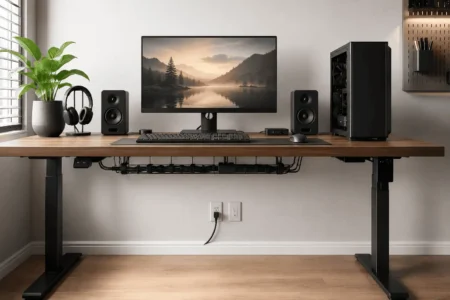
2. Route Speaker Wires Through an Under-Desk Cable Tray
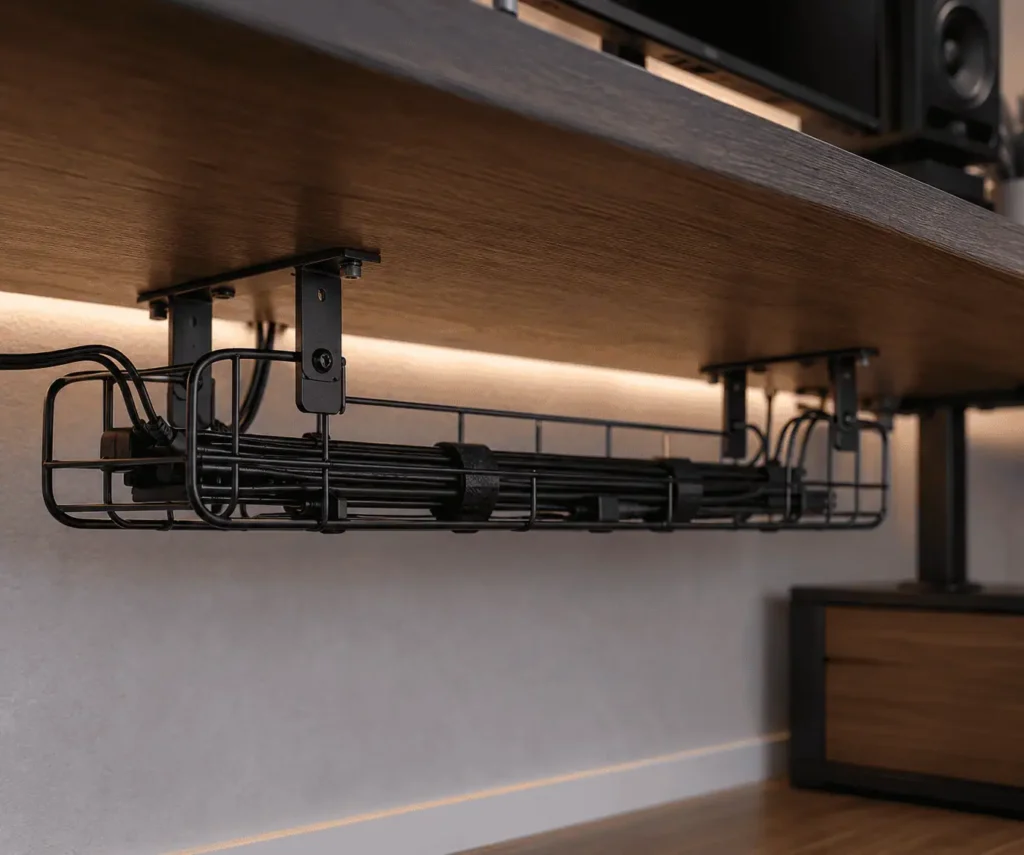
A cable tray is one of the best solutions for desk cable management.
Install the tray underneath the desk. Then route speaker wires through the tray instead of letting them hang behind the desk.
This method works especially well when you have:
- Multiple speakers
- A subwoofer
- An audio interface
- Several audio cables
The tray keeps everything hidden from normal viewing angles.
3. Bundle Speaker Wires in a Cable Sleeve
Cable sleeves help combine several cables into one neat bundle.
Instead of seeing multiple wires, you see a single sleeve running behind the desk.
Cable sleeves are useful when you have:
- Left and right speaker cables
- Monitor cables
- USB cables
- Power cables
They also protect wires from dust and accidental snags.
4. Hide Speaker Wires Inside a Surface Raceway
A surface raceway is a plastic channel that hides cables.
For desks, a J channel cable raceway is another practical option that keeps speaker wires hidden while allowing quick access whenever you need to add or remove cables.
You can mount it:
- Along the back of the desk
- On a wall
- Near baseboards
Many raceways have adhesive backing, which makes installation simple.
Some raceways can also be painted to match your desk or wall color.
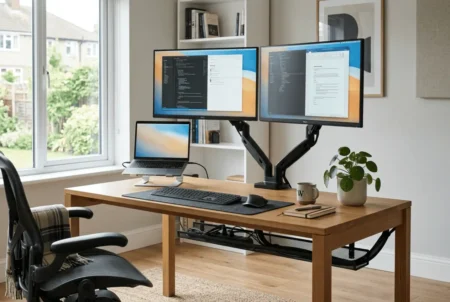
5. Route Wires Behind a Monitor Arm
Many monitor arms include built-in cable channels.
These channels can hide speaker wires along with monitor cables.
This method works best when speakers sit close to your monitors.
By using the monitor arm, you can remove much of the visible cable clutter around the center of the desk.
This becomes even more useful for multi-monitor setups, where several display and speaker cables need to stay organized around the workspace.
6. Use Desk Grommets for Cleaner Cable Paths
Desk grommets create a dedicated path for cables.
If your desk already has a grommet hole, use it to route speaker wires below the desk surface.
This creates a cleaner appearance and keeps cables from crossing your workspace.
For custom desks, adding a grommet can improve cable management significantly.
7. Hide Excess Speaker Wire Under the Desk
Extra speaker wire can make a clean desk look cluttered. Instead of leaving loose loops behind the speakers, store the extra cable underneath the desk.
An under-desk cable tray works well for this task. You can also secure the cable beneath the desktop to keep it out of sight.
This method helps reduce clutter and keeps speaker wires from hanging behind the desk.
8. Use Velcro Straps to Control Cable Slack
Velcro straps are simple but effective.
They help organize speaker wires without damaging them.
Unlike plastic zip ties, Velcro straps can be adjusted whenever your setup changes.
Use them to:
- Bundle excess cable
- Secure wires under the desk
- Organize audio cables
They are especially useful for people who upgrade hardware often.
9. Hide Speaker Wires on a Standing Desk
Standing desks create a unique challenge because the desk moves up and down.
Following a proper standing desk cable management plan helps prevent speaker wires from stretching, snagging, or becoming tangled during height adjustments.
If cables are too short, they can become stretched when the desk rises.
If cables are too long, they create clutter.
To manage speaker wires on a standing desk:
- Route cables through an under-desk tray
- Leave enough slack for movement
- Use cable sleeves for vertical runs
- Secure cables to the moving part of the desk frame
Always test the desk at its highest position before finishing cable management.
10. Hide Speaker Wires Without Drilling Holes
Many people rent their home or office and cannot drill into furniture or walls.
Fortunately, several no-drill options exist.
These include:
- Adhesive cable clips
- Adhesive raceways
- Cable sleeves
- Velcro straps
- Cord covers
These solutions can often be removed later without causing damage.
11. Use Wireless Speakers to Reduce Cable Clutter
Wireless speakers can reduce visible cables.
However, many users expect wireless speakers to eliminate every wire.
That is rarely the case.
Most wireless speakers still require:
- Power cables
- Charging cables
- Power adapters
Wireless speakers reduce clutter, but they do not always create a completely cable-free desk.
Using other wireless peripherals, such as keyboards and mice, can further reduce desk cable clutter without affecting your speaker setup.
12. Combine Multiple Cable Management Methods
The cleanest setups rarely rely on a single solution.
Most organized desks combine several methods.
If your setup includes several USB devices, proper USB hub cable management can further reduce cable clutter while keeping connected accessories easier to access.
For example:
- Cable clips along the desk edge
- Cable sleeve for bundled wires
- Under-desk tray for routing
- Velcro straps for excess cable
Cable clips are especially useful for keyboard and mouse cable routing because they keep frequently used cables in place without restricting movement.
Using multiple methods often produces the best result.
Don’t Sacrifice Speaker Placement to Hide Wires
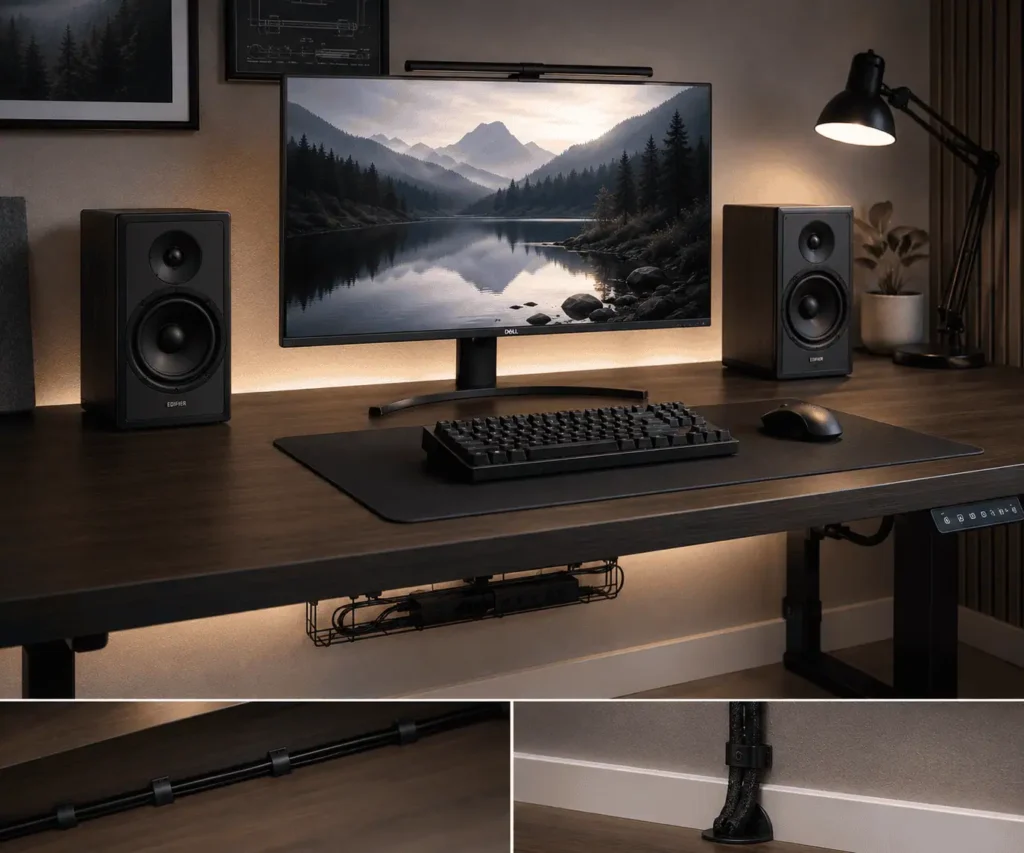
When you hide speaker wires on a PC desk, it is easy to focus only on cable management. However, speaker placement matters just as much.
Try to keep your left and right speakers at a similar distance from where you sit. The speakers should also point toward your listening position. Avoid pushing speakers into corners just to hide the wires, as this can affect sound quality.
A clean setup is important, but good speaker placement helps you get the best audio experience. The goal is to hide speaker wires without changing the ideal location of your speakers.
The Cleanest Way to Route Speaker Wires on a PC Desk
A simple cable route can make speaker wire management much easier.
Speaker to Desk Edge
Run the speaker wire along the back edge of the desk. Use adhesive cable clips to keep it in place.
Desk Edge to Under-Desk Tray
Guide the cable into an under-desk cable tray or raceway. This keeps the wire hidden from view.
Tray to PC or Audio Interface
Route the cable from the tray to your PC, amplifier, or audio interface using the shortest practical path.
Hide Excess Cable Near the Source
Store any extra cable length near the PC or audio equipment instead of behind the speakers. This creates a cleaner look.
Managing Speaker Wires With Audio Interfaces and Amplifiers
Many studio monitor and bookshelf speaker setups use an audio interface, DAC, or amplifier.
These devices often add extra cables to the desk.
If your workspace also includes a laptop docking station, good docking station cable organization helps keep audio, display, and charging cables neatly grouped.
To keep everything organized, route audio cables and power cables separately when possible. Use cable sleeves for grouped cables and an under-desk tray to hide longer runs.
This helps create a cleaner setup and makes troubleshooting easier when you need to change equipment.
Cable Clips vs Cable Sleeves: Which Is Better?
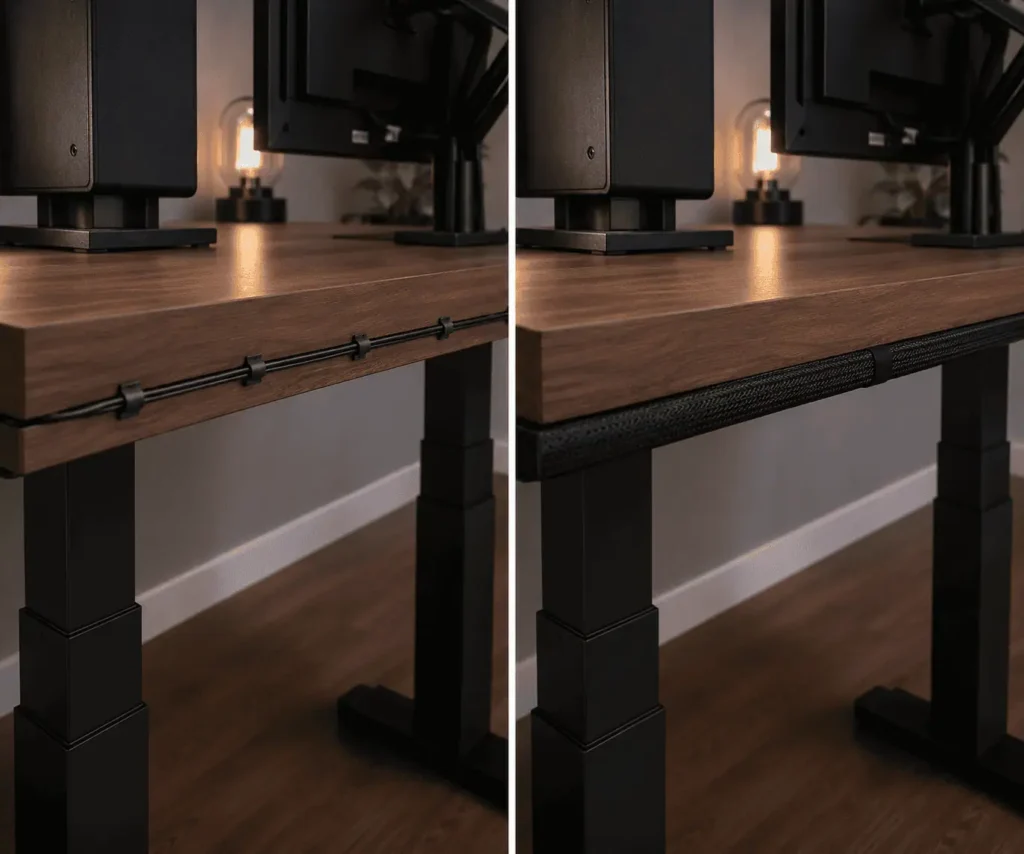
Both help hide speaker wires, but they serve different purposes.
Cable clips work best when you need to guide a wire along a specific path. They are useful for routing speaker wires along desk edges or underneath a desk.
Cable sleeves work best when you want to combine several cables into one bundle. They reduce clutter and make multiple wires look cleaner.
Many desk setups use both products together for the best results.
Why Do My Speaker Wires Keep Getting Tangled?
Speaker wires often become tangled when excess cable is left loose behind the desk. Use Velcro straps to secure extra length and route cables through clips or sleeves to keep them organized.
How to Hide Speaker Wires Based on Your Speaker Type
Different speaker types create different cable management challenges.
Computer Speakers
Computer speakers usually sit close to the monitor.
Cable clips and sleeves are often enough to keep wires hidden.
Gaming Speakers
Gaming setups often include RGB lighting, multiple monitors, and accessories.
Keeping gaming accessories on a pegboard can also free up desk space and make cable routing easier.
An under-desk tray combined with cable sleeves usually works best.
Bookshelf Speakers
Bookshelf speakers are larger and often sit farther apart.
You may need longer cable runs and additional cable clips to keep everything organized.
Studio Monitors
Studio monitors often connect to audio interfaces.
Separate audio cables from power cables when possible to reduce interference.
Use cable sleeves and trays to keep the setup neat.
Soundbars
Soundbars typically require fewer cables than separate speakers.
Routing cables behind the monitor or through a desk grommet can keep them hidden.
How to Hide Speaker Wires on Different Desk Setups
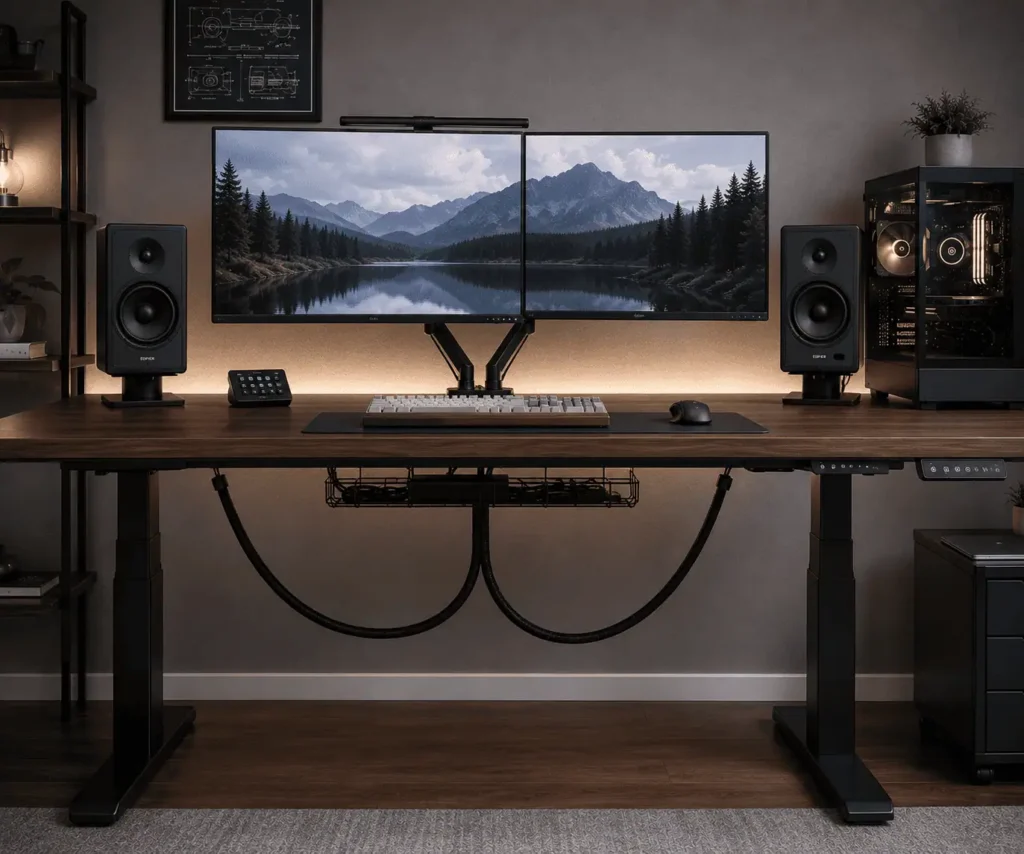
Standing Desk
Leave extra slack and secure cables to the moving frame.
Corner Desk
Route wires along the rear edges of the desk to keep them hidden.
L-Shaped Desk
Use cable trays on both sections of the desk for consistent cable routing.
Wall-Facing Desk
Take advantage of the wall behind the desk to hide cables using raceways.
Floating Desk
Use under-desk cable trays and adhesive clips to keep wires off the floor.
Dual Monitor Desk
Route speaker wires alongside monitor cables to reduce visible clutter.
Should Speaker Wires Run Next to Power Cables?
In most PC desk setups, short speaker wire runs placed near power cables rarely cause noticeable problems.
However, separating audio and power cables is still considered a good practice.
This is especially useful when you use:
- Studio monitors
- Audio interfaces
- Professional audio equipment
Keeping audio and power cables separate can help reduce unwanted noise.
Common Mistakes to Avoid
Pulling Wires Too Tight
Speaker cables should have a small amount of slack.
Tight cables place stress on connectors.
Ignoring Desk Movement
Standing desks require additional cable length.
Always test movement before securing cables.
Using Weak Adhesive Products
Cheap clips may fall off after a few weeks.
Choose quality cable management products.
Leaving Excess Cable Visible
Extra cable often creates the largest source of desk clutter.
Secure it under the desk whenever possible.
Running Cables Through Foot Traffic Areas
Visible floor cables can become a tripping hazard.
Use floor covers or reroute them whenever possible.
Troubleshooting Hidden Speaker Wires
Speaker Wire Keeps Falling Off the Desk
Replace old adhesive clips and clean the mounting surface before installation.
Cable Tray Is Too Small
Upgrade to a larger tray or use multiple trays.
Speaker Wire Is Too Short
Use a properly sized extension or replace the cable.
Speaker Wire Is Too Long
Bundle the excess neatly with Velcro straps.
Wires Are Still Visible
Check the desk from normal sitting positions and adjust routing paths where needed.
Conclusion
Hiding speaker wires on a PC desk does not have to be difficult. Choosing the right cable management method for your desk and speaker setup can reduce clutter, improve organization, and keep your workspace looking clean. Whether you use one solution or combine several, the goal is to hide cables while keeping your speakers easy to access and properly positioned.
FAQs
Can speaker wires run behind a PC case?
Yes. Routing speaker wires behind a PC case can help reduce visible clutter as long as the cables are not pinched or under tension.
How often should I check cable management accessories?
Check cable clips, raceways, and adhesive mounts every few months to make sure they remain secure.
Do thicker speaker wires need different cable clips?
Yes. Choose cable clips that match the wire diameter so the cable stays secure without being squeezed.
Is it better to leave a little slack in speaker wires?
Yes. A small amount of slack helps prevent tension on the cable and makes future adjustments easier.
Can I organize speaker wires and charging cables together?
Yes, but keeping audio cables separate from power and charging cables is usually a better practice if space allows.